
How to Get Text Message Records for Any Situation
So, you need to get your hands on some text message records. Whether it's for a thorny legal issue, a business disagreement, or just for your own peace of mind, the process can seem like a real headache. Don't worry, I've been through this countless times and can walk you through it.
There are really three ways to go about this: pulling them directly from a phone, asking the mobile carrier, or using a specialized tool built for this exact purpose. The right path for you depends entirely on why you need the records.
Your Guide to Obtaining Text Message Records
Figuring out how to get a clean, usable copy of your text messages can be frustrating. This guide is designed to cut right through that noise. I'll lay out the exact methods for getting what you need, based on real-world situations I've encountered.
We’ll start by comparing your options side-by-side. This will help you quickly decide on the best strategy for your specific needs, budget, and how fast you need to move. Getting this right from the beginning saves a ton of time and frustration down the road.
Methods for Getting Text Message Records at a Glance
Before we dive deep, let's look at the big picture. Each method for obtaining text records has its own set of trade-offs. What works perfectly for a simple personal archive might be completely useless for a court case.
This table breaks down the pros, cons, and best uses for each approach.
| Method | Best For | Speed | Cost | Key Challenge |
|---|---|---|---|---|
| Device Export | Personal archiving, informal business records, initial evidence gathering. | Fast | Free | Can be difficult to authenticate for court; may lack metadata. |
| Carrier Request | Formal legal cases (with a subpoena), official records. | Slow | Varies | Requires legal orders; carriers don't store message content. |
| Third-Party Tool | Print-ready evidence, business compliance, complex cases. | Very Fast | $$ - $$$ | Choosing a reputable tool that preserves chain-of-custody. |
As you can see, there's no one-size-fits-all answer. The key is to match the method to your objective. Now, let’s get into why this matters so much today.
Why Text Records Are More Important Than Ever
Text messages now serve as records in everyday disagreements and formal cases alike. TextPort's 2026 national survey found that 66% of U.S. adults had saved message evidence for a serious matter such as work, money, housing, fraud, harassment, or family. 38% said texts or DMs had been used in a legal, workplace, or other formal proceeding they were personally involved in.
A common roadblock I see is in legal disputes. Carriers almost always demand a subpoena, a process that can drag on for weeks. When you need answers now, that kind of delay is a major problem, which is why having a user-controlled option is so valuable.
This flowchart gives you a great visual for figuring out which path to take.
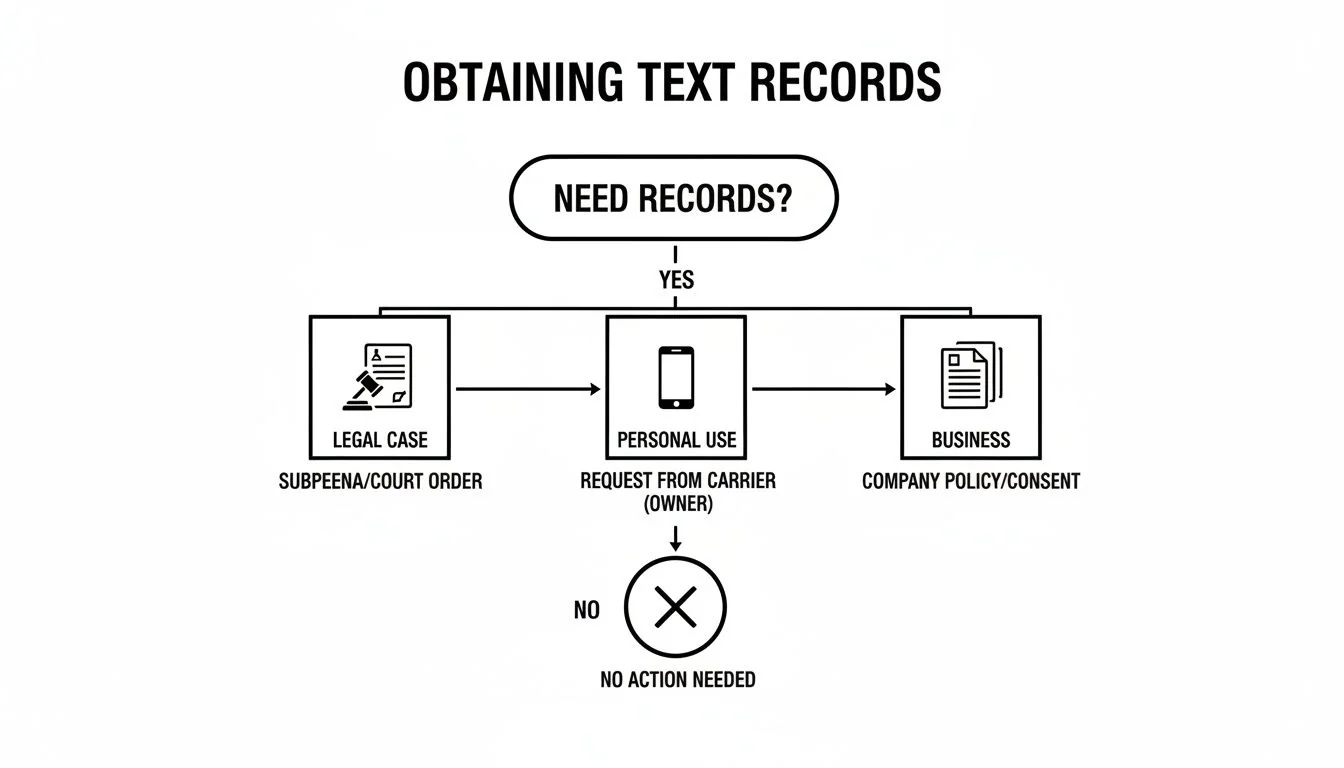
The takeaway is simple: your reason dictates your method. If you're heading to court, you'll likely need to go through formal legal channels. For personal or business needs, a direct export from the device or a third-party tool is often much faster and more practical.
Common Reasons for Needing Text Records
The reasons people come to me for help with text records are incredibly varied. Each one demands a different level of detail and proof.
- Legal Disputes: This is a big one. Think custody battles, harassment claims, or contract arguments where a text message can make or break the case.
- Business Record-Keeping: I work with many small business owners who need to save conversations with clients to prove an agreement was made, confirm an order, or shut down a dispute.
- Personal Archiving: Sometimes, it’s not about conflict at all. You might just want to preserve a special conversation or create a personal history of important moments.
For those in a tough spot personally, one of the most common drivers is understanding cheating by text message. In such a painful and sensitive situation, having a clear and complete record is non-negotiable for getting closure and deciding what to do next.
Whatever your reason, the end goal is always the same: to produce a copy of your conversations that is accurate, easy to read, and, when necessary, defensible.
Retrieving Records Directly from Your Smartphone
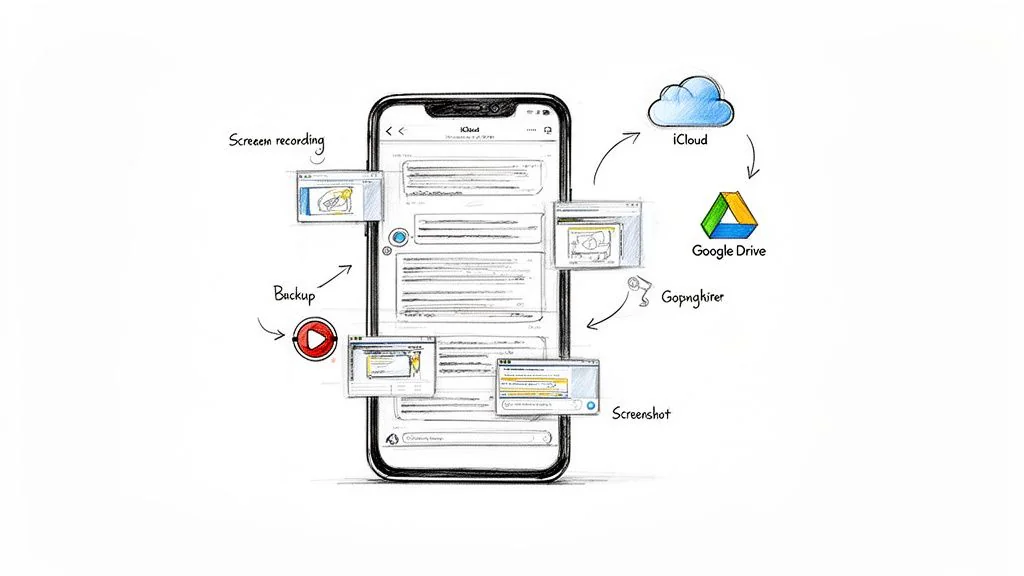
When you need proof of a conversation, your first instinct is probably the right one: grab your phone. It’s the fastest, most direct way to access your text messages. The entire history is sitting right there.
But simply taking a few screenshots and calling it a day is a rookie mistake. To create a record that’s actually useful, one that's complete, credible, and easy for someone else to understand, you need a better game plan. Let's walk through the right way to get records from your iPhone or Android, and how to sidestep the common traps.
Capturing Conversations with Screenshots and Screen Recordings
Let's be honest, the go-to move for most people is to start snapping screenshots. It’s quick and simple for showing a single, important text. The problem is, long conversations turn into a disorganized mess of image files. It's incredibly easy to miss a message, get the order wrong, or end up with a folder of files that are a nightmare to piece back together.
For anything longer than a few bubbles, your phone's built-in screen recording feature is a much smarter choice. This lets you capture the entire text thread in one continuous video as you scroll through it.
Tips for a Clean Screen Recording:
- Start with the Contact Info: Before you do anything else, make sure the person's name or number is clearly visible at the top of the screen. This is non-negotiable for proving who you were talking to.
- Scroll Slowly: Resist the urge to fly through the conversation. A slow, steady scroll ensures every single word is legible in the final video. No jerky movements.
- Show the Whole Message: As you scroll, make sure each new text bubble is fully on screen before you continue. Don't let the tops or bottoms get cut off.
Another technique is to take overlapping screenshots. You’d take a screenshot, scroll down just enough so the very last message of the first shot is now at the top of your screen, and then take the next one. It’s tedious, but it can result in sharper images than a video.
The real challenge with any of these manual methods isn't the capture, it's what comes next. You’re left with a raw video or a pile of images that you have to somehow turn into a clean, professional document. It’s a huge time sink, and the result often looks sloppy.
An unorganized mess of images just doesn't hold up in a formal setting, whether you're dealing with lawyers, a judge, or an HR department.
Using Native Backup Systems Like iCloud and Google Drive
What about your phone’s built-in backups? It’s true that iCloud (for iPhones) and Google Drive (for Androids) are constantly saving your data, including your texts. But these systems are designed as an all-or-nothing safety net for restoring your device, not as a tool for exporting a single conversation.
Think of a backup as a sealed snapshot of your entire phone. To get just the text messages out, you typically have to restore the entire backup onto another phone. It’s completely impractical. While some third-party software claims to pull messages from backup files on your computer, it's often a technical headache and far from a guaranteed success.
For most people, a native backup is there to save you if you lose or break your phone. It’s not a practical way to export specific text threads in a readable format.
The Drawback of Manual Methods and a Modern Solution
The fundamental problem with screenshots, screen recordings, and backups is the final product. You end up with a mess of raw files that are difficult to search, organize, and present to someone else. This is where the DIY approach completely falls apart in any serious situation.
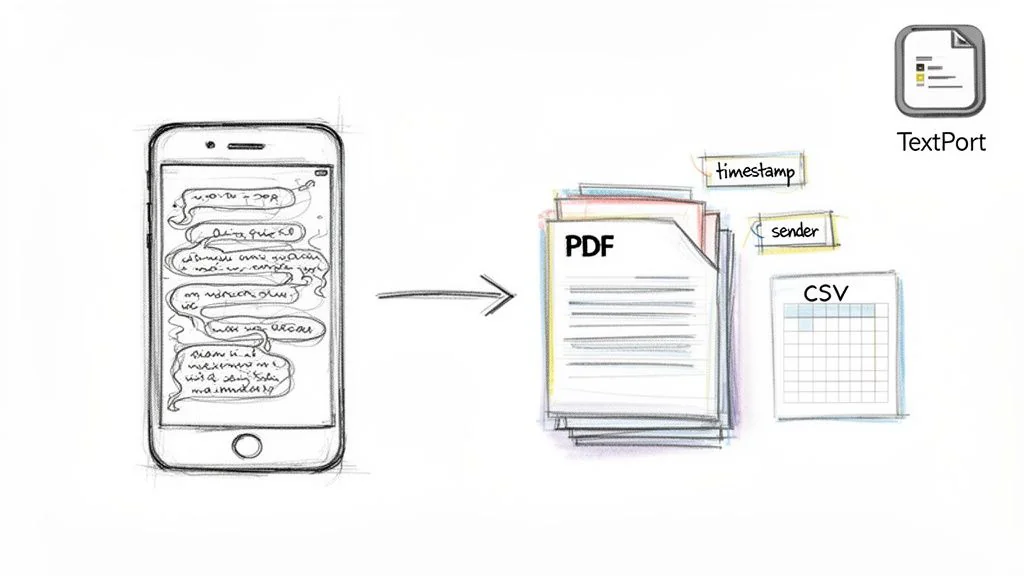
A far more effective approach is to use a specialized tool that does the heavy lifting for you. An app like TextPort, for example, is built specifically to process your screen recording and automatically convert it into an organized, transcribed document.
Instead of spending hours trying to assemble screenshots, you get a polished, print-ready PDF or a data-rich spreadsheet. It turns that messy video scroll into a clean, chronological conversation with all the sender details and timestamps perfectly preserved. It solves the biggest headache of manual capture by handling all the formatting and organization.
For a detailed walkthrough on this process, you can check out our guide on how to export text messages from an iPhone.
Ultimately, your phone gives you the raw data, but it takes the right tool to transform that data into a usable and defensible record.
Requesting Records from Your Cell Phone Carrier
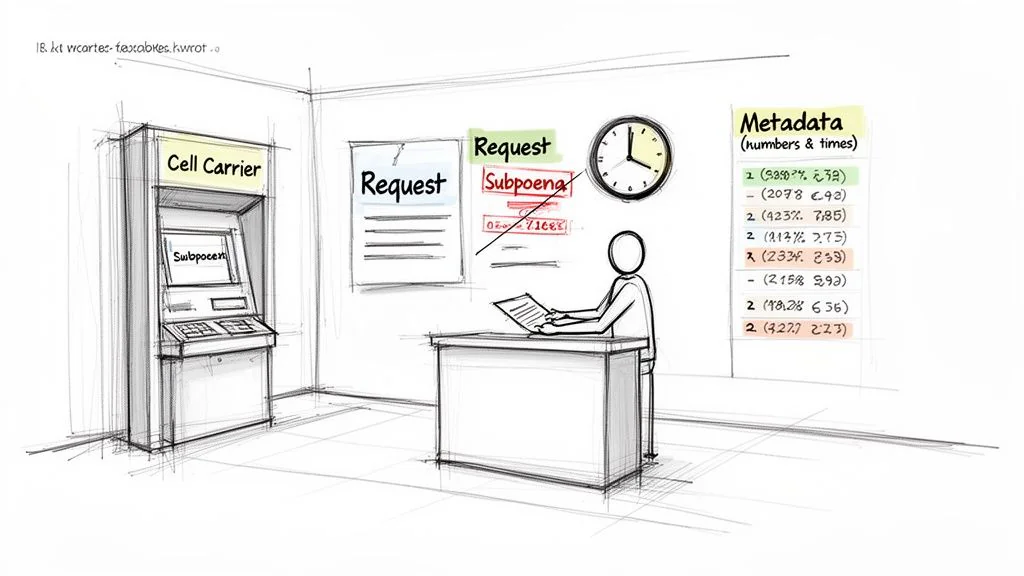
When you need an official log of text messages, your first instinct is probably to go straight to your cell phone provider, think Verizon, AT&T, or T-Mobile. It seems like the most logical path. But based on my experience, this route is almost never as simple as it sounds and is often fraught with legal roadblocks and frustration.
Let's set some realistic expectations right away. While you can almost always get a log of phone numbers, dates, and times, getting the actual content of those messages is another matter entirely. Carriers are fiercely protective of user privacy and will not release message content without a formal legal order.
Understanding What Carriers Actually Store
The first thing you have to grasp is the critical difference between text message content and metadata. This single distinction is at the heart of every carrier request you'll ever make.
- Metadata: This is the "who and when" of your messages. It covers the phone numbers in the conversation, along with the date and time each text was sent or received. Most carriers hang onto this data for quite a while, sometimes for several years.
- Content: This is the message itself, the words, photos, and emojis you actually sent and received. The reality is, carriers rarely store this for long. For most, message content is purged from their live systems within a few days.
So, when you log into your online account with a major carrier, you’ll find billing statements and call logs. You might even be able to download text message metadata. But you won’t find the body of the messages. They just aren't there.
The Standard Process for Requesting Records
If all you need is that metadata, the process is fairly straightforward. You can typically find it by logging into your carrier’s website and digging into your usage details or billing history. It’s a good way to get a high-level view of communication patterns.
But if you’re after the actual content of the texts, you’ve officially crossed into legal territory. This is no longer a customer service issue, it's a legal one.
The hard truth is that for a carrier to release the content of text messages, they require a court-issued order, like a subpoena or a search warrant. There are no shortcuts here, even if you are the account holder.
This strict adherence to the law is precisely why going to the carrier is rarely a quick fix. Think about the sheer volume of communication they handle, in 2020 alone, Americans sent an astounding 2.2 trillion SMS messages. This number helps explain why carriers have such rigid policies for accessing these private conversations. You can explore more fascinating text message usage statistics to see just how central messaging has become.
For people dealing with personal disputes or workplace issues, the weeks-long delay and high cost of getting a subpoena often make it a non-starter. This is why using tools to export directly from the device is a much more practical first step.
When Is a Subpoena Necessary and What Does It Involve?
You'll need to go the subpoena route when the content of text messages is essential evidence for a formal legal case. Common scenarios include:
- Custody Battles: To prove communication patterns, cooperation, or harassment.
- Workplace Investigations: To document policy violations or resolve employee disputes.
- Criminal Cases: When law enforcement needs to establish a timeline of events or gather evidence.
Getting a subpoena isn’t a DIY project. It requires an attorney to file a formal request with a court, which then issues an order compelling the carrier to produce the records. Be prepared for the costs, which can include attorney fees, court filing fees, and a processing fee from the carrier that can run from a small charge to several hundred dollars.
The timeline is another huge factor. From filing the motion to actually receiving the records, the process can easily take several weeks, if not months. This makes it impractical for any time-sensitive matter. And remember, even with a court order, you’re still at the mercy of the carrier's data retention policy. If they’ve already deleted the messages, a subpoena can’t magically bring them back.
So, you've tried screenshots, but they’re a jumbled mess. You've considered asking the phone carrier, only to find out it’s a legal and logistical nightmare. This is a common dead end, and it’s where specialized third-party software comes into play. These tools are built specifically to turn chaotic digital conversations into clean, professional records that can actually hold up when it matters.
Think of them as the bridge between having messages on your phone and having defensible evidence in your hand.
The Modern Mobile-First Approach
In the past, getting messages off a phone was a real headache. It usually involved finding the right cable, installing clunky software on a computer, and hoping the extraction process didn't fail. This old-school method was not only slow and technical but often limited to standard SMS and iMessage chats.
Thankfully, things have changed. Modern tools like TextPort now use a much smarter, mobile-first workflow. Instead of tethering your phone to a computer, these apps work directly from a screen recording you take right on your iPhone. It’s a brilliant solution because it lets you capture conversations from any messaging app, not just your texts, but also WhatsApp, Instagram DMs, Facebook Messenger, and more.
Basically, if you can see it on your screen, you can export it. The software then gets to work, automatically transcribing the entire conversation from your video. It pulls out all the critical details like sender names, phone numbers, and timestamps, all without you needing any technical skills.
This is a huge deal. Text messages have a staggering 98% open rate, and most are read within minutes. In situations involving harassment or informal business agreements, this means the evidence trail builds up incredibly fast. It's an immediate, undeniable record of communication.
Real-World Scenario: A Custody Dispute A client in a tense custody battle needed to prove a pattern of non-cooperation from their ex-partner. The key evidence was spread across months of iMessage and WhatsApp threads, showing last-minute cancellations and constant arguments. Taking hundreds of screenshots was becoming a nightmare, and their attorney needed a single, chronological document for court.
Using a tool like TextPort, they simply screen-recorded both conversation threads on their iPhone. The software processed the videos and, in minutes, produced a single, searchable PDF. They were able to hand their lawyer a clean, compelling document that was easy to review and present as evidence.
Why Metadata and Formatting Are So Important
When you're preparing text messages for any formal purpose, the words themselves are only half the story. Without context, the messages can be challenged, questioned, or even dismissed entirely.
This is where a good third-party tool proves its worth. It meticulously preserves two elements that screenshots almost always fail to capture properly:
- Crucial Metadata: This is the data about your data, the sender's name or number, the date, and the exact timestamp for every single message. This information is what establishes a verifiable timeline and proves who said what, and when.
- Print-Ready Formatting: Let’s be honest, a folder of 157 randomly named screenshot files looks unprofessional and is a pain for a lawyer or judge to sort through. A well-designed tool outputs a clean, chronologically organized PDF that looks like a proper exhibit.
By automatically capturing and formatting these details, these tools add a layer of credibility that a simple screenshot just can't provide. This is essential for maintaining the chain of custody and ensuring your evidence is taken seriously. To dig deeper, some advanced Legal AI Tools for Lawyers are also emerging to help analyze and present digital evidence like text messages.
Choosing Your Output Format: PDF vs. CSV
Another massive advantage of using a dedicated export tool is flexibility. You aren't stuck with a pile of JPEGs or a single video file, you get formats designed for specific needs.
PDF (Portable Document Format): This is the universal standard for legal filings and professional documents. PDFs look the same on every device, print perfectly, and present the conversation in an easy-to-read, chronological flow. For sharing with attorneys, courts, or HR, this is your best bet.
CSV (Comma-Separated Values): A CSV file is essentially a spreadsheet. This format is made for analysis. Each message is broken down into its own row, with separate columns for the date, time, sender, and the message content itself. This lets you or your legal team sort, filter, and search through thousands of messages to find keywords or isolate conversations from a specific date.
If you’re dealing with an enormous message history, it's also worth seeing if the tool has a desktop version built for larger archives. For instance, you can find desktop software options that complement mobile apps for handling massive archives.
Ultimately, having both PDF and CSV formats gives you the best of both worlds: a polished document for presentation and a sortable dataset for investigation. This adaptability ensures your records are ready for whatever comes next.
Common Mistakes to Avoid When Preserving Text Evidence
I’ve seen it happen more times than I can count: someone walks in with a "smoking gun" text message, but because of how they saved it, the evidence is practically worthless. The way you preserve your text messages is every bit as important as what they say.
One wrong move can make your evidence look manipulated or, worse, get it thrown out of court. Let’s walk through the most common pitfalls I see and, more importantly, how you can sidestep them to make sure your evidence is solid.
Relying on Incomplete Screenshots
So many people think a few quick screenshots are all they need. This is easily the biggest and most frequent mistake. A single screenshot might grab a key admission, but it almost always leaves out the surrounding context.
The first thing a sharp opposing attorney will do is argue that you’ve cherry-picked the conversation, conveniently leaving out messages that don’t fit your narrative. It immediately plants a seed of doubt, and in a legal dispute, doubt can completely derail your argument.
Imagine you're trying to prove a business partner agreed to a change in payment terms. You screenshot the one text that says, "Okay, I agree," but you leave out the five messages before it where you pressured them or offered something else in return. That missing context makes your evidence look weak and even deceptive.
To avoid this, you have to capture the entire conversation, from start to finish.
- Show the Full Thread: Use a screen recording or a series of overlapping screenshots that show every single message in order.
- Include Contact Info: Always start by capturing the contact’s name or phone number displayed at the top of the screen.
- Don't Forget Timestamps: Make sure the date and time of each message are clearly visible. This establishes a verifiable timeline.
Presenting the full picture shows you have nothing to hide and strengthens your credibility immensely.
Ignoring Crucial Metadata
Think of metadata as a text message's digital fingerprint. It’s the data about your data, things like the sender and receiver's phone numbers, the exact date, and the precise timestamp for every single message. This is the information that anchors your text messages to a specific time and place, making them verifiable.
When you just copy-paste the text into a document or forward it to your lawyer, all that crucial metadata is destroyed. A forwarded message can be edited before it's sent, and there’s no way to prove its authenticity.
A classic example is when someone forwards an incriminating text to their attorney, thinking they've secured a win. The first question from the other side will be, "How do we know this wasn't altered?" Without the original metadata, you simply can't answer that question effectively.
A judge will almost always give far more weight to evidence that includes verifiable sender information and timestamps. This is precisely why specialized export tools are so valuable, they are built to preserve this metadata automatically, giving your evidence a foundation of authenticity that manual methods lack.
Mishandling the Chain of Custody
Chain of custody is a formal-sounding term, but it’s a simple concept: it's the chronological log that tracks evidence from the moment it's collected to the moment it's presented in court. If that chain is broken, your evidence can be challenged and potentially deemed inadmissible.
When you export text messages yourself, say, by saving screenshots to your computer and then emailing them, you create a potential break in that chain. The other party could claim you had the opportunity to tamper with the files. Maybe you edited a date in a spreadsheet or used photo editing software on a screenshot. Even if you did nothing wrong, the possibility is often enough to create suspicion.
Using a trusted, neutral third-party tool like Decipher TextMessage or iMazing can add a crucial layer of protection here. These programs create a clean, defensible record directly from the source device or backup file, minimizing claims of tampering.
It's also critical to act fast. The longer you wait, the more likely it is that messages could be deleted or the device lost, complicating the evidence trail forever. Preserve your records the moment you realize they might be important.
Common Questions (and Expert Answers) About Text Message Records
Even after you figure out the basic steps for getting text records, some big questions always seem to pop up. It's a confusing process, and that's okay. Let's clear up some of the most common issues we see people run into.
How Long Do Cell Companies Keep Text Message Records?
This is probably the single most misunderstood part of the process. The answer really has two different parts, and the distinction is critical.
First, you have the metadata. Think of this as the "envelope" of the text, it's the log showing who texted whom and the exact date and time. Major carriers like Verizon and AT&T usually hang onto this data for several months, sometimes for a few years. These are the records you can often access yourself through your online account portal.
Then there's the content, the actual words, photos, and videos inside the messages. Here’s the hard truth: carriers don't want to store this. Once a message is delivered, it’s usually purged from their active servers within days, if not hours. Getting message content directly from a carrier is a long shot that almost always requires a court order, and even then, you have to hope they haven't already deleted it.
Can I Use Screenshots of Text Messages in Court?
Technically, yes, you can submit screenshots as evidence. But I'll be blunt: it’s a huge risk. The biggest problem is authenticity. I've seen it happen time and again where an opposing attorney calls a set of screenshots into question, claiming they’re fake, edited, or presented completely out of context.
If you absolutely must use screenshots, you have to do everything you can to make them credible. They need to show:
- Contact Info: The sender’s name or phone number has to be visible at the top.
- Dates and Timestamps: Every single message bubble needs its timestamp. Don’t cut them off.
- The Full Picture: Resist the urge to cherry-pick. Show the entire conversation around the key messages to prove you're not hiding anything.
A far better approach is to use a tool that organizes all this information into a clean, comprehensive document. When you hand a judge a neatly formatted PDF with all the metadata perfectly preserved, it carries infinitely more weight than a messy folder of screenshots.
What Is the Best Way to Save Texts for a Custody Case?
When the stakes are as high as they are in a custody case, showing up with a disorganized pile of screenshots is a recipe for disaster. You’re not just presenting evidence, you're presenting yourself. A folder with 100 randomly ordered images looks sloppy and can undermine your credibility.
The best method, by far, is to use a tool designed specifically for this purpose. You need a clean, chronological export that preserves every critical detail, the messages, sender info, dates, and times, in a single, easy-to-search document. Our guide on how to print text messages from an iPhone walks through exactly how to create these kinds of print-ready exports.
A searchable PDF or an organized spreadsheet makes your attorney’s job easier and presents your evidence in a way that’s impossible for a judge to ignore. It’s professional, clear, and compelling, which can make a real difference in the outcome of your case.
Stop wrestling with screenshots and let TextPort do the work for you. Convert your screen-recorded text conversations from any app into print-ready PDFs or organized spreadsheets right from your iPhone. Get your first export done in minutes. Visit the TextPort App Store listing to get started.

Start exporting your messages
Available for iPhone, Mac, and Windows. No computer required.
