
How to print text messages for court from iPhone in 2026
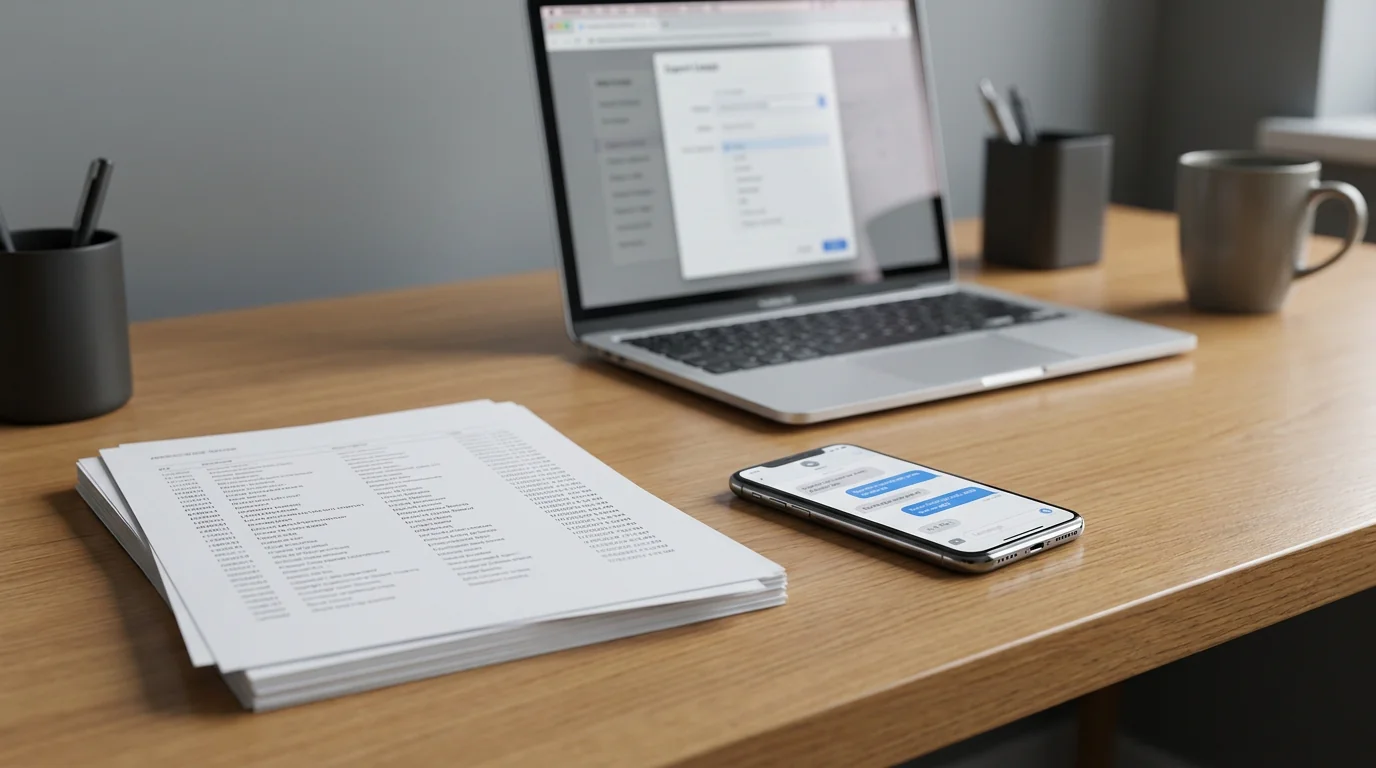
To print text messages for court from an iPhone, export the conversation to a PDF that shows the sender, date, and time on every message, then print the PDF. The Messages app on iPhone has no print button, and a normal screenshot shows a time above only some of the messages.
Text messages are now routine evidence in custody disputes, harassment claims, workplace incidents, contract disagreements, landlord disputes, and small claims. In TextPort's 2026 national survey, 38% of U.S. adults said texts or DMs had been used in a legal, workplace, or other formal proceeding they were personally involved in. The standard of "printing them for court" is different from "snapping a few screenshots." Below, we cover what that looks like.
How to print text messages for court for free
Three ways cost nothing:
- Screenshots, on your iPhone alone. Open the conversation, drag the messages to the left and hold, so each message shows its time, and take the screenshot with your other hand. Then combine the screenshots into one PDF (Method 2).
- TextPort for Mac. It reads the Messages already synced to your Mac and exports a whole conversation to a PDF with the name, date, and time on every message, ready to print.
- TextPort for Windows. It backs up your iPhone over its USB cable and exports the same PDF from that backup.
Neither computer app needs a TextPort account or a purchase. Both read iMessage and SMS, and Method 3 has their steps.
Without a computer, screenshots get slow after a few dozen messages. TextPort on your iPhone imports the conversation instead and prints it or saves it as a PDF. It also reads WhatsApp, Instagram, Messenger, Telegram, and Signal. Your first 3 conversations import for free. After that, you need a subscription.
What courts look for in text message evidence
For text messages to be admitted as evidence, they generally need to meet three basic standards under the Federal Rules of Evidence (and most state equivalents):
- Relevance: the messages must relate directly to the legal matter.
- Authenticity (Rule 901): you must be able to show the messages are genuine and linked to a specific person or account. This usually means demonstrating the sender's phone number, account details, or other contextual factors.
- Hearsay exceptions: messages sent by a party to the lawsuit are often admitted as "statements of a party opponent" and don't trigger the hearsay bar.
According to the American Bar Association, authentication is the primary hurdle for digital text evidence. Courts have generally accepted screenshots when they clearly show the sender name or number, the recipient, and timestamps on every message, but a well-formatted PDF export carries more weight than fragmented screenshots, because it's harder to accuse of selective cropping or editing.
In most jurisdictions the practical standard is that the printout shows the contact name or phone number, date, time, and full message content for every single message in the thread. A partial conversation where some messages lack timestamps is a common reason for evidentiary objections.
For the courtroom side of this (what to bring alongside the printout, how to handle source files, how to think about admissibility for civil vs criminal matters), see the court-export use-case guide.
Method 1: Export straight from iMessage with TextPort (no computer needed)
For iPhone users who don't want to connect to a desktop, TextPort offers a mobile-first approach that works with any messaging app: iMessage, WhatsApp, Instagram DMs, Facebook Messenger, Telegram, Signal, and others. The app is rated 4.3 out of 5 across more than 1,000 App Store ratings in 41 countries (as of June 2026).
For iMessage and SMS, TextPort imports the conversation word for word through the TextPort Shortcut. It needs iOS 26.4 or later (your version is in Settings > General > About). On an older version, record your screen while you scroll the conversation and TextPort reads the messages from the recording.
- Open TextPort. Tap Add Chat, then Import from Messages. The first time, tap Add Shortcut to add the TextPort Shortcut in Apple's Shortcuts app.
- Tap Find chats and pick the conversation.
- Choose dates that cover the whole conversation, then tap Start import. TextPort imports every message with its sender and timestamp.
- Tap Export. Pick Print to send it to a printer, or PDF to save a copy you can email or print later. Spreadsheet (CSV) and Text (TXT) are there too.
Review the export and make sure it is complete before you file it.
The exported PDF is paginated and formatted in a way that's readable for attorneys and judges. Every message retains its sender label and timestamp, which directly addresses the authenticity requirements courts care about. TextPort also covers WhatsApp, Instagram, and other third-party apps, which is useful when the conversation happened somewhere desktop tools can't access.
For those who want to export an entire iMessage or SMS history at once, TextPort also has desktop apps for Mac and Windows.
Method 2: Screenshot capture
Screenshots are the most accessible approach and are generally accepted as evidence, provided they're done carefully.
What to do:
- Scroll to the very beginning of the relevant conversation before capturing.
- Take screenshots that overlap slightly, so no messages fall in the gap between images.
- Make sure the contact name or phone number is visible at the top of every screenshot.
- Don't crop or edit the images. Even adjusting brightness can raise authenticity questions.
- Compile the screenshots into a single PDF using iOS's built-in share menu or a free PDF app before printing.
The limitation is that a long conversation may produce dozens of screenshots, and courts may question whether the sequence is complete. A formatted PDF export from a dedicated tool is harder to challenge on those grounds. For anything beyond a few dozen messages, screenshots become unwieldy.
Method 3: Desktop tools (iMessage and SMS only)
If the conversation is in iMessage or SMS and you have access to a Mac or PC, desktop-based tools provide a clean export path:
- Mac Messages app: On a Mac with iMessage synced via iCloud, open Messages, select the conversation, and use File > Print to send it to PDF. This is free but only works for iMessage/SMS and requires iCloud sync to be active.
- TextPort for Mac: On the Mac App Store. It reads the same synced Messages history, with no cable or backup, and exports whole conversations (or a date range) to a paginated PDF with sender, date, and time on every message, or to CSV or TXT.
- TextPort for Windows: For Windows 10 and 11. It backs up your iPhone over USB through Apple's Apple Devices app or iTunes, or opens a backup already on the PC, and exports the same PDF, CSV, or TXT.
- iMazing: Connect your iPhone to a computer via USB, create a backup, navigate to Messages, select the conversation, and export to PDF. The tool includes print options for metadata headers and footers. Mac and Windows only, subscription-priced, broader than message export.
- Decipher TextMessage: Similar desktop workflow: create a local iPhone backup, select a contact, export to PDF with timestamps and contact info on each message. Mac and PC only, iMessage and SMS only.
Desktop tools generally produce clean, paginated PDFs and are reliable for iMessage/SMS. Their main limitation is that they don't access WhatsApp, Instagram, Telegram, or other third-party messaging apps. If your evidence lives in one of those apps, TextPort on the phone is the more practical path.
For a broader comparison of export options, see the TextPort guide to exporting iPhone messages to PDF.
Which method fits your situation
| Situation | Recommended approach | Best for |
|---|---|---|
| iMessage/SMS conversation, have a Mac | TextPort for Mac (free) | Printing for free |
| iMessage/SMS, prefer no computer | TextPort (imports straight from iMessage) | The phone-only court workflow |
| iMessage/SMS, full-history bulk export | TextPort for Mac or Windows, or iMazing | Discovery requests, large histories |
| Print-ready iMessage/SMS PDF on a Mac/PC | Decipher TextMessage | Legal-focused desktop workflow |
| WhatsApp, Instagram, Messenger, Telegram, Signal | TextPort on iPhone | Third-party app evidence |
| Long conversation (100s of messages) | TextPort or iMazing, not screenshots | Avoids the "stack of cropped images" failure mode |
| Need a formatted PDF fast, no technical setup | TextPort | Time-pressured filings |
| Authenticity itself is in serious dispute | Hire a digital-forensics professional | Where the case turns on whether the messages are real |
For conversations in third-party apps like WhatsApp or Instagram DMs, TextPort is one of the few approaches that produces a formatted, court-presentable PDF, since most desktop tools can't read those app databases. You can also find specific guidance in the TextPort guide to printing Instagram messages.
What your printed output should include
Regardless of method, the printed document needs certain elements to hold up:
- Full name or phone number of each participant
- Date and time on every individual message (not just at the top of the document)
- Complete conversation in chronological order, with no obvious gaps
- Any relevant media (photos, voice messages) referenced or attached
- Page numbers if the document is multi-page
If you're providing this to a lawyer, they may ask you to sign a brief affidavit of authenticity, a short statement that you exported this directly from your device and haven't altered it. Some jurisdictions require this; others accept the printout alone. The court-export landing page lists the supporting documents that typically travel with a text-message printout.
Common mistakes that weaken text evidence
Printing only the messages you want. Courts can and do ask for the full conversation. Selective printing raises the question of what's been omitted.
Missing timestamps. A printout that shows messages without individual time/date stamps is routinely challenged. Make sure your export method captures this data.
Editing screenshots. Cropping, adjusting lighting, or annotating screenshots before submission creates authenticity problems. Submit images as captured.
Deleting the original source. Once you've printed or exported, keep the original conversation on your phone. It serves as verification if the export is challenged, and may be requested during discovery or evidence authentication.
Waiting too long. Messages can be deleted by either party, devices can break, and apps can lose data in updates. Preserve the conversation as soon as you know it may be relevant. The TextPort guide on archiving iPhone text messages covers preservation best practices in more detail.
After you create your export or PDF, don't delete the original conversation. If the authenticity of your printed messages is questioned, it provides a verifiable chain from the original conversation to the formatted output.
When you need carrier text-message records, not just the messages
There's a separate evidentiary question that comes up in some cases: "text message records" from the carrier, meaning the metadata showing which numbers messaged which, when, and how many. Carriers (Verizon, AT&T, T-Mobile, etc.) retain limited metadata for set periods. Content of the messages themselves is generally not retained by the carrier.
To obtain carrier-side records you typically need a subpoena or court order, which is something your attorney files on your behalf. The TextPort export is the content side of the evidence, the actual conversation. The two together (carrier metadata + content PDF) form the strongest evidentiary record when authenticity is contested.
A note on legal advice
This guide explains the technical process of producing a printable record of text messages. It's not legal advice, and admissibility standards vary by state, case type, and judge. Before submitting text messages as evidence, confirm the format and authentication requirements with your attorney or the court clerk. What's accepted in a small claims proceeding may differ from what's required in a family court custody case or a federal civil matter.
TextPort produces formatted, timestamped exports. It is not a certified court reporter, e-discovery provider, forensic imaging service, or notarized record, and we do not guarantee admissibility, authentication, or chain-of-custody for any legal proceeding. If your matter genuinely turns on whether the messages are real, hire a qualified digital forensics professional. For the typical civil matter, a clean self-exported PDF is what people file, and the court-export workflow is the step-by-step for getting there.
Frequently asked questions
-
Import the conversation into TextPort on your iPhone, then tap Export and Print, or save a PDF and print that. Each message in the output carries its date, time, and sender, which is what judges and the other side's lawyer look for. Method 1 has the steps, and the court export guide covers what to bring with the printout.
-
Save it as a PDF on the iPhone itself with TextPort, then keep the file in Files or iCloud Drive, or email it to yourself or your lawyer. Keep the original conversation on your phone too. That's your source if the export is ever challenged.
-
Apple does not offer a built-in download feature for text messages. You'll need either a desktop tool that parses an Apple backup (Decipher TextMessage, iMazing, TextPort for Windows), TextPort for Mac (which reads the Messages already synced to a Mac, no backup needed), or an on-phone tool that imports the conversation straight from iMessage (TextPort on iPhone). For conversations in WhatsApp, Messenger, Instagram DMs, Telegram, or Signal, the desktop-backup route does not work, because those apps do not expose their databases to Apple's backup format. TextPort handles those too.
-
The right pick depends on where the conversation lives and what device you have. For iMessage or SMS only, and access to a Mac or PC, Decipher TextMessage and iMazing produce clean print-ready PDFs from an Apple backup. If you don't have a computer, TextPort on iPhone pulls the conversation straight out of iMessage into a paginated, timestamped PDF. For WhatsApp, Messenger, Instagram DMs, Telegram, Signal, or any other third-party app, TextPort is the only route that produces the same PDF. Our best apps to print text messages for court list compares the options side by side.
-
Screenshots are admissible in most jurisdictions when they clearly show sender name or phone number, recipient, and timestamps on every message. They lose weight when the thread is cropped, when timestamps are missing or hidden, when there are visible sequence gaps, or when the images appear edited or annotated. A paginated PDF that stamps date, time, and sender on every message is harder to challenge than a folder of loose screenshots, which is why most attorneys ask for the PDF format.
-
Usually no. Self-exported PDFs are routinely accepted for everyday civil matters: custody, harassment, landlord disputes, employment, small claims. Forensic extractions become necessary only when authenticity itself is in serious dispute (claims of impersonation, fabrication, or deletion) or when a court has ordered a chain-of-custody extraction. Ask your attorney which standard your court applies before paying for a forensic service. TextPort is not a certified court reporter or forensic firm and does not guarantee admissibility.
-
"Text message records" usually means one of two things: the messages themselves (which you export from your phone via TextPort, Decipher, or iMazing) or the carrier-side metadata (sender/recipient/timestamp only, no content). For the messages, follow the export-then-print workflow described above. For carrier-side records (typically only obtainable via subpoena), your attorney handles the request to the carrier. The two together build the strongest evidentiary record.
-
Desktop tools (Decipher TextMessage, iMazing, TouchCopy) do not read WhatsApp or Instagram conversations because Meta does not include their databases in Apple device backups. The working path is TextPort on your iPhone: import the WhatsApp or Instagram conversation, review it, and export to PDF. The PDF format and per-message timestamps look identical to an iMessage export, which is what attorneys and judges expect.

Start exporting your messages
Available for iPhone, Mac, and Windows. No computer required.
