
Competitor comparison
Decipher TextMessage vs TextPort: export iPhone text messages to PDF
The usual advice is to pay $29.99 for Decipher TextMessage if you have a computer. You don't have to. TextPort for Mac and TextPort for Windows export your iPhone's texts to PDF for free. If all you've got is your iPhone, or the chat's in WhatsApp or Instagram, TextPort for iPhone does it from the phone, in one app.
By device
Decipher TextMessage vs TextPort features and pricing, device by device
Start from what you have in front of you. Prices are in US dollars, as of November 5, 2026.
| You have | TextPort | Decipher TextMessage |
|---|---|---|
| A Windows PC | TextPort for Windows, free from the Microsoft Store | $29.99 for two iPhones or iPads |
| A Mac | TextPort for Mac, free from the Mac App Store (macOS 14.6 or later) | The same $29.99 program as on Windows |
| Only an iPhone | TextPort for iPhone. Your first 3 conversations import free, then it's a weekly, monthly or annual subscription | No iPhone version |
| A WhatsApp chat | TextPort for iPhone reads WhatsApp's own export file | A separate program, Decipher Chat, for $19.99 |
| A Messenger, Instagram or Signal chat | TextPort for iPhone reads it from a screen recording or screenshots | Messenger and Instagram each have their own Decipher program. Signal isn't listed |
Windows
Export iPhone text messages to PDF on a Windows PC, free
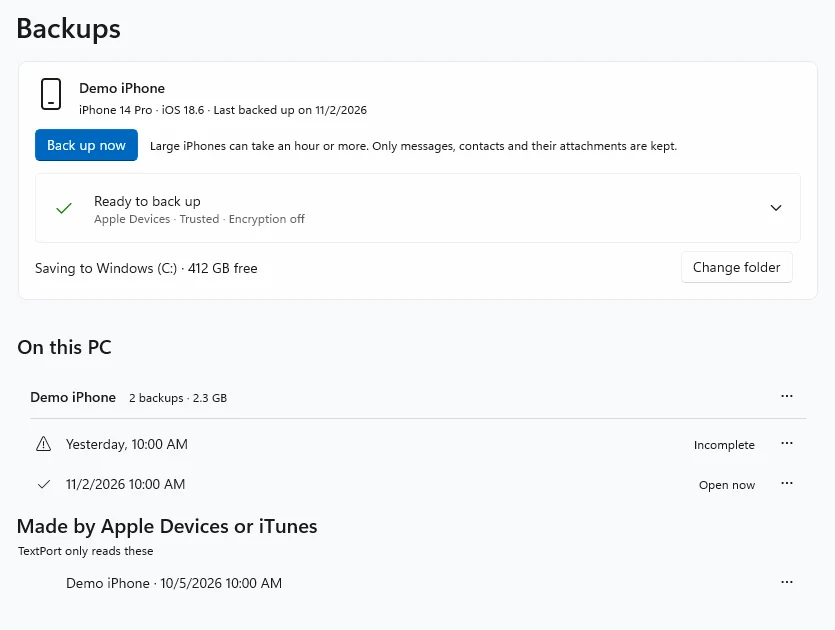
On a PC, the two do the same job. Plug your iPhone in and back it up. Both export PDFs, and TextPort can also open a backup made earlier with Apple Devices or iTunes and export one conversation, or every conversation at once, as PDF, CSV or TXT. Both PDFs put the sender, the date and the time on every message.
The difference is what you pay. TextPort for Windows is free and needs no account, and its backup keeps only your messages, contacts and their attachments. Decipher TextMessage's trial shows only a few messages from each contact until you buy it.
Mac
Export iMessages to PDF on a Mac with TextPort for Mac
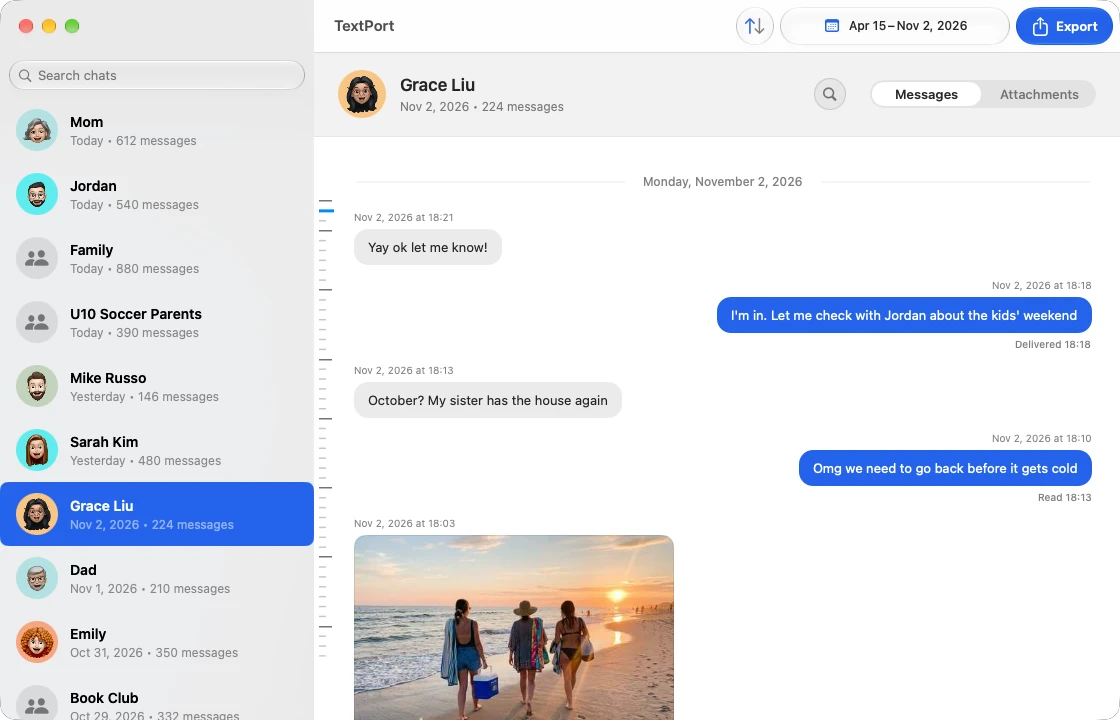
If Messages in iCloud is on, your iPhone's texts are already on your Mac, so there's nothing to plug in. Open TextPort for Mac, pick a chat and the dates and export it, or use Export All to get every chat at once. It's free, with no account. If a chat hasn't synced to the Mac, the app shows the iCloud steps to fix that.
Decipher TextMessage on a Mac reads the same Messages app, or backs up the iPhone over a cable.
iPhone
Decipher TextMessage for iPhone? Print texts for court with only your phone
There's no Decipher TextMessage app for the iPhone. If you don't have a computer, or you need the chat before a hearing this week, TextPort works from the phone itself:
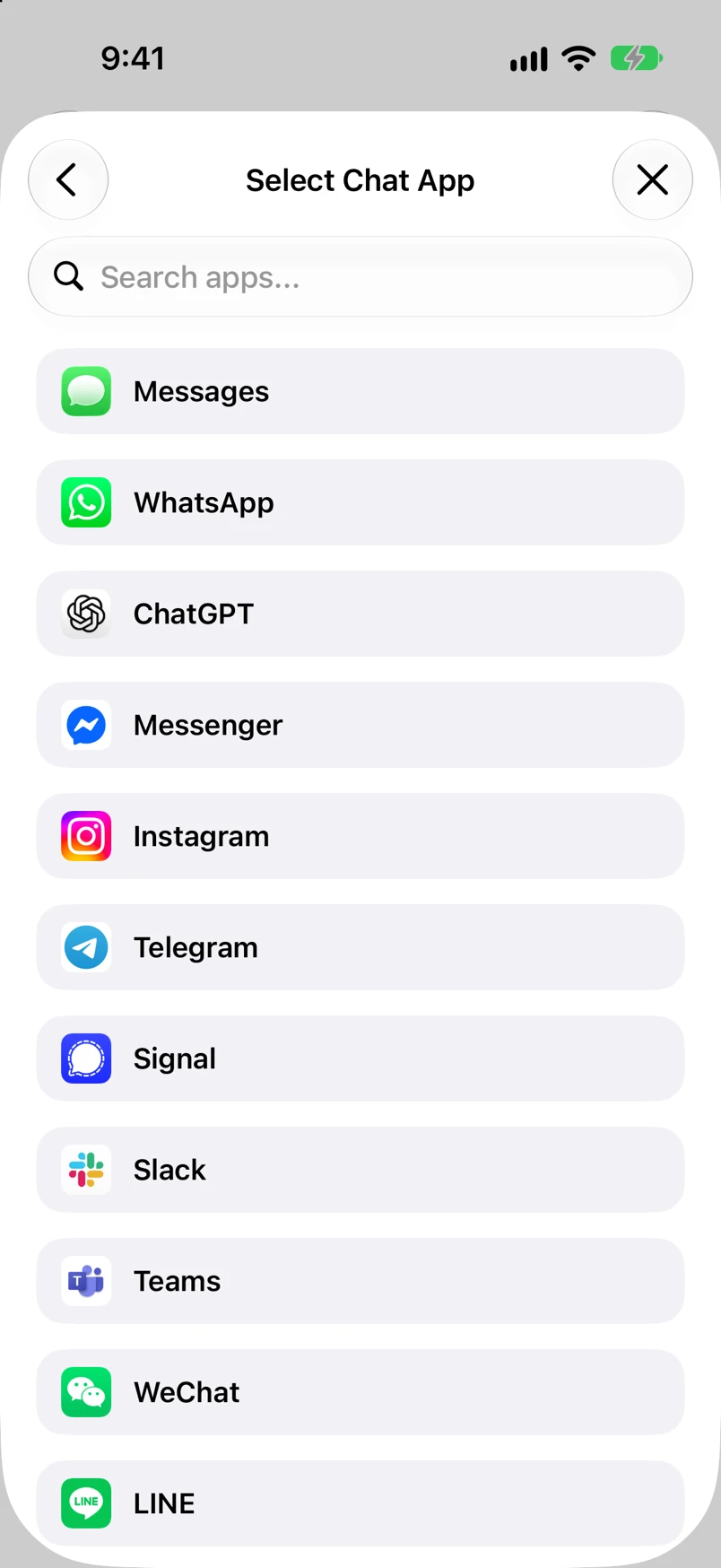
- 1.Open TextPort, tap Add Chat, then Import from Messages. The first time, add the TextPort Shortcut when the app asks (it needs iOS 26.4 or later). It reads your messages word for word.
- 2.Pick the conversation and the dates.
- 3.Export the PDF, or print it straight from the phone.
For a thread that runs for years, the free Mac and Windows apps take the whole history at once. Getting ready for a hearing? See texts for small claims court and exporting text messages for court. What your court accepts is a question for your lawyer or the court clerk.
Other chat apps
Decipher Chat, Messenger and Instagram: one app, or a program for each
Decipher TextMessage covers Apple Messages: iMessage, SMS, RCS and MMS. Other chat apps mean other Decipher purchases: Decipher Chat for WhatsApp, WeChat and Viber, and separate programs for Messenger and Instagram.
TextPort for iPhone takes all of them in one app. A WhatsApp chat comes in through WhatsApp's own Export Chat file. For Messenger, Instagram, Signal, Telegram or any other app, you record your screen while you scroll the chat, or take screenshots. TextPort reads them with AI, and you can fix any text, time or sender before you export. Every chat comes out in the same PDF layout. For these chats, use the iPhone app: TextPort's Mac and Windows apps read Apple Messages only.
Weighing more tools? See other Decipher TextMessage alternatives and iMazing vs TextPort, or our Decipher TextMessage review.
FAQ
Decipher TextMessage and TextPort questions
-
Yes. Decipher TextMessage costs $29.99 once, with no subscription, and updates are free. One purchase activates two iPhones or iPads, on as many computers as you like.
-
Yes. Decipher Tools sells it for Mac and Windows, and it keeps your messages on your computer. So do TextPort's free Mac and Windows apps.
-
Both are paid programs that need a Mac or PC: Decipher TextMessage is a one-time purchase and iMazing is a yearly subscription. TextPort compares them in Decipher TextMessage vs iMazing. If you'd rather not pay for either, TextPort for Mac and TextPort for Windows do the export for free.
-
TextPort, on whatever you have. On the iPhone, it turns a Messages, WhatsApp, Instagram or other chat into a PDF without a computer. On a Mac or Windows PC, its free apps export your whole Messages history at once.

Start exporting your messages
Available for iPhone, Mac, and Windows. No computer required.
