

How to get Forward SMS from TextPort
Quick answer
Forward SMS is a separate app from the same maker. It forwards text messages as they arrive. It does not save old chats.
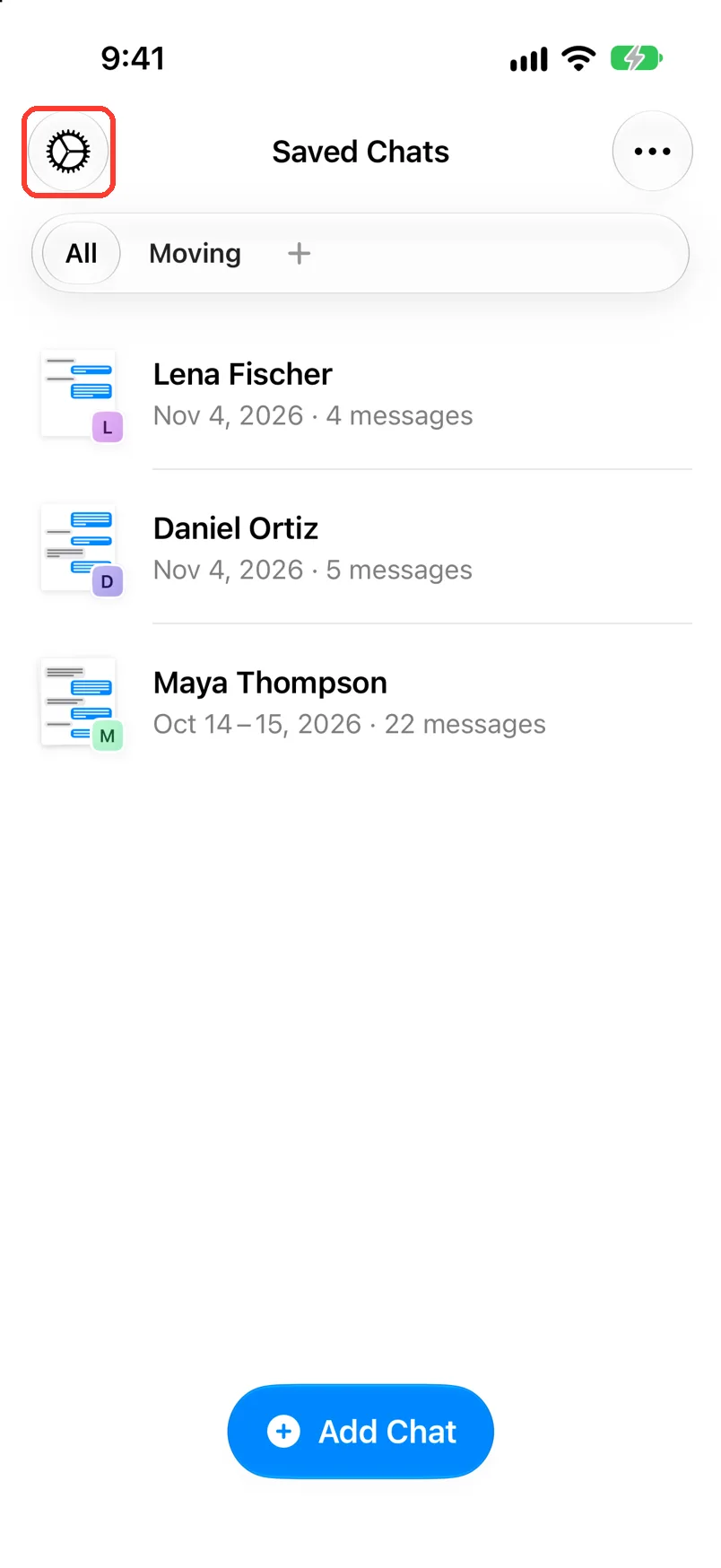
- Tap the gear in Saved Chats.
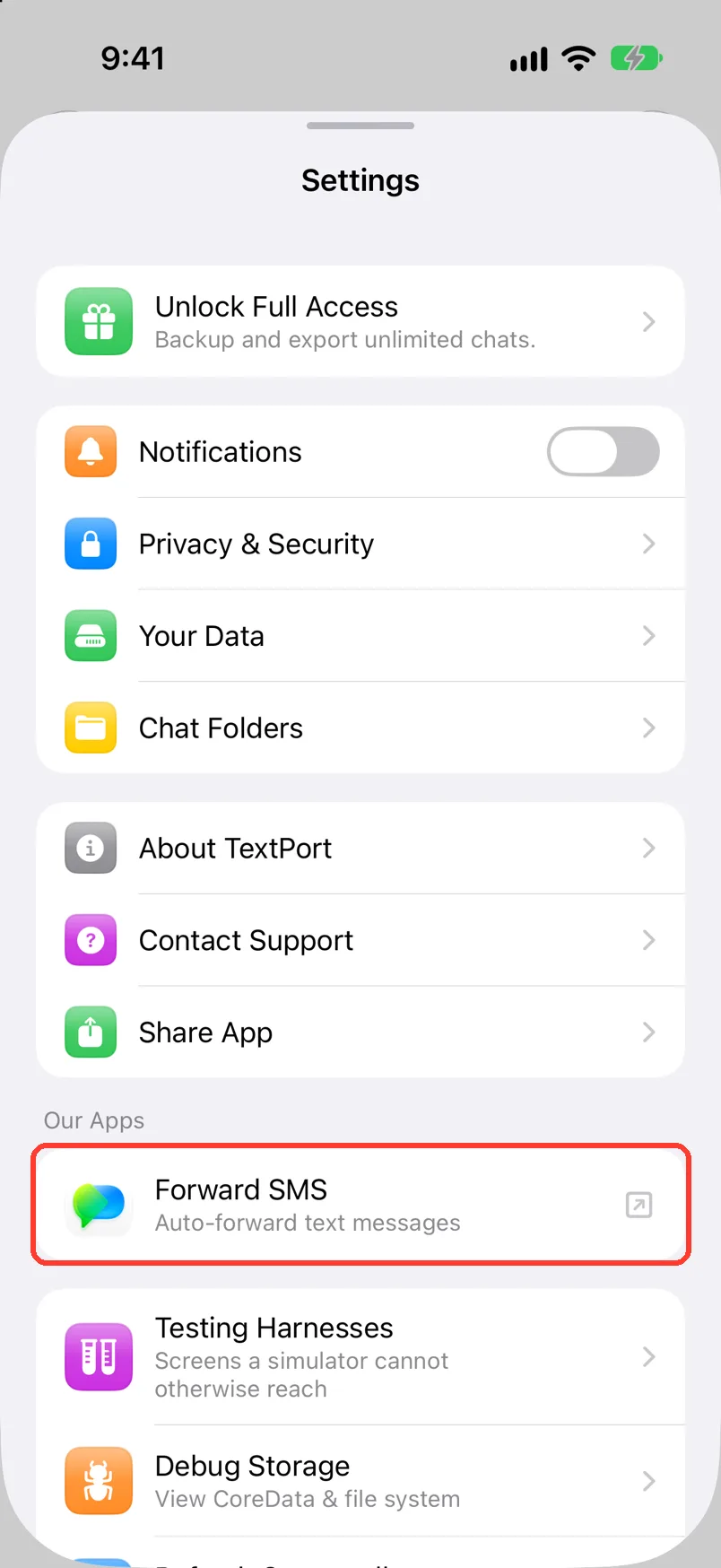
- Under Our Apps, tap Forward SMS.
- Tap Get on the App Store page.
What you need
- ✓TextPort on your iPhone
- ✓iOS 17 or newer for Forward SMS
Steps
-
Tap the gear
It is in the top left of Saved Chats. Settings opens.
-
Tap Forward SMS
It is under Our Apps. The App Store page opens.
-
Tap Get
It is on the App Store page. Forward SMS downloads as its own app.
Done
Forward SMS is on your iPhone as its own app. TextPort works the same as before.
Problems
The App Store page does not open.
Check that your iPhone is online. Or open the App Store and search for SMS Forwarder.
You want to save old messages.
That is TextPort. See Pick a way to import a chat.
None of these match.
Email [email protected]. Say which step you were on. Say what you saw. We usually reply within a day.
Questions
-
No. TextPort works without it.
-
No. Tapping the row only opens the App Store page.
-
See forwardsms.com.



Start exporting your messages
Available for iPhone, Mac, and Windows. No computer required.
