
Competitor comparison
Dispute Buddy vs TextPort: get your texts ready for court
Dispute Buddy is a $249 desktop app: plug your iPhone into a Mac or PC, wait an hour or two, and download a PDF. If what you need is the conversation itself, TextPort for Mac and TextPort for Windows export it for free, and TextPort for iPhone does it from the phone, with no computer.
By device
Dispute Buddy vs TextPort features and pricing, device by device
Start from what you have in front of you. Prices are in US dollars, as of November 19, 2026.
| You have | TextPort | Dispute Buddy |
|---|---|---|
| A Windows PC | TextPort for Windows, free from the Microsoft Store | $249, one-off |
| A Mac | TextPort for Mac, free from the Mac App Store (macOS 14.6 or later) | The same $249 app |
| Only an iPhone | TextPort for iPhone. Your first 3 conversations import free, then it's a weekly, monthly or annual subscription | No iPhone app; you need a computer |
| A WhatsApp chat | TextPort for iPhone reads WhatsApp's own Export Chat file | Read from the iPhone with your texts |
| A Messenger or Instagram chat | TextPort for iPhone reads it from a screen recording or screenshots | Imported from Facebook's and Instagram's data downloads |
| A Signal or Telegram chat | TextPort for iPhone reads it from a screen recording or screenshots | Not listed |
| Outlook email or co-parenting app records | Not supported | Outlook, Hotmail and Live email, and OurFamilyWizard, AppClose and TalkingParents PDF reports |
Windows
Export iPhone texts on a Windows PC for free
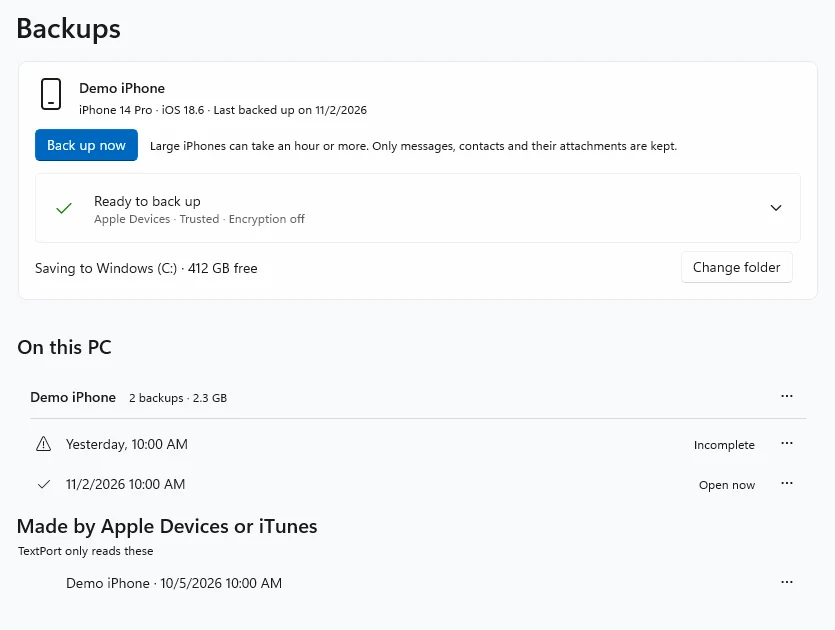
Both apps start the same way: plug the iPhone into the PC and let the app read it. Dispute Buddy "encrypts and indexes" the phone's messages, which takes about an hour on average and two or more for some phones, and needs around 20 GB free on both the iPhone and the PC. TextPort for Windows backs up the iPhone over USB and shows the first messages in about 10 minutes, or opens a backup already made with Apple Devices or iTunes.
Then you pick the contact and the dates. Both put the sender, date and time on every message. TextPort exports one conversation or all of them at once as PDF, CSV or TXT, free and with no account. Dispute Buddy makes a PDF, and can add its AI behaviour analysis.
Mac
On a Mac, nothing to plug in
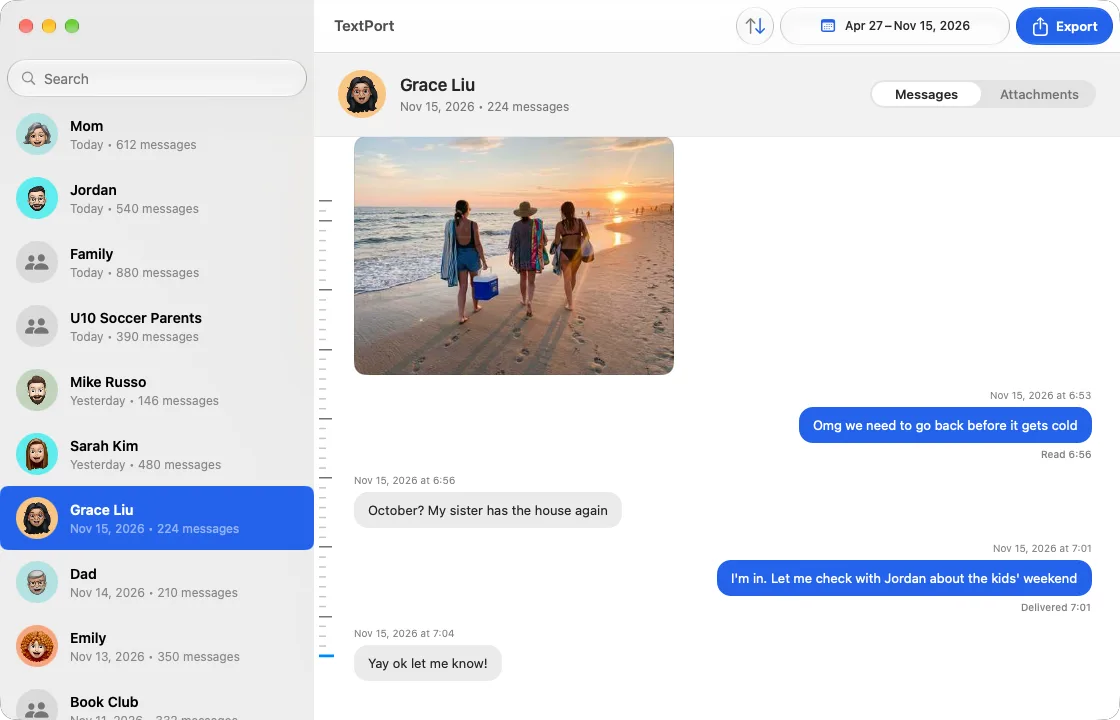
If Messages in iCloud is on, your iPhone's texts are already on your Mac. Open TextPort for Mac, pick a chat and the dates and export it, or use Export All for every chat at once. It's free, with no account, and nothing leaves the Mac. If a chat hasn't synced, the app shows the iCloud steps to fix that.
Dispute Buddy on a Mac works the same way it does on Windows: connect the iPhone with an Apple cable and let it run.
iPhone
Dispute Buddy for iPhone? Export texts with only your phone
There's no Dispute Buddy app for the iPhone. You can buy it on the phone, but you run it on a computer. If you don't have one, or your lawyer needs the chat before a hearing this week, TextPort works from the phone itself:
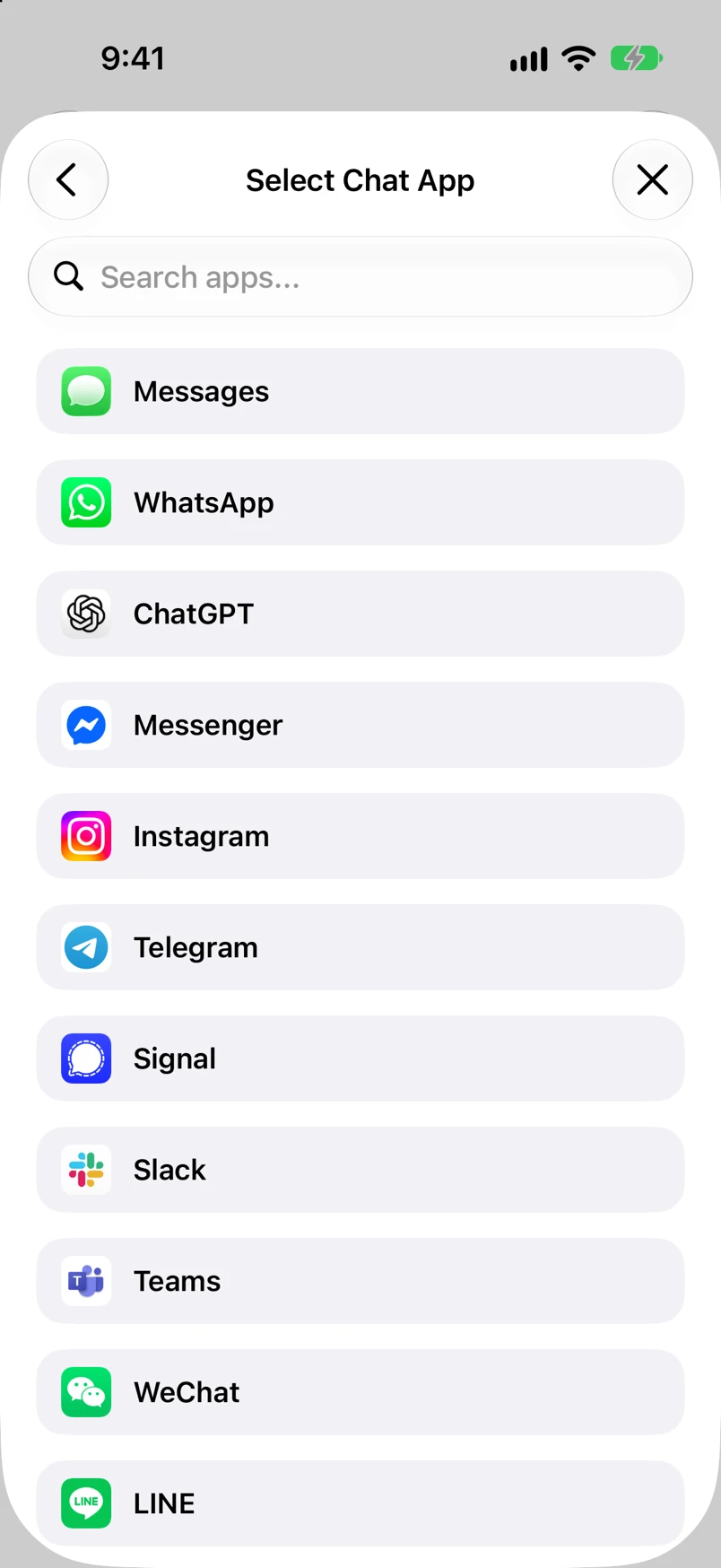
- 1.Open TextPort, tap Add Chat, then Import from Messages. The first time, add the TextPort Shortcut when the app asks (it needs iOS 26.4 or later). It reads your messages word for word.
- 2.Pick the conversation and the dates.
- 3.Export the PDF, or print it straight from the phone.
WhatsApp chats come in through WhatsApp's Export Chat file. Messenger, Instagram, Signal, Telegram and any other app come in from a screen recording, which TextPort reads with AI; you can fix any text, time or sender before you export. For a thread that runs for years, the free Mac and Windows apps take the whole history at once.
Behaviour analysis
Where Dispute Buddy goes further: email, co-parenting apps and AI analysis
Dispute Buddy reads more than a phone. It puts iPhone texts and WhatsApp, Facebook and Instagram downloads, Outlook email, and OurFamilyWizard, AppClose and TalkingParents message reports into one PDF, every message dated. Its two larger reports add a timeline of flagged messages and an AI analysis of patterns such as coercive control, gaslighting and harassment, each example linked to the source message. TextPort does none of this: it exports one conversation at a time, as it is.
Two things to know before you choose the analysis. The messages you select leave your computer for Dispute Buddy's cloud, where Anthropic's AI reads them before they're deleted. And Dispute Buddy's terms say the AI "may produce errors, inaccuracies, or false positives" and that its reports "are not certified evidence." Ask your lawyer whether they want a software reading of the other person's messages, or the messages alone.
Weighing more tools? See other Dispute Buddy alternatives, our Dispute Buddy review, or Decipher TextMessage vs TextPort. Getting ready for a hearing? See exporting text messages for court. What your court accepts is a question for your lawyer or the court clerk.
FAQ
Dispute Buddy and TextPort questions
-
Yes. Dispute Buddy is a one-off fee with lifetime use: US$249 in the United States on November 19, 2026, with other prices in the UK, Canada, Australia and New Zealand. One purchase covers one iPhone to start, and its support adds more at no extra charge. You can install it on as many computers as you like.
-
Yes. It's sold by Dispute Buddy Australia Pty Ltd, founded by Jenny Rudd, who built it after preparing years of texts for her own family court case, and it took its first customer in May 2025. It builds the messages-only report on your computer. Its AI reports send the messages you select to its cloud, where Anthropic's AI analyses them, and they're deleted afterwards.
-
It depends on what your lawyer asked for. If they want the conversation with the other parent as a clean, dated record, TextPort produces it on your iPhone in minutes, or for free on a Mac or PC. If they want texts, email and OurFamilyWizard, AppClose or TalkingParents messages in one report, or a list of flagged messages to review, Dispute Buddy does that. See text messages for a custody case.
-
Yes. You can export the conversation with TextPort on your iPhone today to get it to your lawyer, and run a desktop tool later for the full history. If you'd rather not pay for the desktop part, TextPort for Mac and TextPort for Windows export your whole iMessage and SMS history for free.
Sources checked November 19, 2026: Dispute Buddy's home page and FAQ, help centre, story, terms and privacy policy.

Start exporting your messages
Available for iPhone, Mac, and Windows. No computer required.