

How to contact support or report a problem
Quick answer
In TextPort, open Support one of these ways:
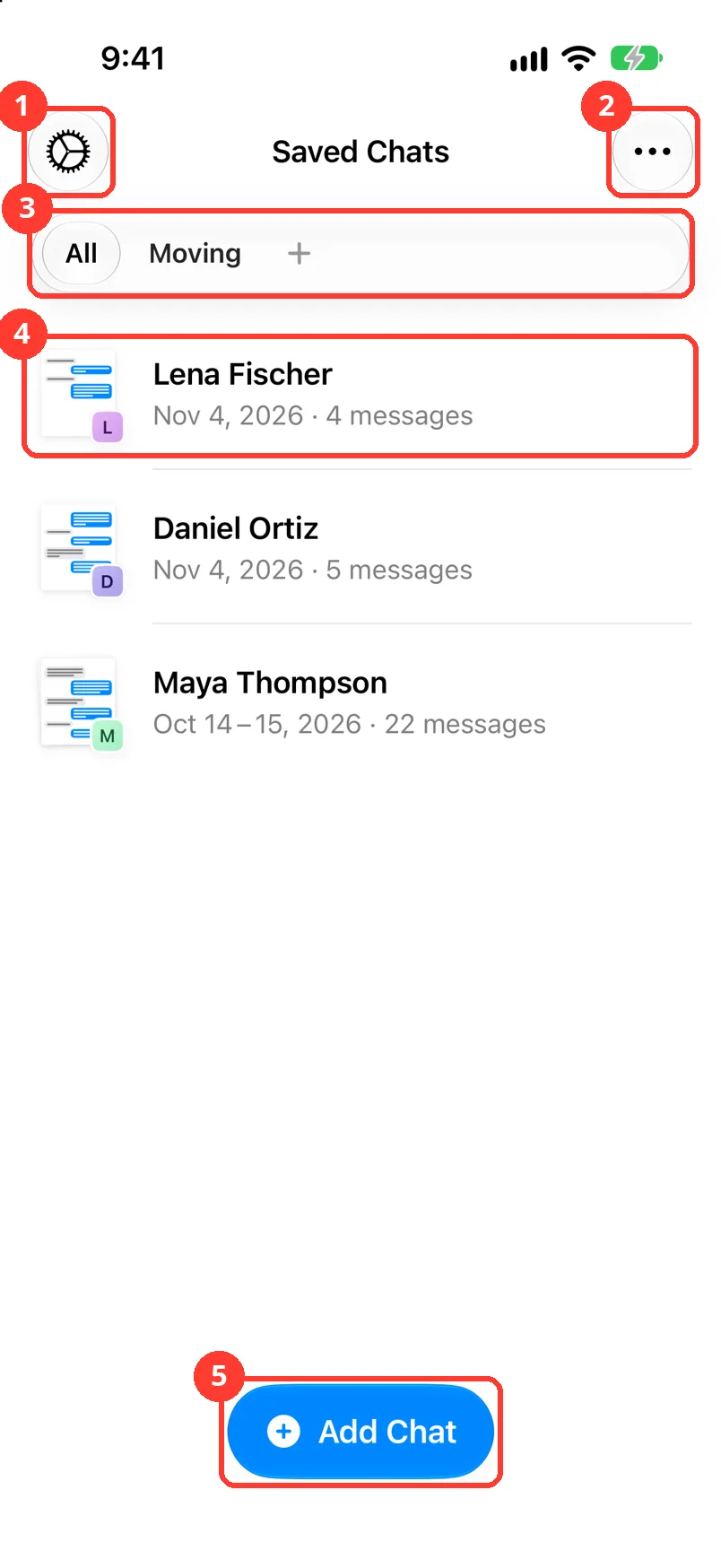
- Tap the gear in Saved Chats, then Contact Support.
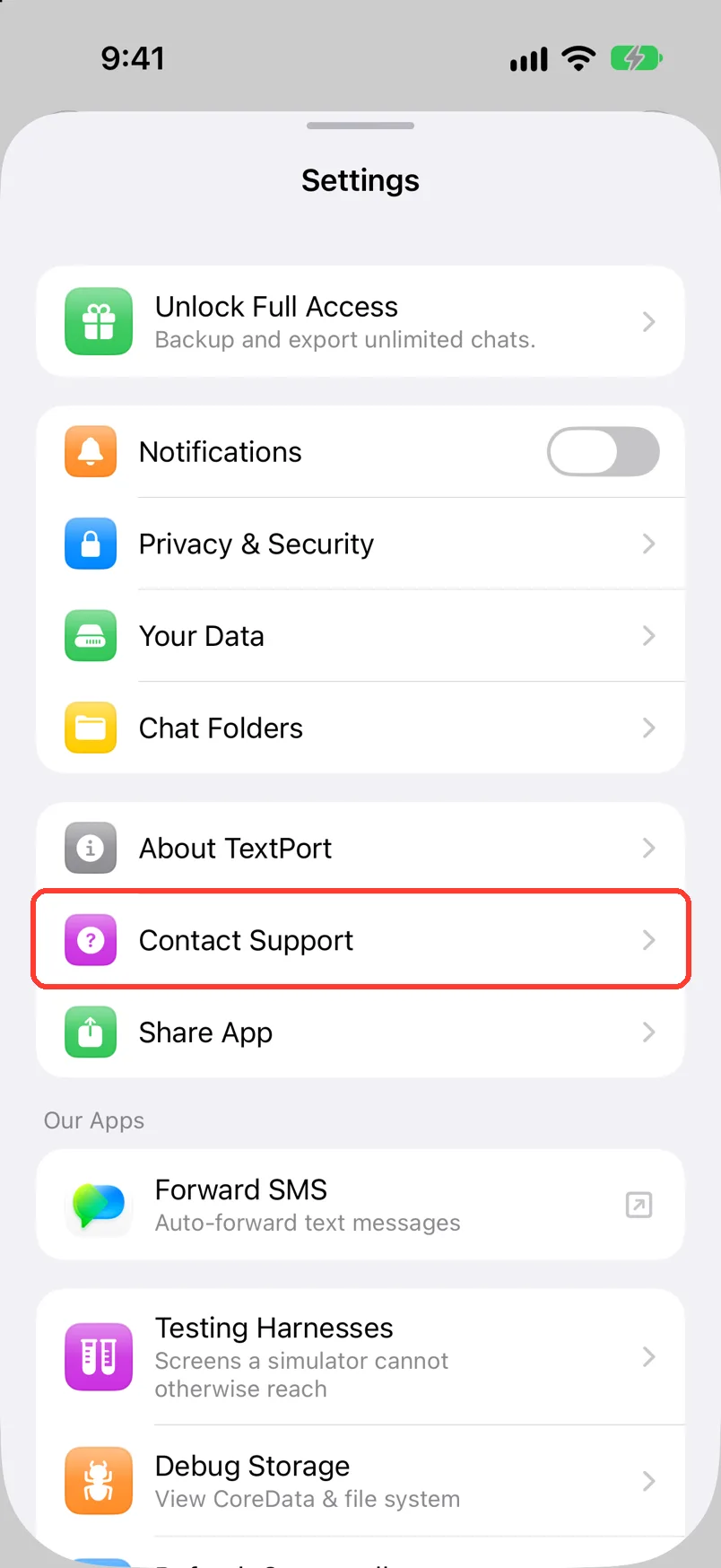
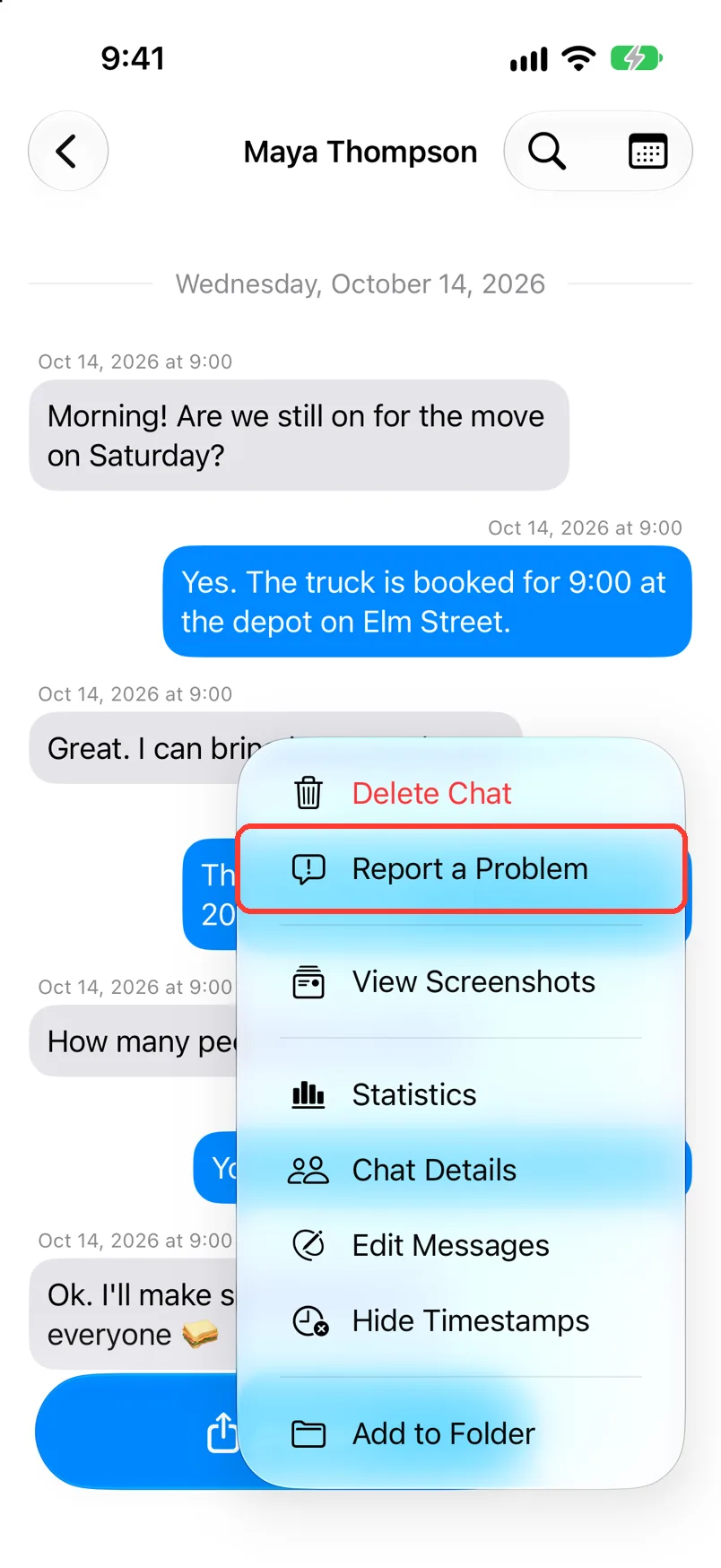
- In a chat, tap … at the bottom, then Report a Problem.
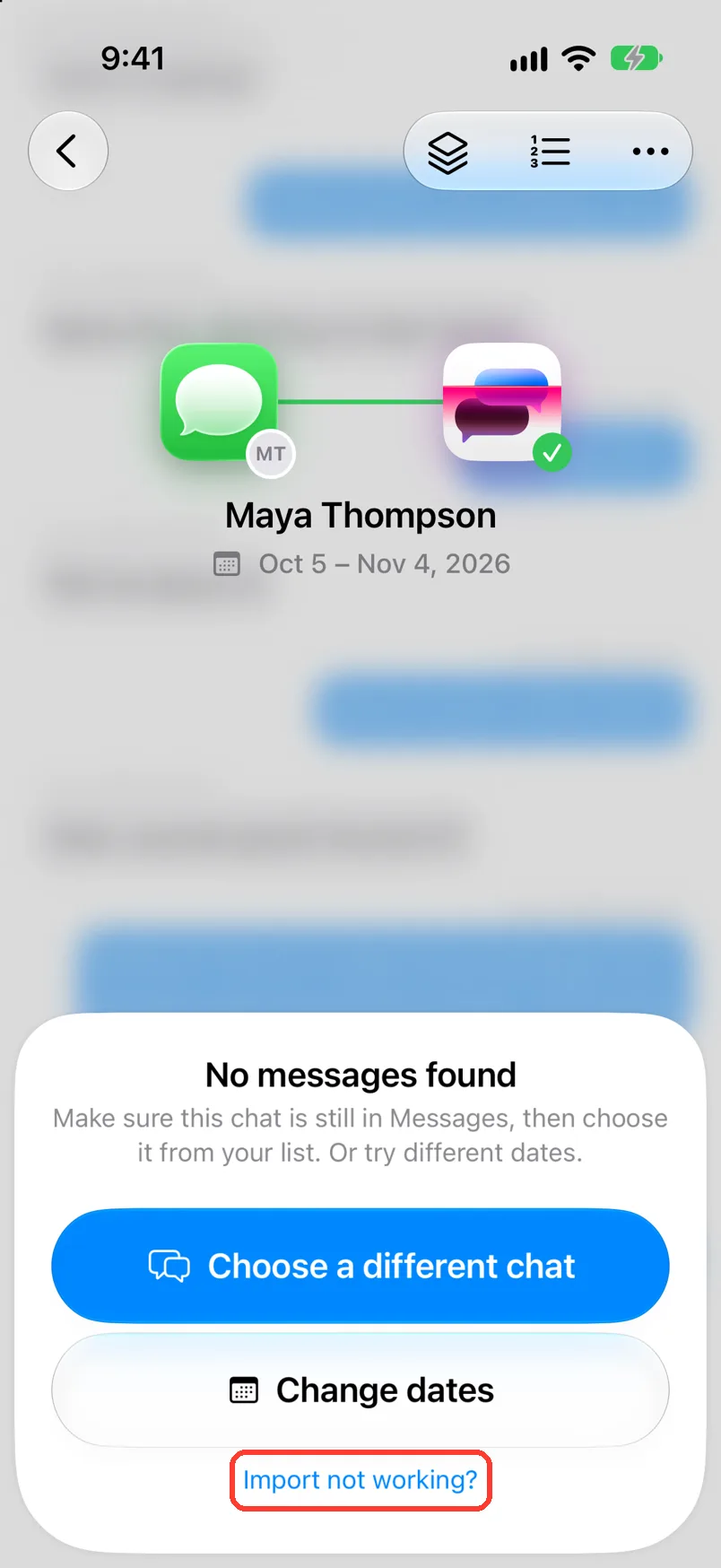
- During a Messages import, tap Import not working?, then Contact support.
Type your email and your message. Tap Submit. Or email [email protected].
What you need
- ✓TextPort on your iPhone
- ✓An email address
Steps
From Settings
-
Tap the gear
It is in the top left of Saved Chats (1). Settings opens.
-
Tap Contact Support
It is below About TextPort. Support opens.
You can also tap … in the top right of Saved Chats, then Contact Support.
From a chat
-
Tap … at the bottom of the chat
It is next to Export. A menu opens.
-
Tap Report a Problem
It is next to Delete Chat in the menu. Support opens.
During a Messages import
-
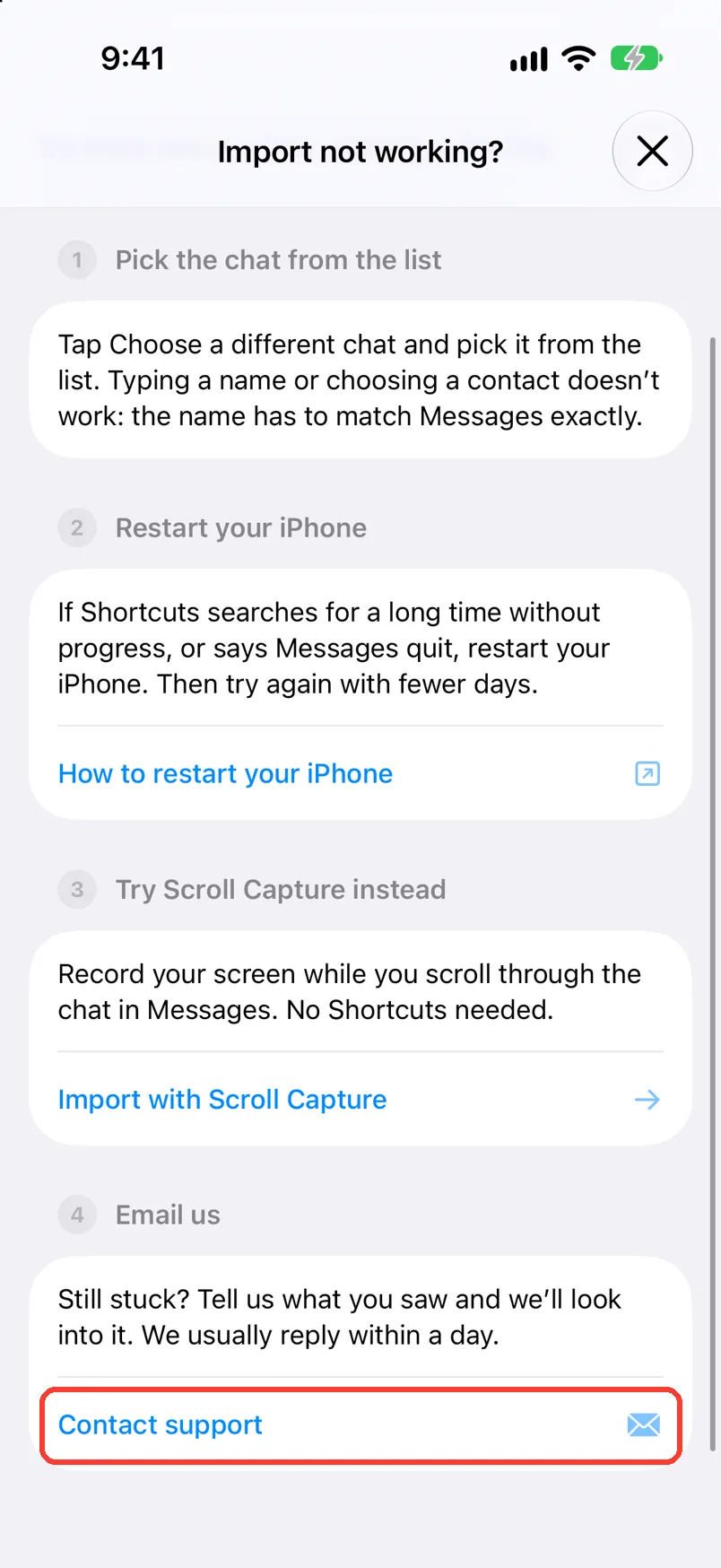
Tap Import not working?
It is at the bottom of the import card. Import not working? opens with a list of fixes.
-
Tap Contact support
It is under Email us. Support opens.
-
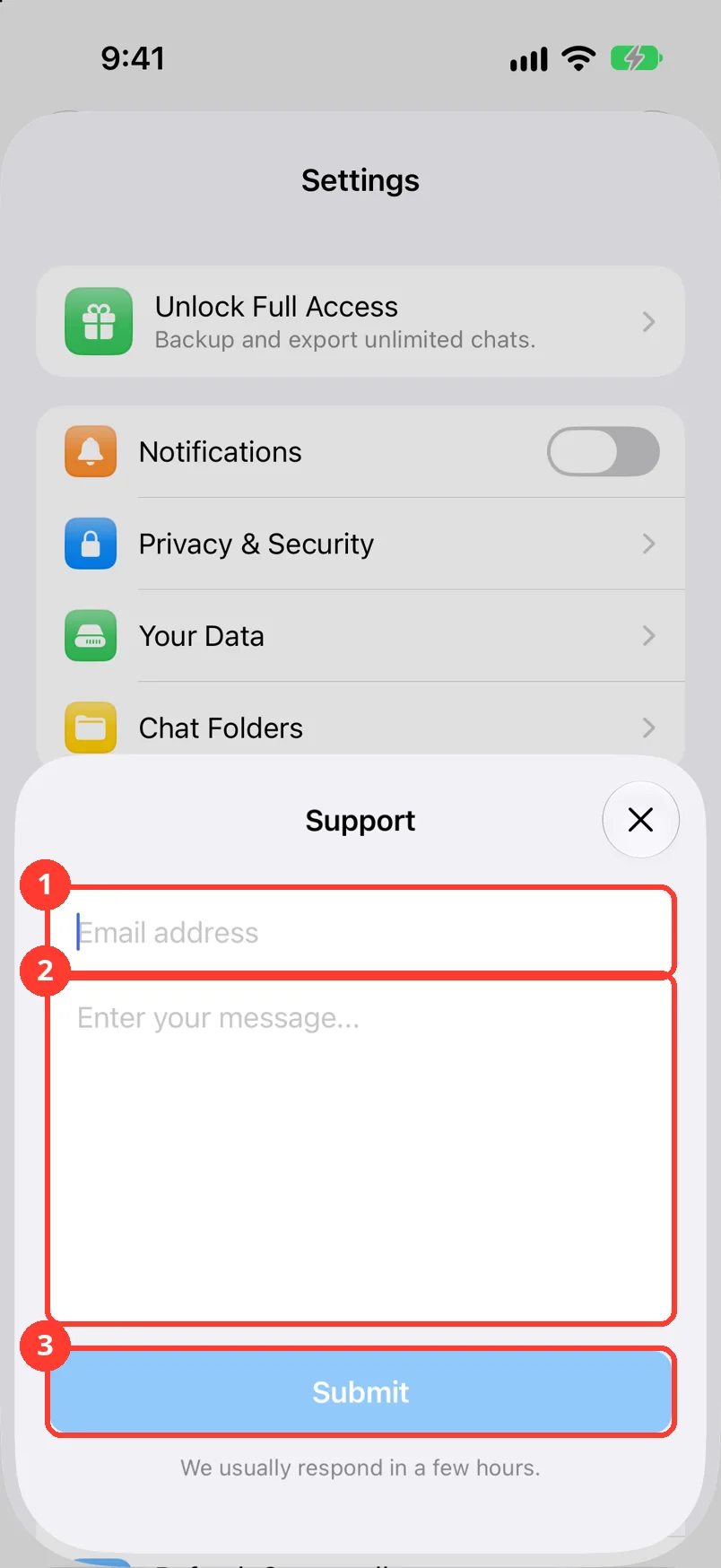
Type your email and message
Type your email in Email address (1). Say what you tried and what you saw (2).
-
Tap Submit
It is below your message (3). TextPort shows Request Sent.
-
Tap Done
The form closes. Support answers by email.
Done
Support has your message and your email. The answer comes to that email.
Problems
Submit is gray.
Type a full email address and a message.
Enter a valid email address.
Check the email for a typo. It needs an @ and a dot.
Failed to send request. Please try again.
Check that your iPhone is online. Tap Submit again. Or email [email protected].
TextPort will not open.
Email [email protected]. Say which iPhone and which iOS you have.
You did not get an answer.
Check your spam folder. Check that you typed the right email. Then send it again.
None of these match.
Email [email protected]. Say which step you were on. Say what you saw. We usually reply within a day.
Questions
-
Your email, your message, your account ID, and the screen you were on. It does not send your chats.
-
Yes. Write to [email protected].
-
No. Both open the same form.
Next guides
-
 How to fix a stuck or failed Shortcut import
You will get a Messages import that finishes, or know exactly what to tell support.
-
 How to fix wrong text, times, or missing messages
Every message TextPort read wrong from a screenshot or recording will say the right thing.
-
 How to see and delete your data
You will see which files TextPort keeps on your iPhone, and you can delete them.

Start exporting your messages
Available for iPhone, Mac, and Windows. No computer required.
