

How to import a chat from LINE
Quick answer
- In TextPort, tap Add Chat. Pick LINE at the top.
- Tap Import from LINE, then Open LINE.
- In LINE, open the chat. Tap ≡, then Settings.
- Tap Export chat history. Wait for the file.
- Tap TextPort in the share sheet.
- In TextPort, tap Import … Messages.
The chat then opens in TextPort.
What you need
- ✓TextPort on your iPhone
- ✓LINE on the same iPhone
Steps
-
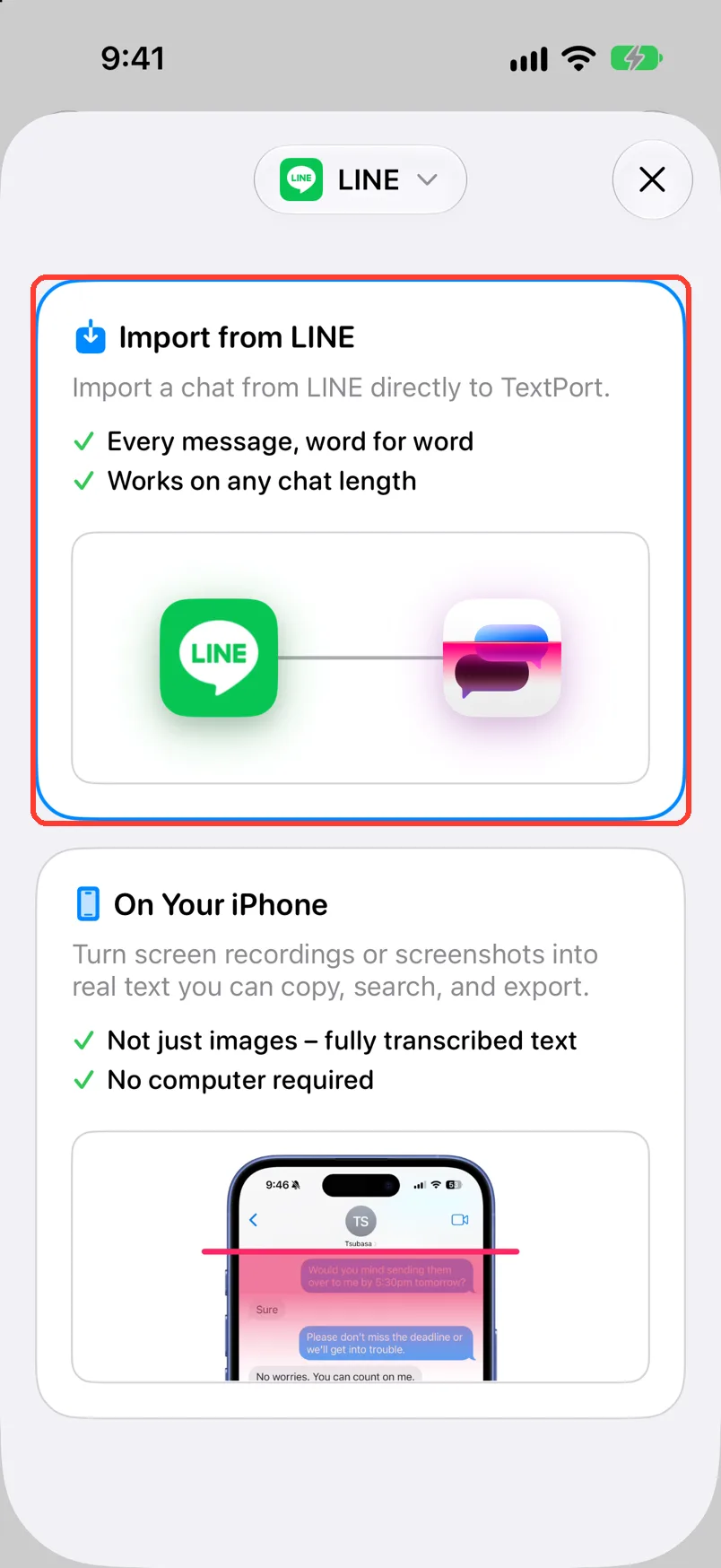
Tap Add Chat
Open TextPort. It is at the bottom of Saved Chats.

-
Tap Import from LINE
If it is not there, tap the app name at the top and pick LINE. Import from LINE opens.
-
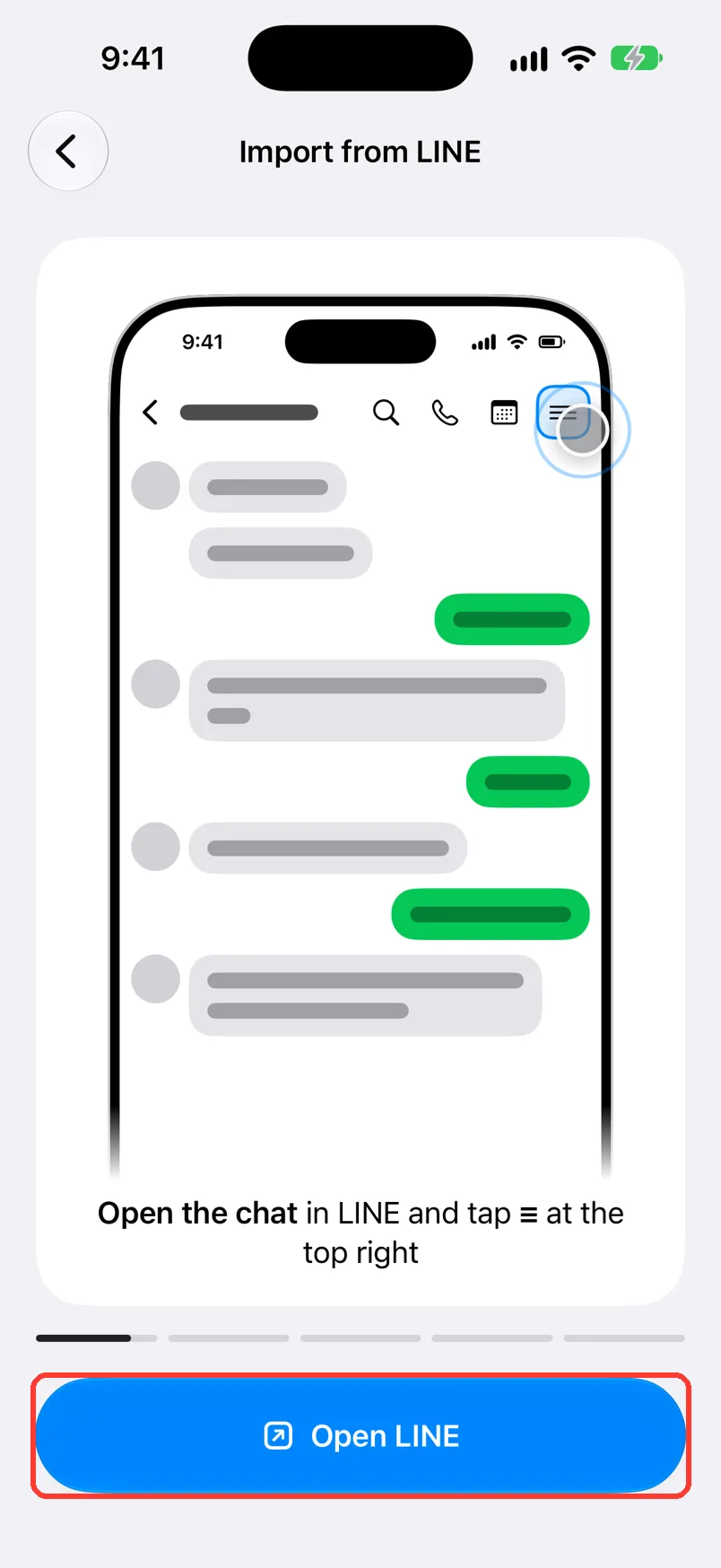
Tap Open LINE
It is the blue button at the bottom. LINE opens.
-
Open the chat, then tap ≡
It is at the top right of the chat in LINE. A menu opens.
-
Tap Settings
Scroll down in the menu to find it.
-
Tap Export chat history
Wait while LINE makes the text file. The share sheet opens.
-
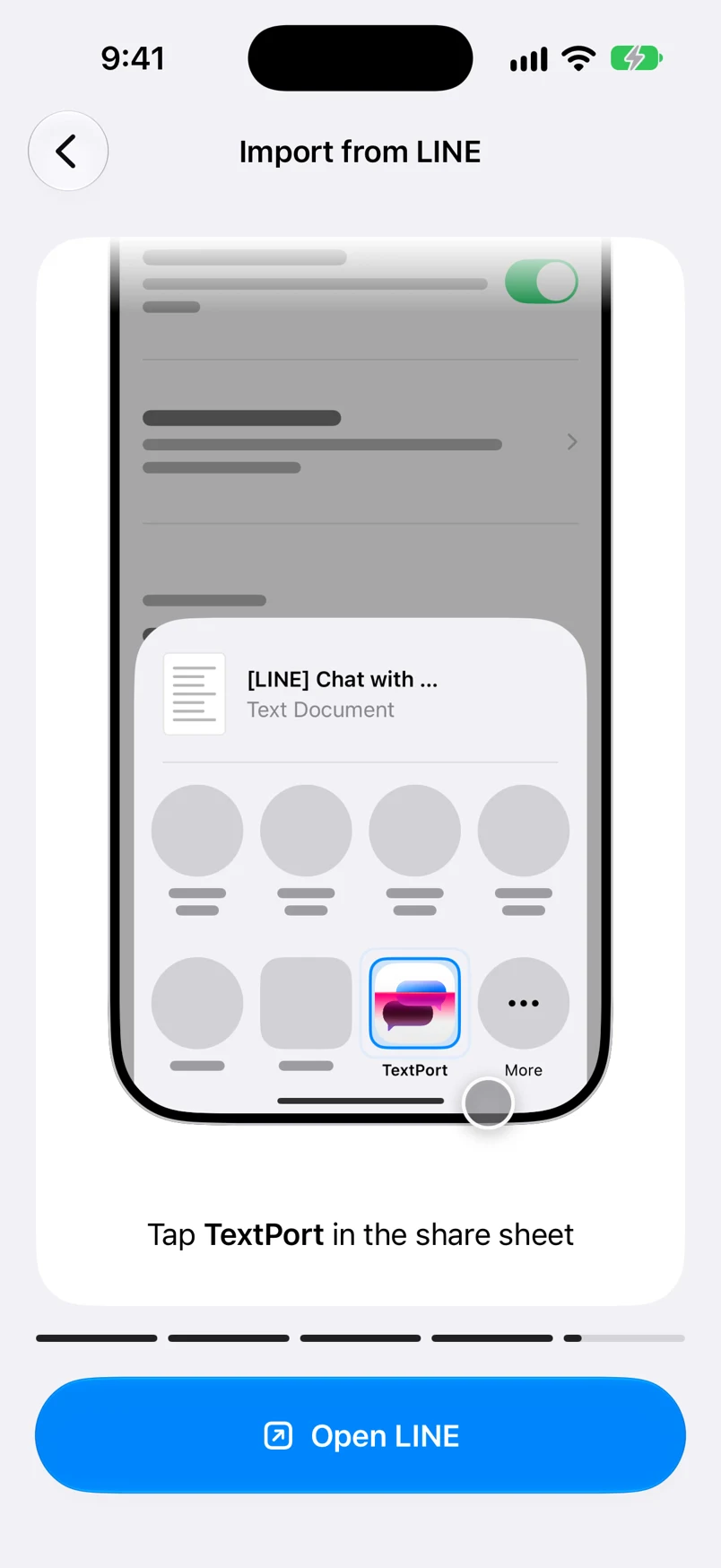
Tap TextPort
Find it in the row of apps. TextPort opens and shows how many messages it found.
-
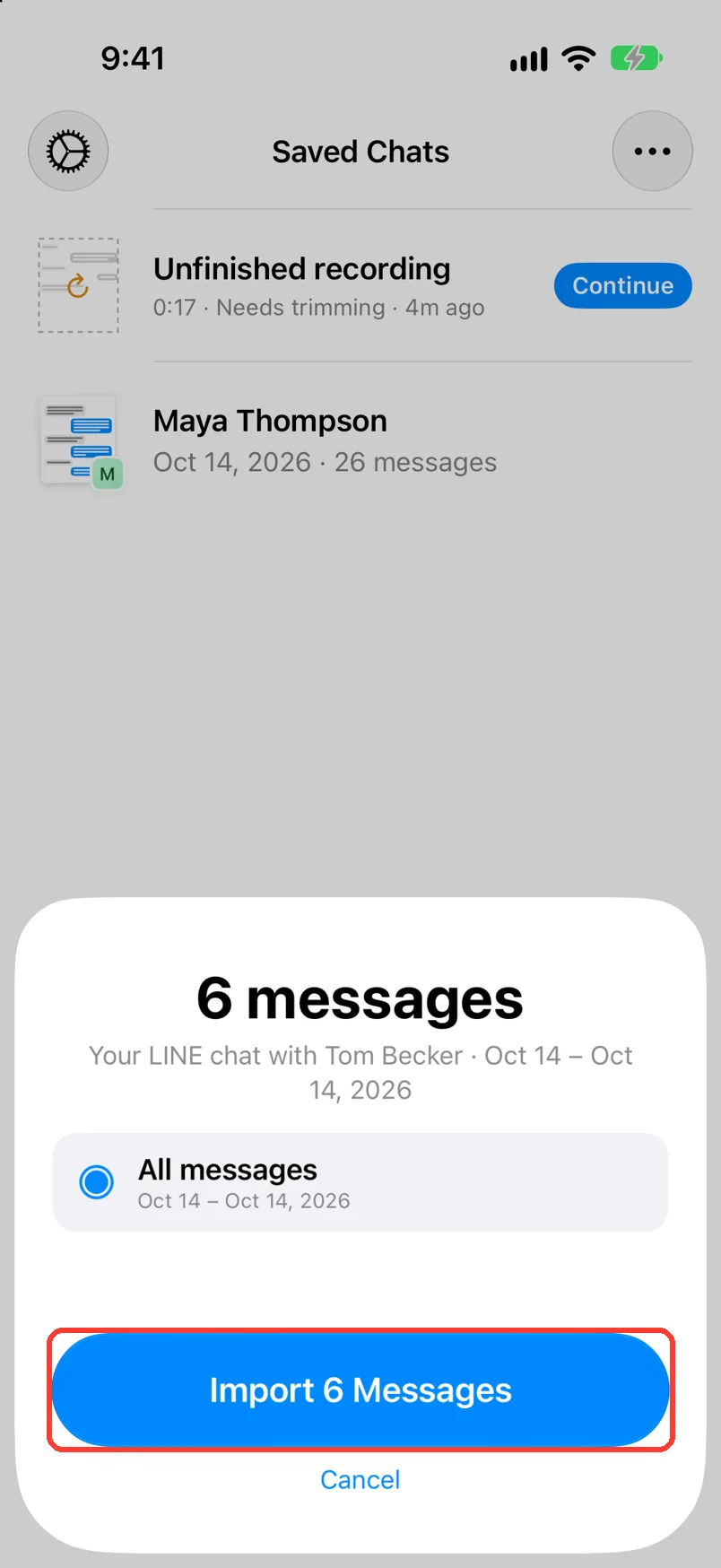
Tap Import … Messages
The button shows the number of messages. The chat then opens.
To save fewer days, tap Custom range first. It shows only if the chat spans more than one day.
-
Read the chat
A photo shows as the word [Photo]. The chat is in Saved Chats.
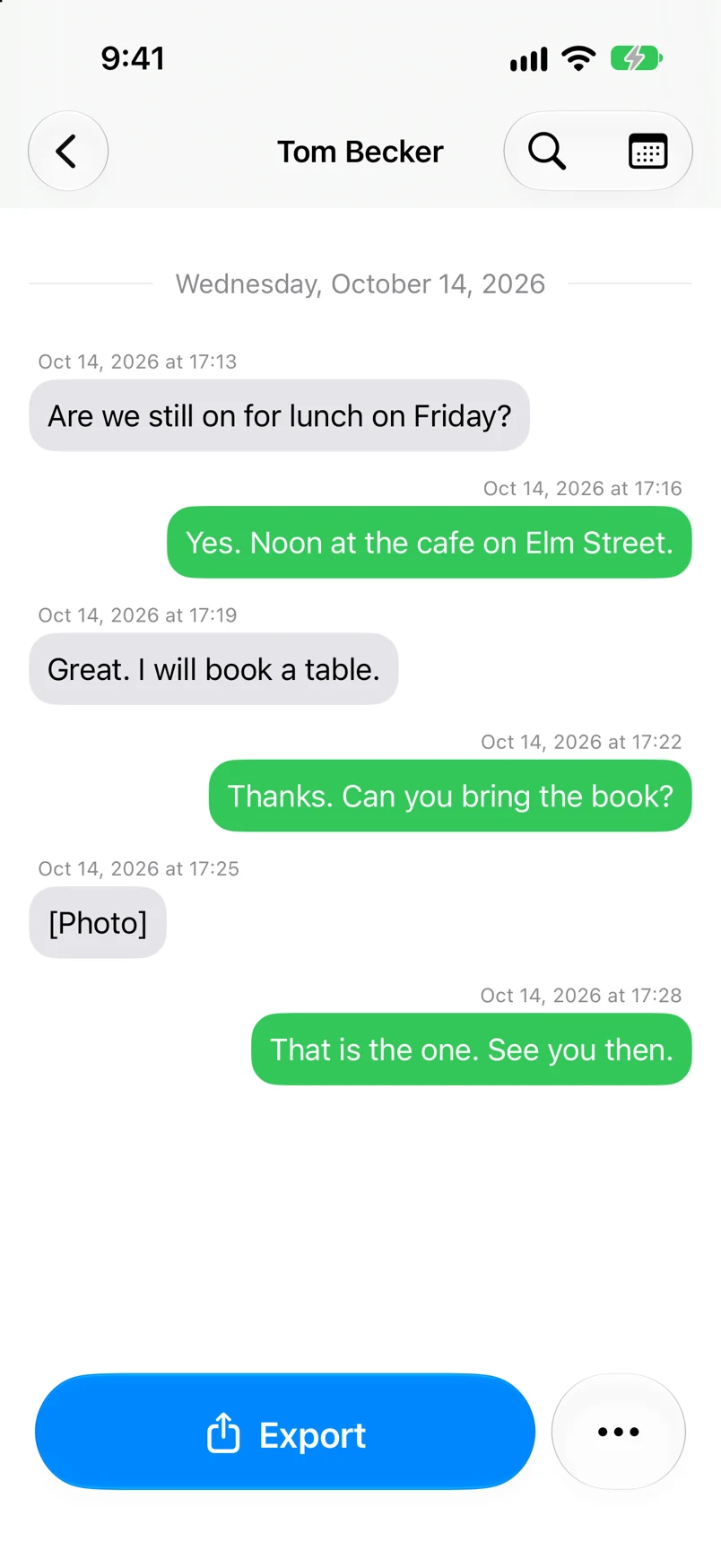
Done
Your LINE chat is saved in TextPort with every message, word for word. You can export it.
Problems
Which one is you?
Tap the name you use in this chat. Then tap Import … Messages.
You need the photos too.
LINE's export has only text. Tap On Your iPhone on the Add Chat sheet. See Import a chat with Scroll Capture.
Couldn't import this chat
Tap Retry. If it fails again, export the chat from LINE again.
You picked the wrong name.
Tap the chat name at the top. Chat Details opens. Tap the person who is you. Turn on This is me. Tap the back button, then the X.
TextPort asks you to unlock this.
Follow the steps on the screen. Then share the chat from LINE again.
None of these match.
Email [email protected]. Say which step you were on. Say what you saw. We usually reply within a day.
Questions
-
No. A LINE import is an exact copy of the export.
-
Yes. TextPort asks which person is you.
-
No. LINE keeps the chat as it is.
Next guides
-
 How to pick a way to import a chat
You will know which way to import your chat, and where to tap to start it.
-
 How to import a chat with Scroll Capture
You will get a chat from any app saved in TextPort, made from a screen recording of you scrolling.
-
 How to export a chat to PDF
You will get a PDF of one chat, with names, dates, and times, ready to share or print.

Start exporting your messages
Available for iPhone, Mac, and Windows. No computer required.
