

How to preview and save photos and files on Windows
Quick answer
In a conversation:
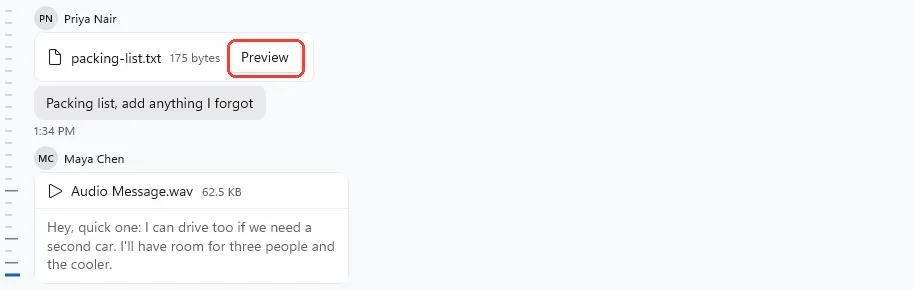
- Click the photo, or Preview on a file.
- Press Left or Right to see the others.
- Press Ctrl+S to save a copy.
- Press Esc to close.
What you need
- ✓TextPort for Windows, with a conversation open
Steps
-
Click the photo or Preview
Click a photo, a video, or Preview on a file. It opens over the conversation.
-
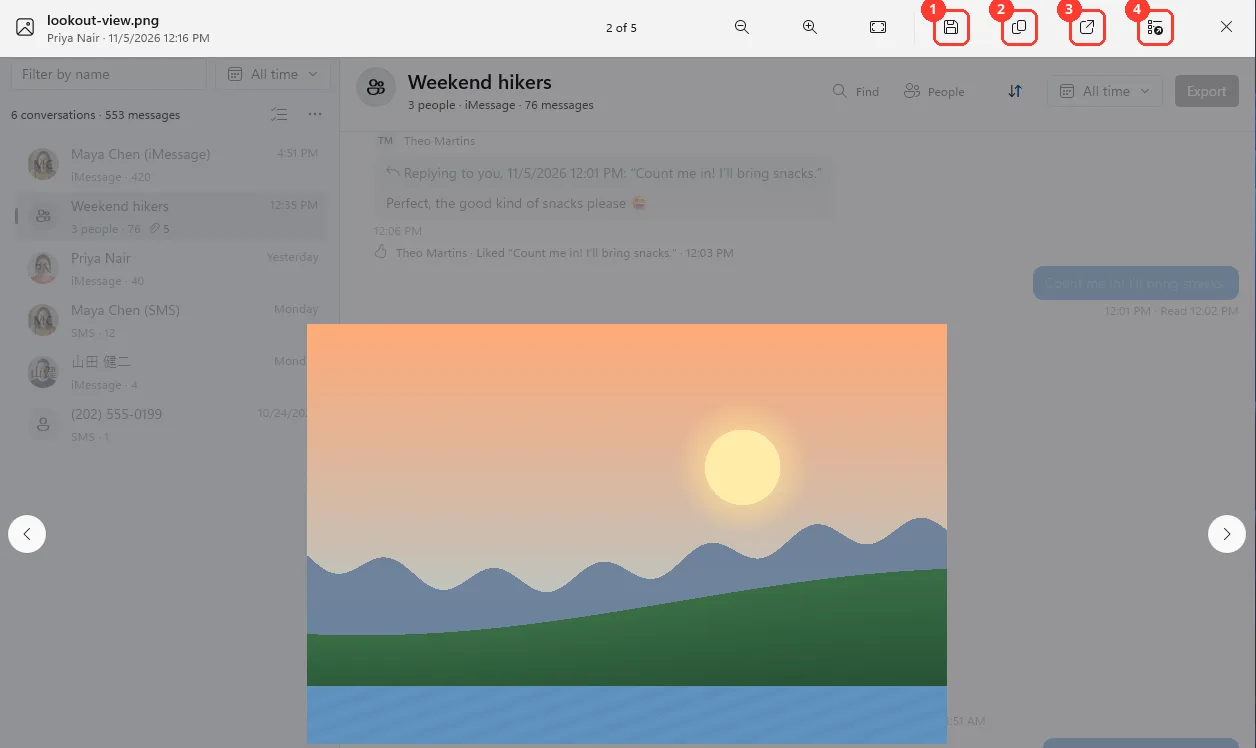
Click the arrows to see the others
They are on the left and right sides. They go through every photo and file in this conversation.
You can also press Left and Right.
-
Click a button at the top
Save a copy… (1), Copy (2), Open (3), or Open with… (4). Point at a button to see its name.
On a photo you can also zoom with the buttons to the left of them.
-
Press Esc to close
Or click Close at the top right. The conversation shows again.
Done
You saw the photo or file. Any copy you saved is the original file.
Problems
Not in this backup
This file wasn't in the iPhone's backup. Files kept only in iCloud aren't included.
Still backing up
It appears when the backup is done. See Read messages while the backup runs.
Can’t show this photo
Click Preview. Then click Open with… or Save a copy….
Windows can’t play this file. Open it with another app, or save a copy.
Click Open with… to pick another app. Or click Save a copy….
This file is too large to preview. Open it with another app, or save a copy.
Click Open with… or Save a copy….
Couldn’t open the file
No app on this PC opens this kind of file. Click Save a copy…. Install an app that opens it.
None of these match.
Email [email protected]. Say which step you were on. Say what you saw. We usually reply within a day.
Questions
-
Right-click the empty space next to the message. Click Save original….
-
Yes. Save a copy… and Save original… save the original file.
-
Save them as a ZIP. See Save photos and attachments as a ZIP.
-
Yes. Drag it from the conversation to a folder.
Next guides
-
 How to save photos and attachments as a ZIP on Windows
You will have a ZIP file on your PC with the original photos, videos, and files from one conversation.
-
 How to copy a message or go to a reply on Windows
You will copy a message with its date and sender, find the message a reply answers, and see who is in a group.

Start exporting your messages
Available for iPhone, Mac, and Windows. No computer required.
