

How to sort your saved chats
Quick answer
In Saved Chats:
- Tap … in the top right.
- Tap Date Created or Name.
- To flip the order, tap …. Tap the same one again.
What you need
- ✓TextPort on your iPhone
Steps
-
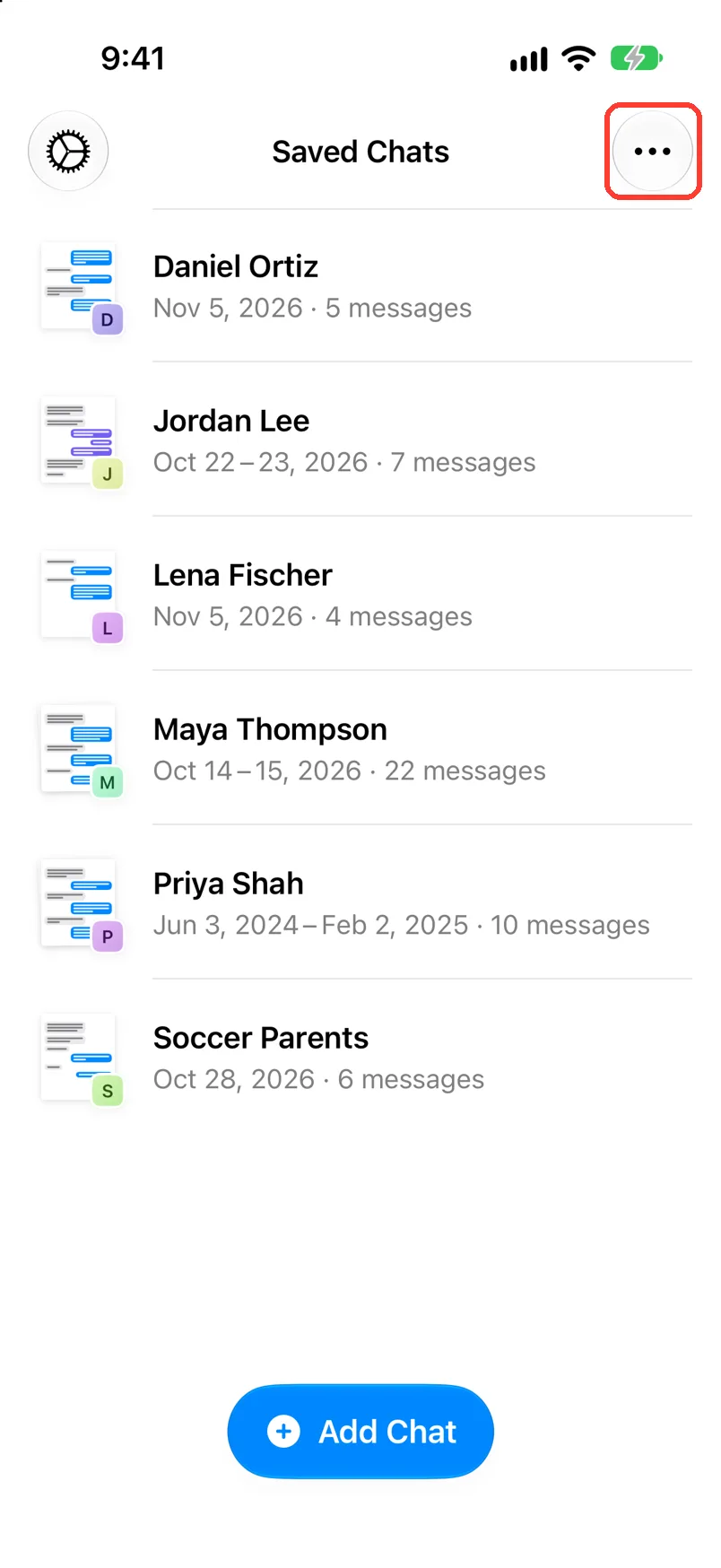
Tap …
It is in the top right of Saved Chats. A menu opens.
-
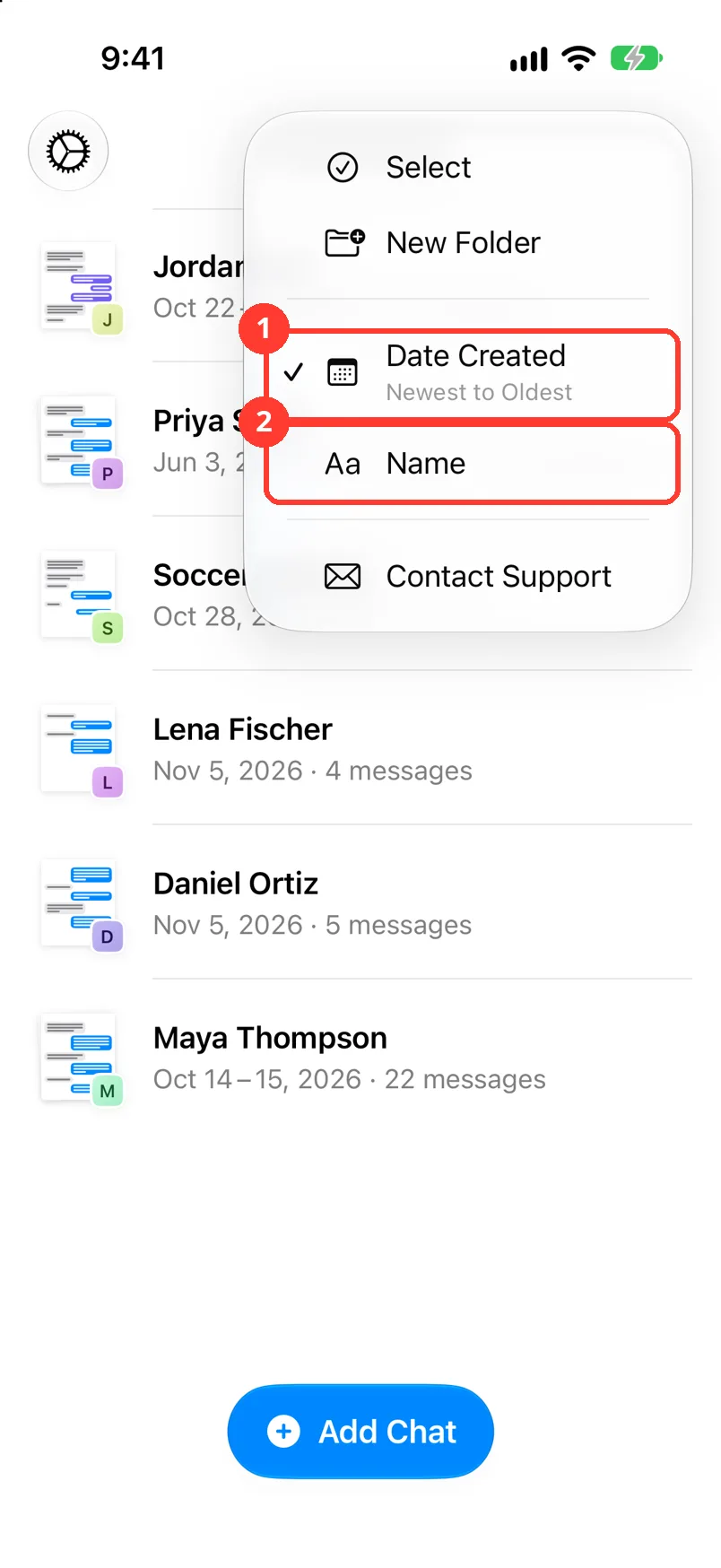
Tap Date Created or Name
Tap Date Created (1) or Name (2). The list changes right away.
The small line says the order, like Newest to Oldest.
-
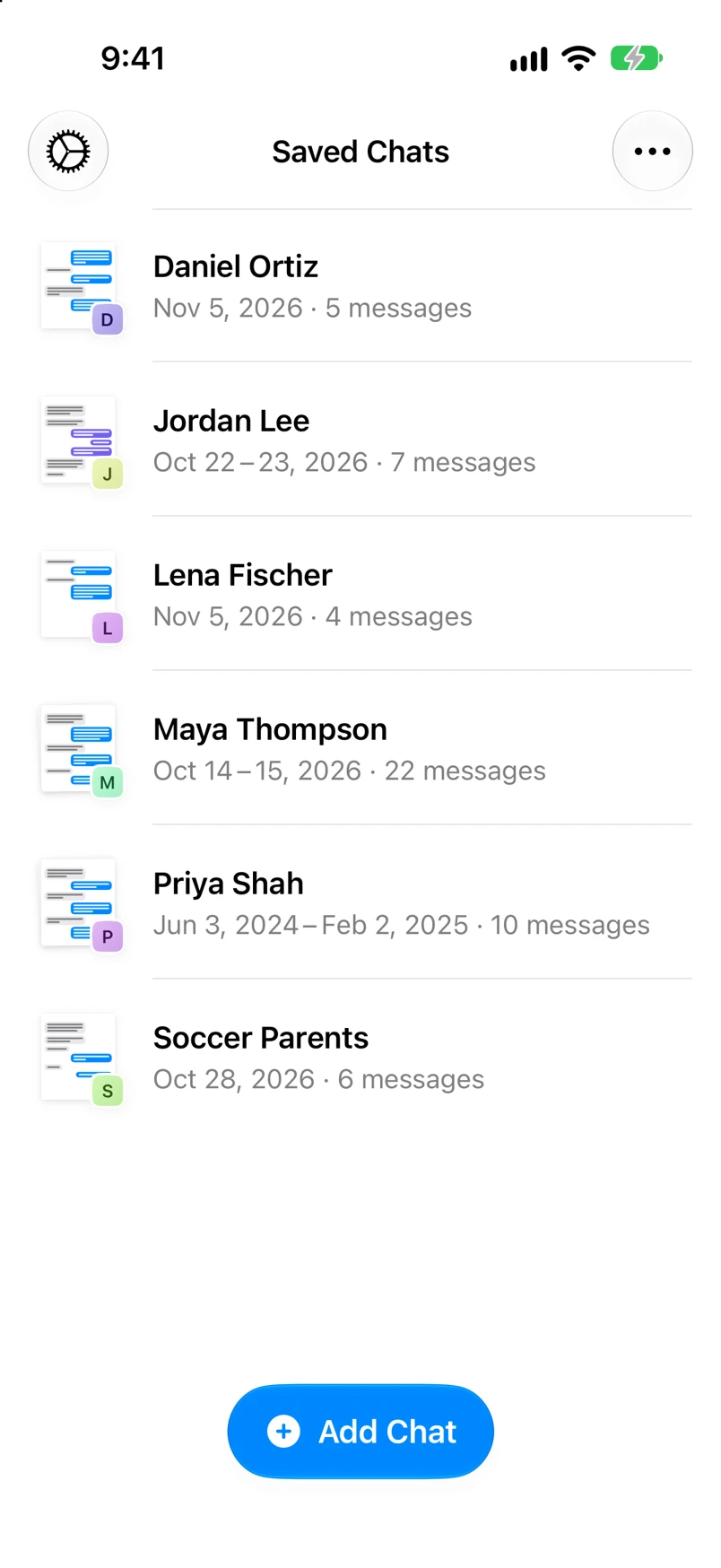
Check the list
To flip the order, tap …, then the same one again.
Done
Your chats are in the order you picked.
Problems
A chat stays at the top.
Chats still being made always come first. It moves when the import is done.
You still cannot find a chat.
Tap All at the top. The chat may be in a folder. See Put chats in folders.
None of these match.
Email [email protected]. Say which step you were on. Say what you saw. We usually reply within a day.
Questions
-
Date Created goes Newest to Oldest or Oldest to Newest. Name goes A to Z or Z to A.
Next guides
-
 How to put chats in folders
Your chats will be sorted into folders you can open with one tap.
-
 How to rename or delete a folder
Your folders will have the right names, and the ones you do not need will be gone.
-
 What the Saved Chats screen shows
You will know what each part of the Saved Chats screen means and what you can tap.

Start exporting your messages
Available for iPhone, Mac, and Windows. No computer required.
