
What the Saved Chats screen shows
You will know what each part of the Saved Chats screen means and what you can tap.
What you need
- ✓TextPort on your iPhone
Saved Chats is the home screen of TextPort. Here is what each part does.
Steps
-
1
Open TextPort
The first screen is Saved Chats. Every chat you import lives here.
-
2
Find Settings
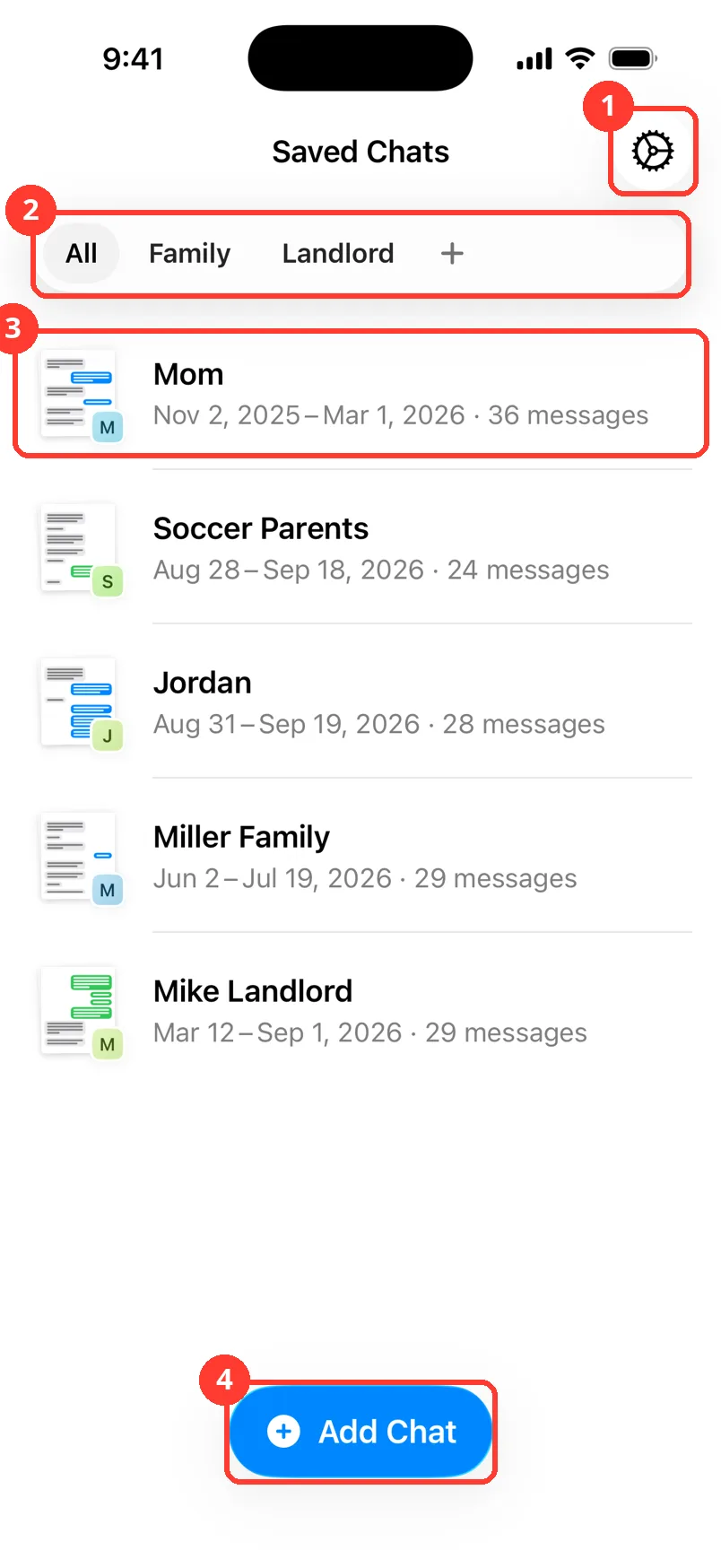
The gear in the top right (1) opens Settings.
-
3
Use the folder bar
The row of buttons (2) shows your folders. Tap All to see every chat. Tap a folder to see only its chats. The bar only shows once you make a folder.
-
4
Read a chat row
Each row (3) is one chat. You see the chat name. Under it are the dates the messages cover and how many messages there are.
-
5
Look at the small picture
The picture on the left is the first page of the chat. The small square shows the chat's first letter, or a contact photo.
-
6
Open a chat
Tap a row to open the chat.
-
7
Add a new chat
Tap Add Chat (4) at the bottom. It lets you pick how to import.
-
8
Long press a row for more
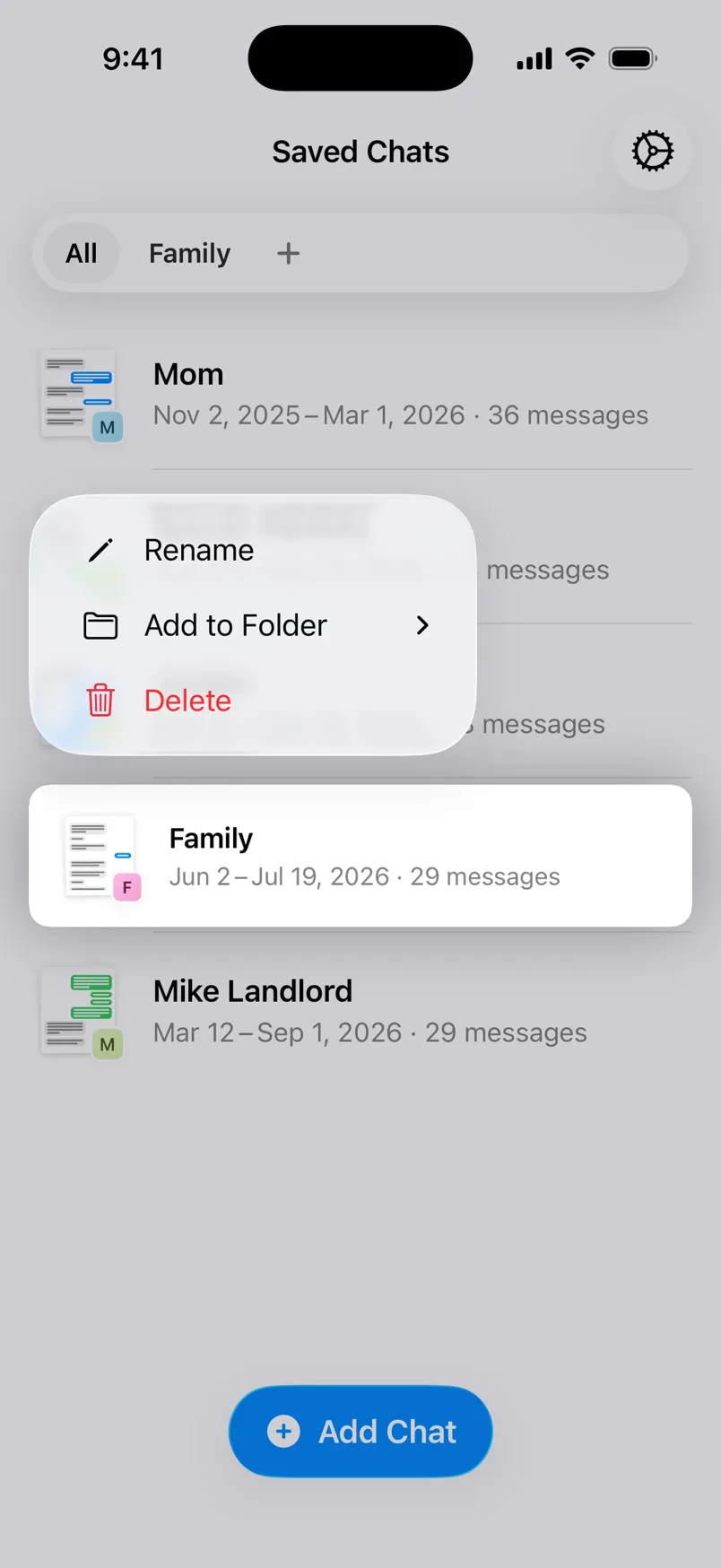
Press and hold a row. A menu shows Rename, Add to Folder, and Delete.
Done
You know your way around Saved Chats. You can open, add, sort, and change your chats.
Tips
-
No chats yet? The screen says Your saved chats live here. Tap Add Chat to start.
-
A row that says Processing... is still being made. It takes a few minutes. You can leave the app.
-
A row that says Unfinished recording has a Continue button. Tap it to finish that recording.
-
Pull down on the list to refresh it.
Questions
-
Not on iPhone. Use folders to keep chats apart. Inside a chat, tap the magnifying glass to search the messages.
-
Long press the chat. Tap Retry.
-
The dates show when the messages were sent, not when you imported them.
Next guides
-
 How to pick a way to import a chat
You will know which import method fits your chat, and where to tap to start it.
How to pick a way to import a chat
You will know which import method fits your chat, and where to tap to start it.
-
 How to put chats in folders
Your chats will be sorted into folders you can open with one tap.
How to put chats in folders
Your chats will be sorted into folders you can open with one tap.
-
 How to rename or delete a chat
Your chat will have a clear name, or it will be gone from TextPort.
How to rename or delete a chat
Your chat will have a clear name, or it will be gone from TextPort.
-
 How to read a chat in TextPort
You will know who sent each message and when, and how to hide or show the times.
How to read a chat in TextPort
You will know who sent each message and when, and how to hide or show the times.

Start exporting your messages
Available for iPhone, Mac, and Windows. No computer required.