

How to turn on notifications for an import
Quick answer
During an import:
- On iOS 27, tap Allow notifications. On iOS 26, tap Continue.
- When iOS asks, tap Allow.
Already said no? In iOS Settings, tap Apps, then TextPort, then Notifications. Turn on Allow Notifications.
What you need
- ✓TextPort on your iPhone
Steps
iOS 27
-
Tap Allow notifications
You see this card during the first setup. TextPort uses these notifications to start the shortcut. You do not see them.
iOS 26 and earlier
-
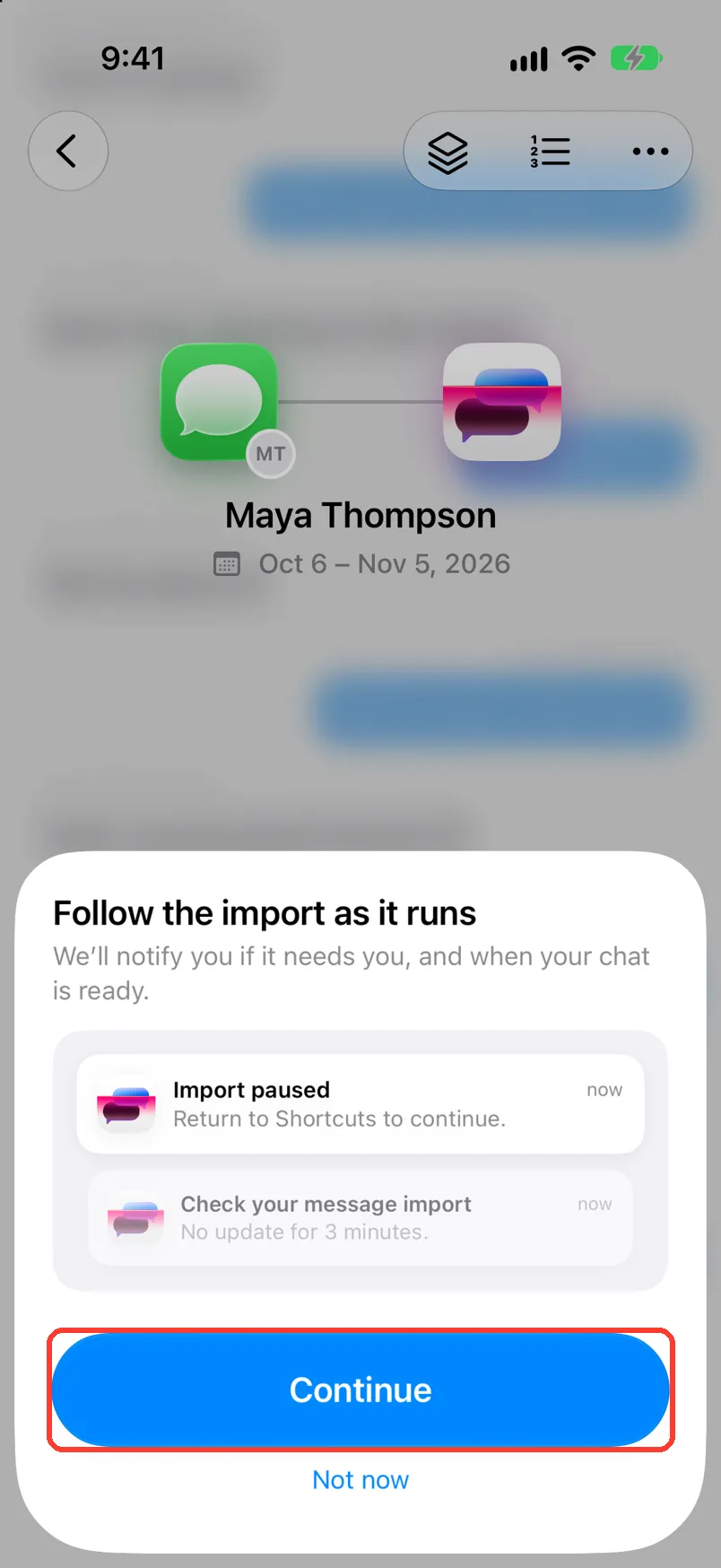
Tap Continue
Follow the import as it runs shows after you pick the dates.
You can tap Not now. The import still works. iOS asks again when you tap Start import.
-
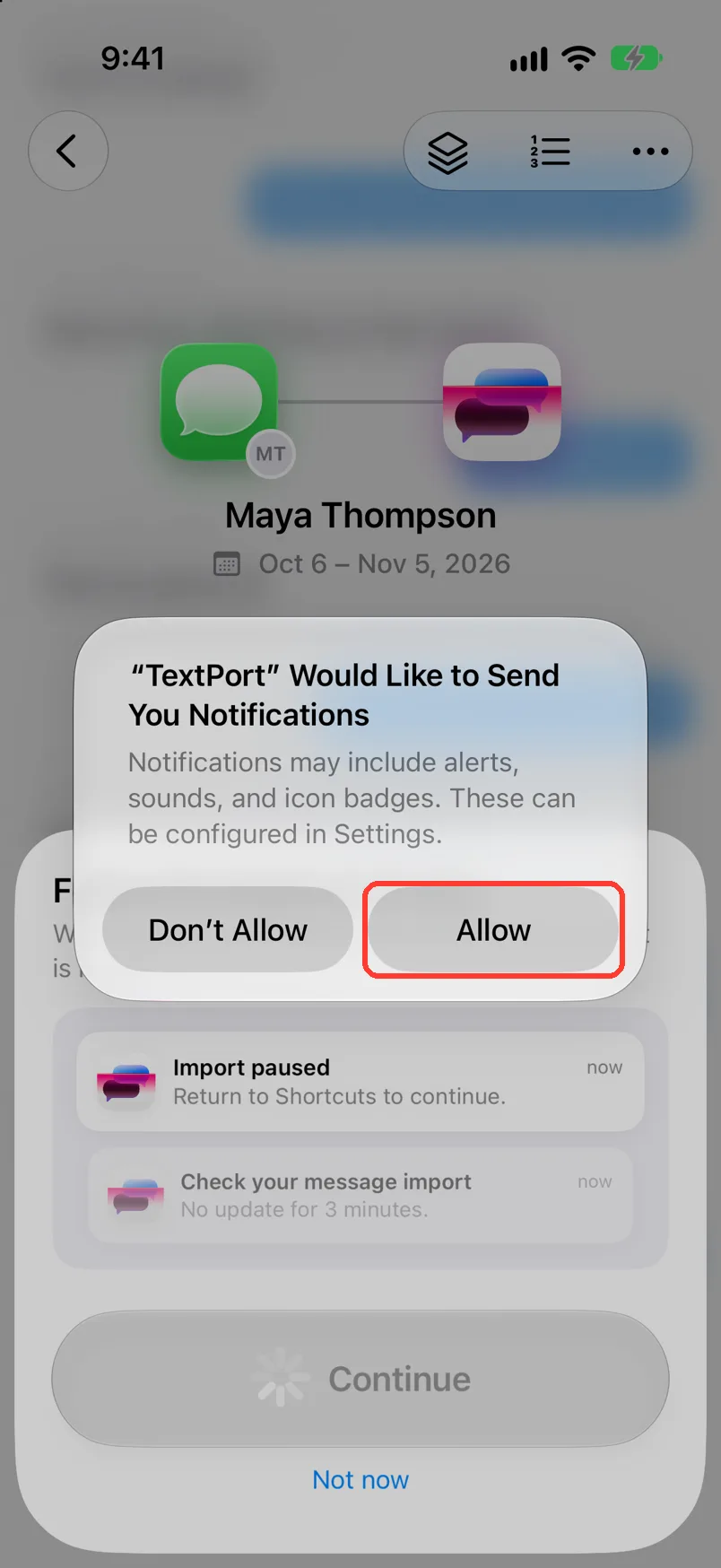
Tap Allow
iOS asks if TextPort can send notifications.
-
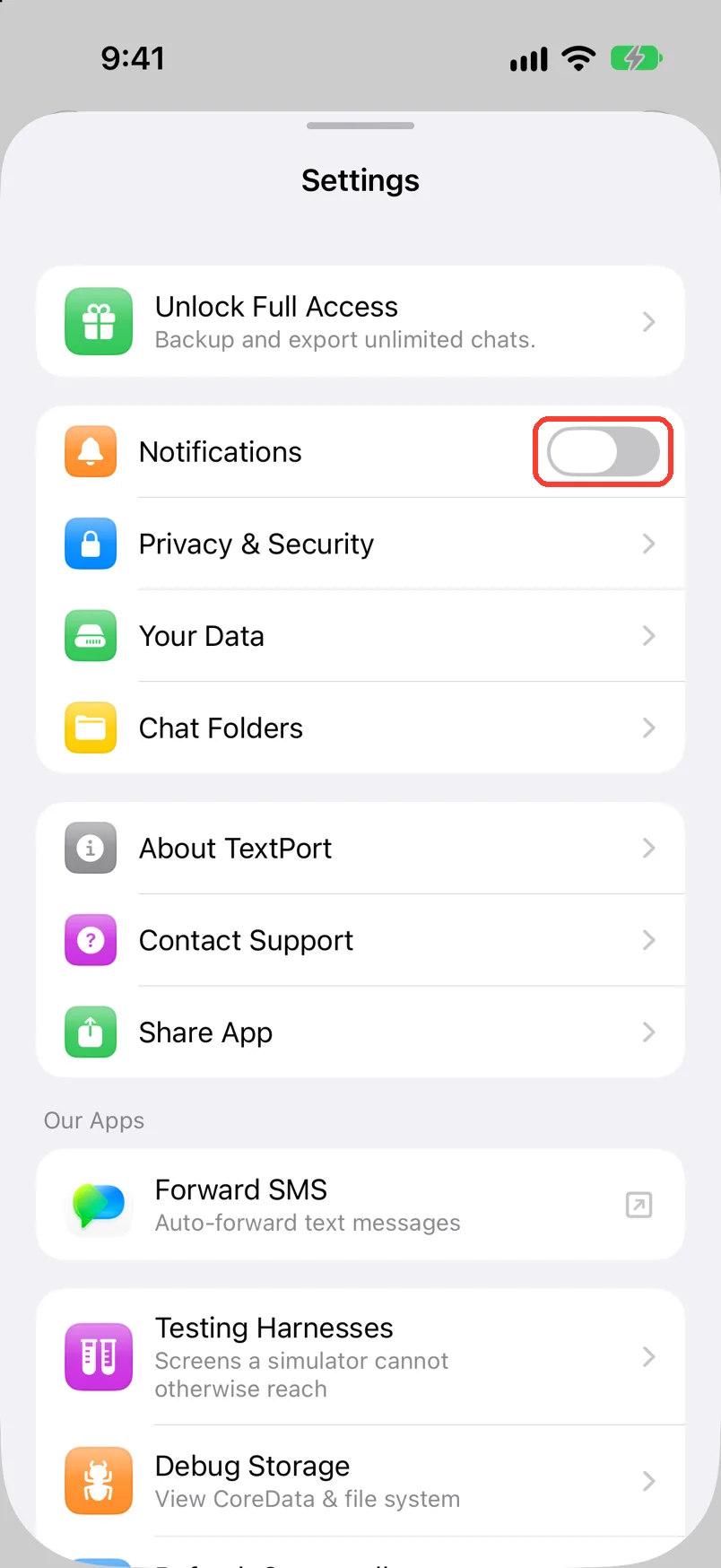
Check Notifications in TextPort
Tap the gear, then turn on Notifications. This one tells you when a chat is ready.
Done
TextPort can tell you when an import needs you and when your chat is ready.
Problems
Your iPhone has iOS 27, but you see Follow the import as it runs.
TextPort shows the older flow on your iPhone. Follow the iOS 26 and earlier steps.
Turn on notifications
On iOS 27, TextPort cannot import without them. Tap Open Settings. Turn on Allow Notifications. Go back to TextPort.
Notifications Disabled
You said no before. Tap Open Settings. Turn on Allow Notifications.
You tapped Don't Allow, and there is no question now.
In iOS Settings, tap Apps, then TextPort, then Notifications. Turn on Allow Notifications.
A chat is Processing your Chat, and you want to know when it is done.
Tap Notify me on that screen. TextPort says We'll notify you when it's done.
None of these match.
Email [email protected]. Say which step you were on. Say what you saw. We usually reply within a day.
Questions
-
When an import needs you, and when your chat is ready.
-
No. TextPort does not get notifications from other apps.
-
Yes. Turn off Notifications in TextPort's Settings. On iOS 27, keep Allow Notifications on in iOS Settings, or Messages imports cannot run.
Next guides
-
 How to import iMessage and SMS with the TextPort Shortcut
You will get a chat from Apple Messages saved in TextPort, with every message word for word.
-
 How to install the TextPort Shortcut
You will have the TextPort shortcut on your iPhone, ready to find your chats.
-
 How to fix a stuck or failed Shortcut import
You will get a Messages import that finishes, or know exactly what to tell support.

Start exporting your messages
Available for iPhone, Mac, and Windows. No computer required.
