
Competitor comparison
imessage-exporter vs TextPort: export your iMessages for free
Both are free, and both read your messages on your own computer. imessage-exporter is a command-line tool that writes HTML and TXT. TextPort for Mac and TextPort for Windows are apps you click through, and they export PDF and CSV. TextPort for iPhone needs no computer at all.
By device
imessage-exporter vs TextPort, device by device
Start from what you have in front of you. Checked November 19, 2026, against imessage-exporter 5.0.1.
| You have | TextPort | imessage-exporter |
|---|---|---|
| A Mac | TextPort for Mac, free from the Mac App Store (macOS 14.6 or later) | Free. Install with Homebrew or cargo, then give your terminal app Full Disk Access |
| A Windows PC | TextPort for Windows, free from the Microsoft Store. It backs up the iPhone over USB itself | Free .exe from GitHub. Reads a backup you make first with Apple Devices or iTunes |
| A Linux PC | Not available | Build it with cargo and point it at an iPhone backup |
| Only an iPhone | TextPort for iPhone. Your first 3 conversations import free, then it's a weekly, monthly or annual subscription | Needs a computer |
| An encrypted iPhone backup | TextPort for Windows can't open it; it offers to turn encryption off and back up again | Reads it with the backup password |
| A request for a PDF | Export it directly, with page numbers | Export HTML, then print it to PDF from Safari |
| A spreadsheet to fill | CSV, one message per row | No CSV; TXT or HTML |
| A WhatsApp, Signal or Telegram chat | TextPort for iPhone: WhatsApp from its Export Chat file, others from a screen recording | Not supported; Apple Messages only |
Mac
On a Mac: the same Messages, with or without the Terminal
Both tools read the Messages already on your Mac, so with Messages in iCloud turned on, your iPhone's history is there for either. With imessage-exporter you install it with brew install imessage-exporter, give Terminal Full Disk Access in System Settings, and run a command such as imessage-exporter -f html -c clone. It writes one HTML file per conversation into a folder called imessage_export in your home folder, with the attachments copied beside them.
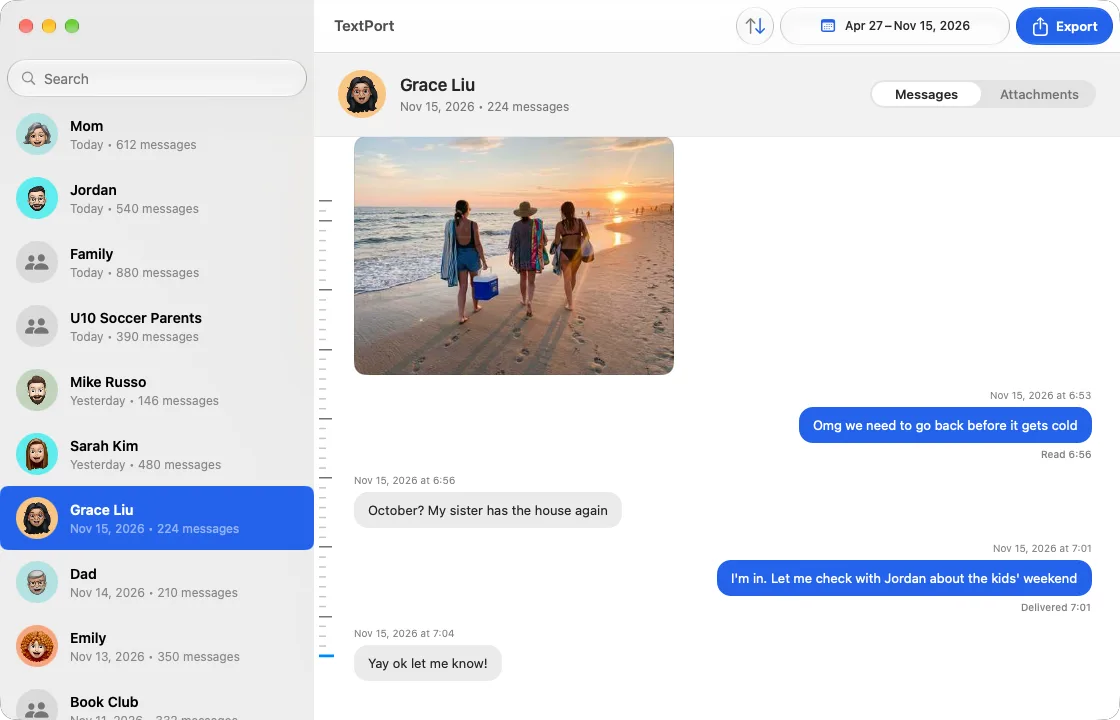
TextPort for Mac asks you to choose your Messages folder once, then shows your chats as Messages does. Open one, pick the dates, and export a PDF, CSV, TXT or a ZIP of the attachments, or use Export All for every chat. It's free, with no account, and nothing leaves the Mac.
Windows
On a Windows PC, who makes the backup
A PC has no Messages app, so both tools read an iPhone backup. imessage-exporter expects one to exist already: you back up the iPhone with Apple Devices or iTunes, download the .exe from its releases page, and run it in PowerShell with the path to the backup folder. It handles encrypted backups if you give it the password.
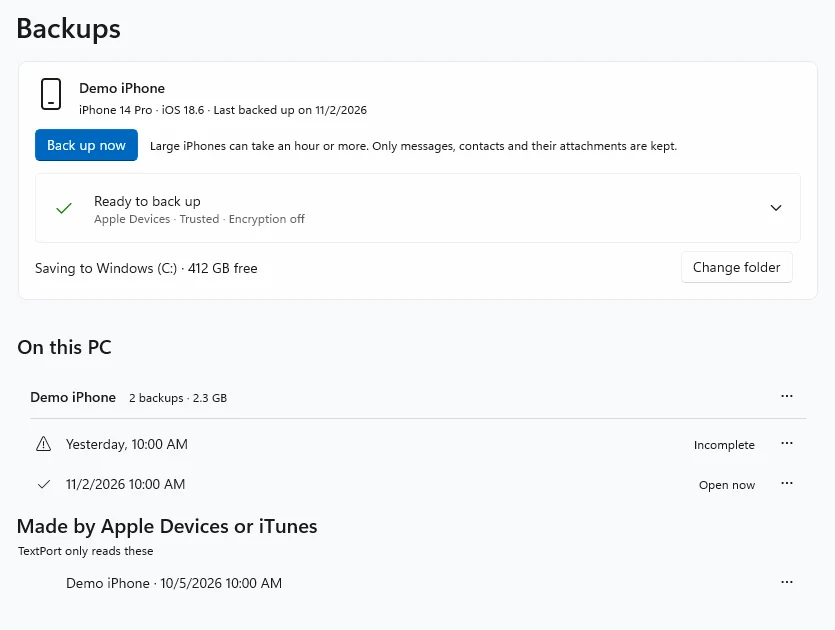
TextPort for Windows makes the backup itself: plug in the iPhone, click Back up now, and the first messages open in about 10 minutes, while the backup finishes. It also opens unencrypted backups that Apple Devices or iTunes already made. Export one conversation or all of them as PDF, CSV, TXT or a ZIP of photos and files.
The files
HTML and TXT, or PDF and CSV
imessage-exporter's HTML looks like a Messages window in a browser, with photos and videos embedded, and it keeps more of what iMessage stores than any other tool we've compared. It doesn't make a PDF. Its documentation suggests exporting HTML with --no-lazy so every image loads, opening it in Safari and printing to PDF, and adding your own CSS if messages split across pages.
TextPort exports the PDF directly: a header naming the conversation and who it's with, the sender, date and time on every message, photos inline, and page numbers. The CSV puts one message per row with its sender and timestamp, so a long thread can be sorted and filtered in Excel, Numbers or Google Sheets.
iPhone
No computer? Export iMessages on the iPhone
imessage-exporter needs a computer and an iPhone backup or a Mac's Messages. If all you have is the phone, TextPort for iPhone works on it directly:
- 1.Open TextPort, tap Add Chat, then Import from Messages. The first time, add the TextPort Shortcut when the app asks (it needs iOS 26.4 or later). It reads your messages word for word.
- 2.Pick the conversation and the dates.
- 3.Export the PDF, CSV or TXT, or print it straight from the phone.
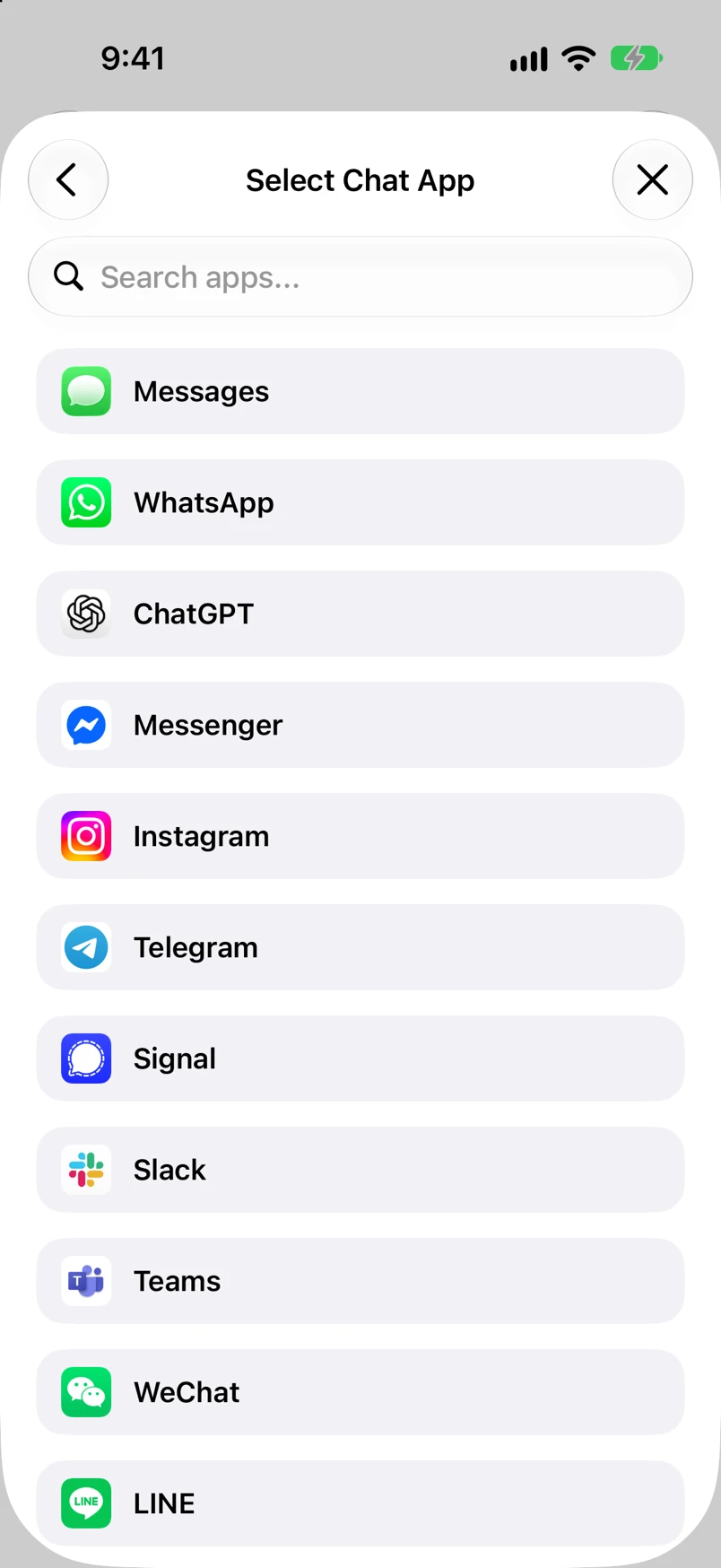
It also takes WhatsApp chats from WhatsApp's Export Chat file, and Instagram, Messenger, Signal, Telegram and other apps from a screen recording, which imessage-exporter can't read at all.
Where it wins
Where imessage-exporter goes further
imessage-exporter covers more of iMessage than TextPort does: Tapbacks, every version of an edited message, unsent messages, threaded replies, link previews, polls, handwritten messages and Digital Touch. It restores messages still in Recently Deleted, reads encrypted iPhone backups, runs on Linux, and can be scripted. TextPort's exports leave out edit history, TextPort for Mac doesn't show Tapbacks yet, and neither desktop app recovers deleted messages or opens an encrypted backup.
If you're comfortable in a terminal and want a complete archive, imessage-exporter is the right tool. If you want the conversation as a PDF or a spreadsheet without learning its options, TextPort is.
Weighing more tools? See other imessage-exporter alternatives, our imessage-exporter review and how-to, or the best apps to export iMessages on a Mac.
FAQ
imessage-exporter and TextPort questions
-
Yes. imessage-exporter is free, open-source software under the GPL-3.0 licence, with no paid tier. TextPort for Mac and TextPort for Windows are free too, with no account, no in-app purchase and no message cap. Only TextPort for iPhone is paid: your first three conversations import free, then it's a weekly, monthly or annual subscription.
-
For a document you hand to a lawyer or a court, TextPort is the shorter path: it exports a paginated PDF with the sender, date and time on every message. imessage-exporter makes HTML and TXT, so you print the HTML to PDF from Safari yourself. Neither tool makes certified evidence; courts authenticate text messages through testimony that the export came from your phone. See exporting text messages for court.
-
imessage-exporter, for raw speed: its developer measured over 145,000 messages a second on an M1 Max MacBook Pro when attachments aren't copied. TextPort for Mac reads the same Messages database and opens a chat in moments too. The time that differs is setup: installing Homebrew or Rust, granting Full Disk Access and learning the options, against installing an app from the App Store.
-
Yes. Both only read your messages and never change them, so you can keep an imessage-exporter HTML archive of everything and use TextPort for the PDF or CSV of one conversation that someone has asked for.
Sources checked November 19, 2026: imessage-exporter's GitHub page, install and usage guide, FAQ, feature list and releases.

Start exporting your messages
Available for iPhone, Mac, and Windows. No computer required.