

How to edit a message's text or time
Quick answer
In a chat from screenshots or Scroll Capture:
- Long press the message.
- Tap Edit Message to fix the words, or Edit Timestamp to fix the time.
- Type the words, or pick the day and time.
- Tap the check mark in the top right.
The chat and your exports then show the change.
What you need
- ✓TextPort on your iPhone
- ✓A chat imported from screenshots or Scroll Capture
Steps
Edit the text
-
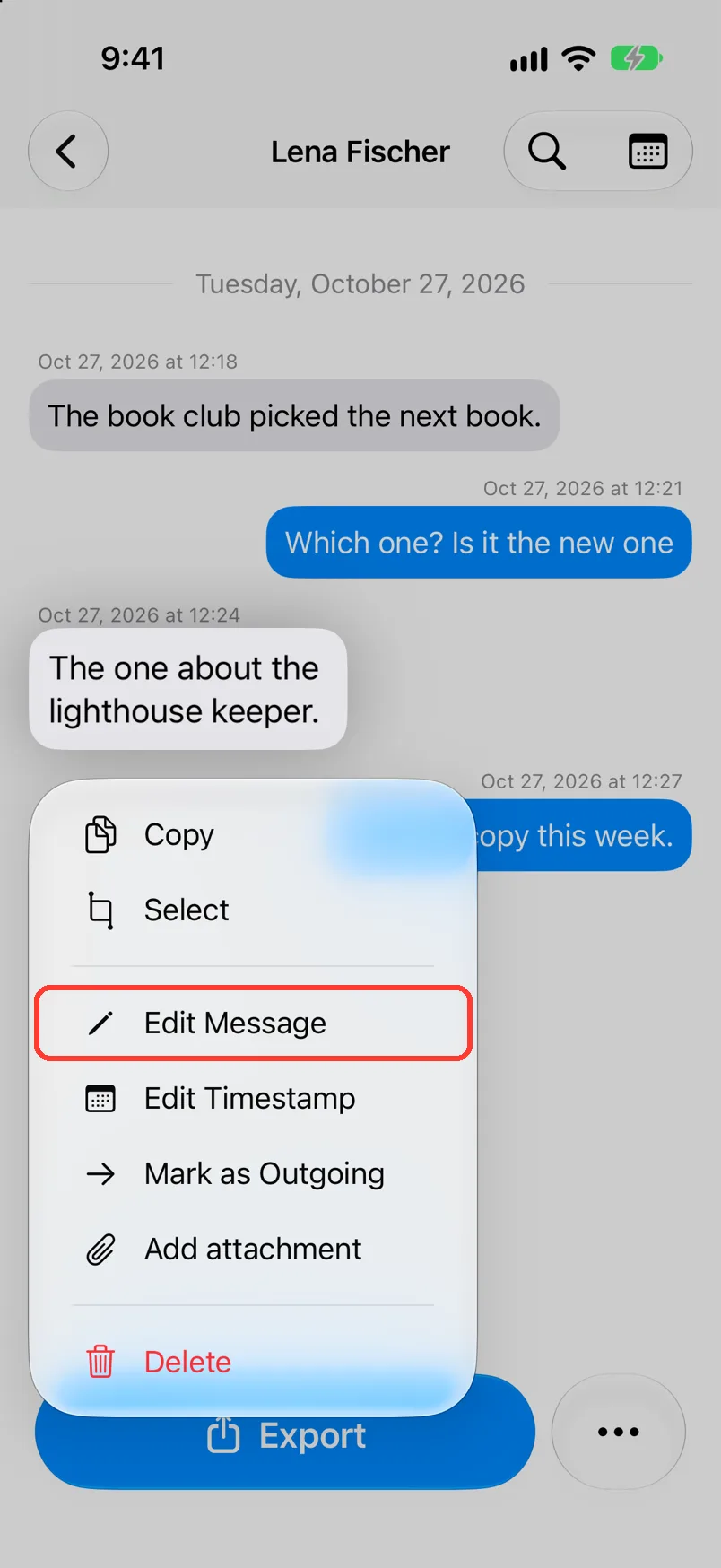
Long press the message
Open the chat. Press and hold the bubble. A menu opens.
-
Tap Edit Message
It is below Copy. Edit Message opens.
No Edit Message? The chat came from Messages, WhatsApp, or LINE. Those chats are exact copies.
-
Type the right words
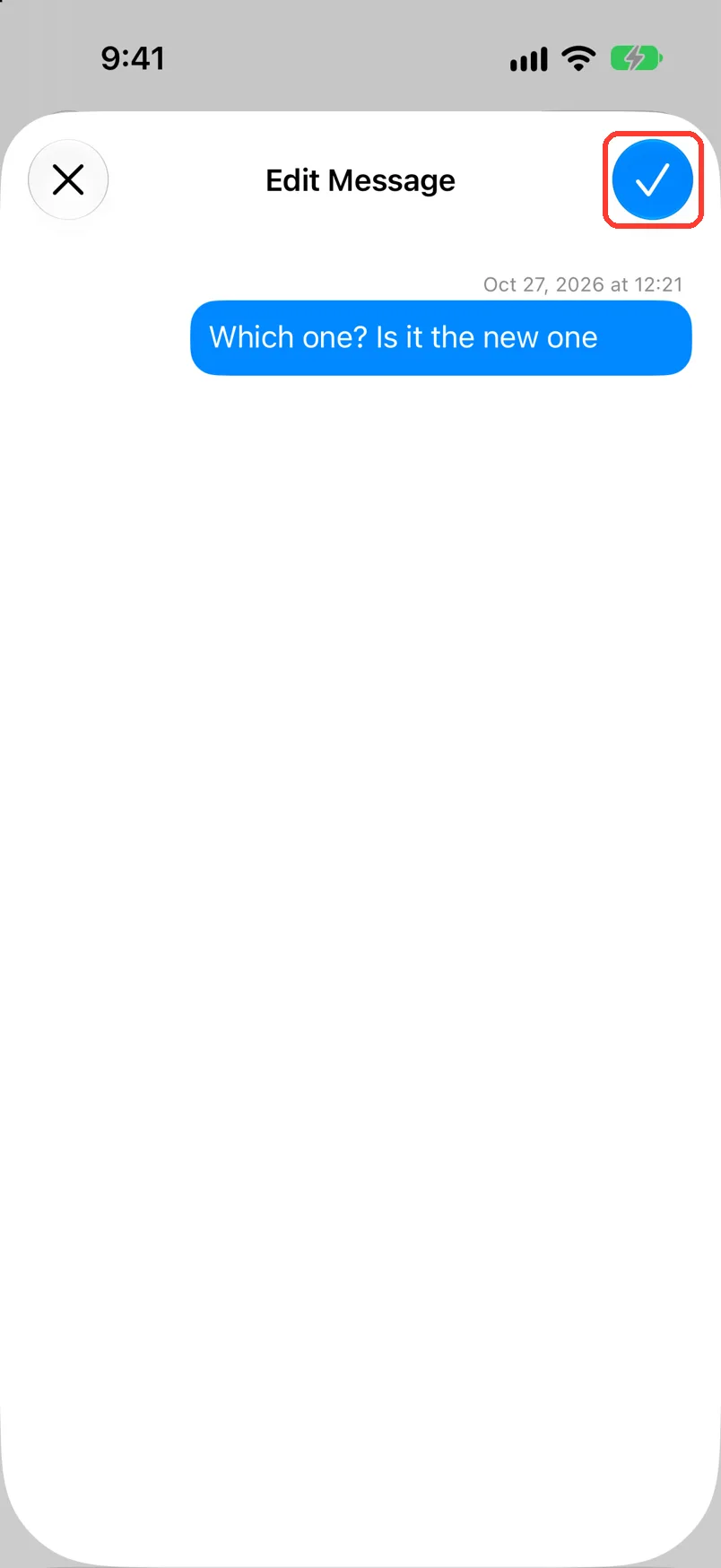
The keyboard opens by itself. Change the words in the bubble.
-
Tap the check mark
It is the blue button in the top right. The chat shows the new words.
To leave it as it was, tap the X in the top left.
-
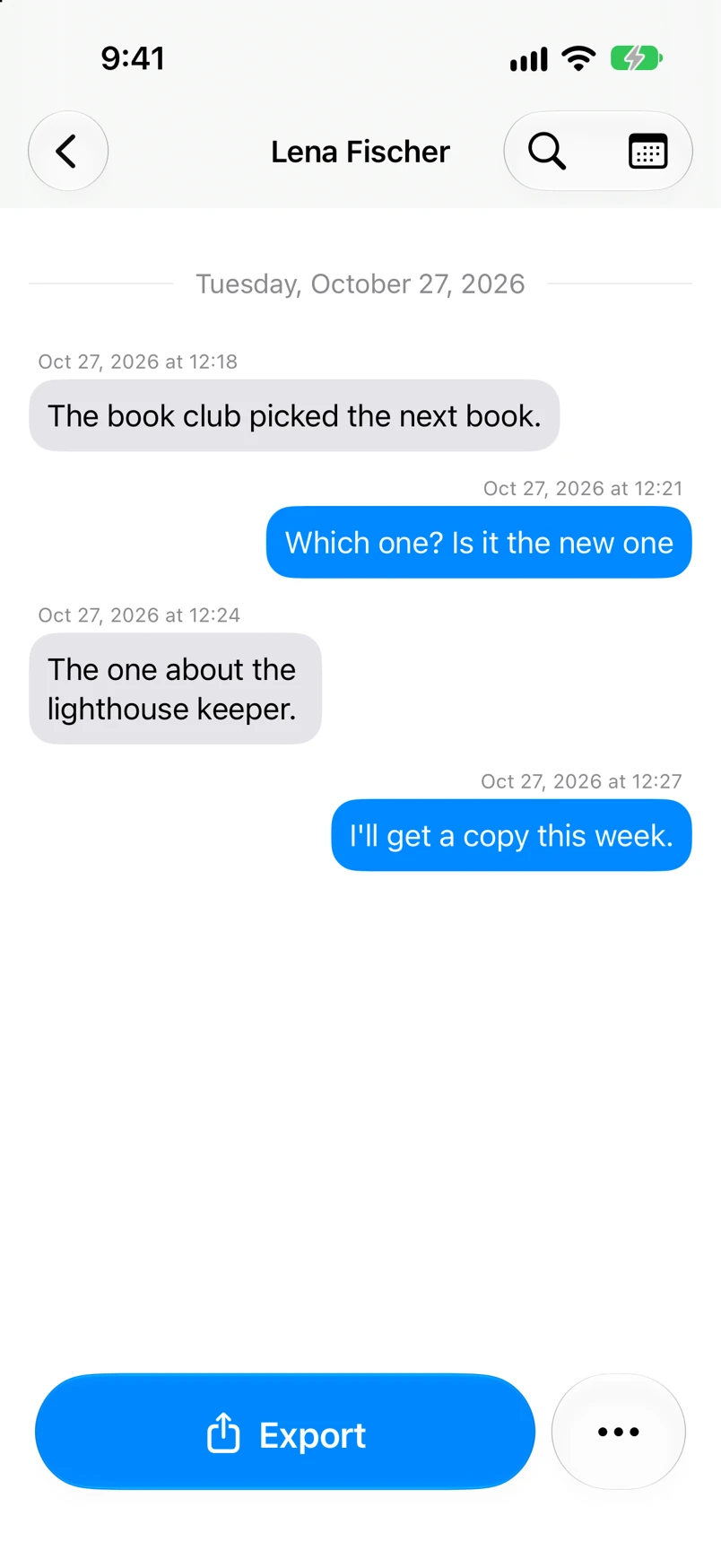
Check the chat
The bubble now shows the new words.
Edit the time
-
Long press the message
Open the chat. Press and hold the bubble. A menu opens.
-
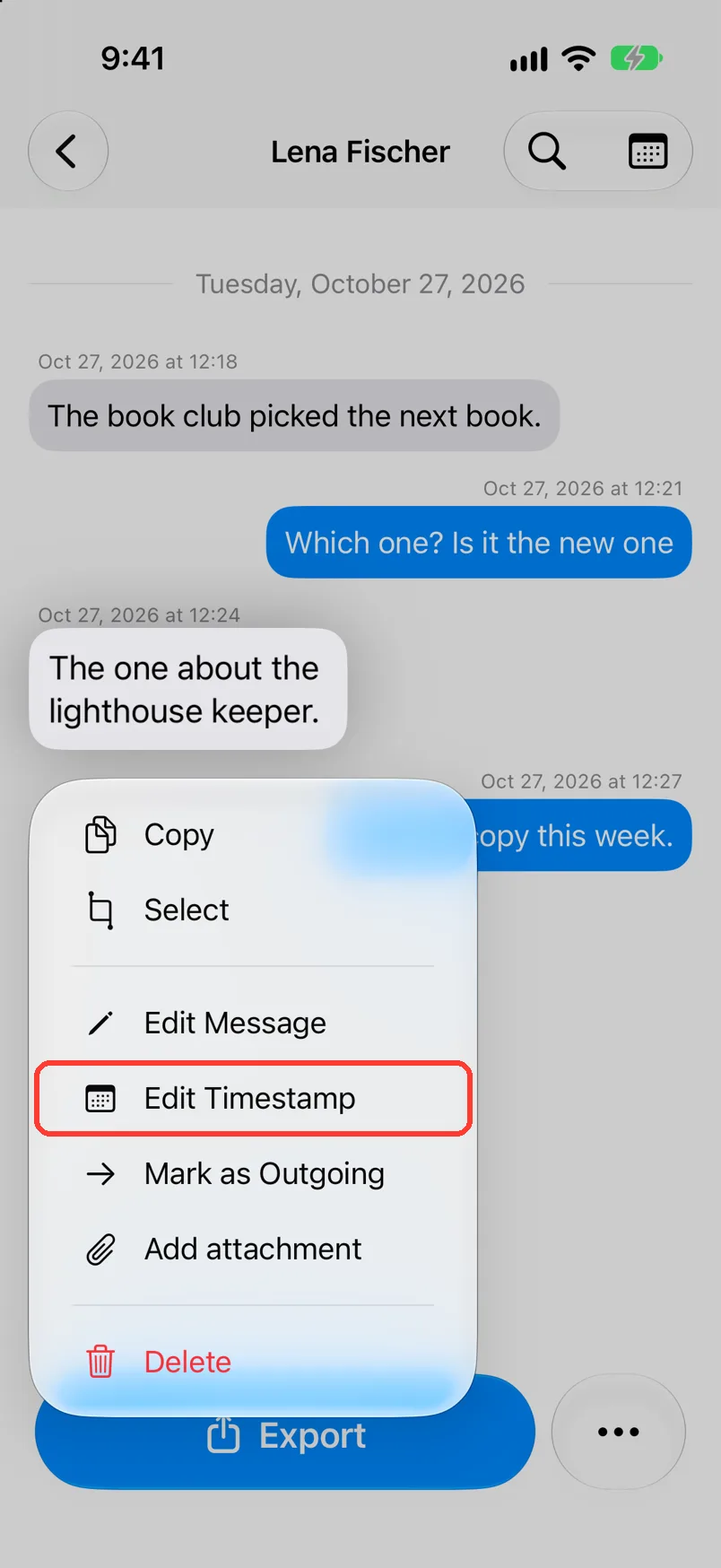
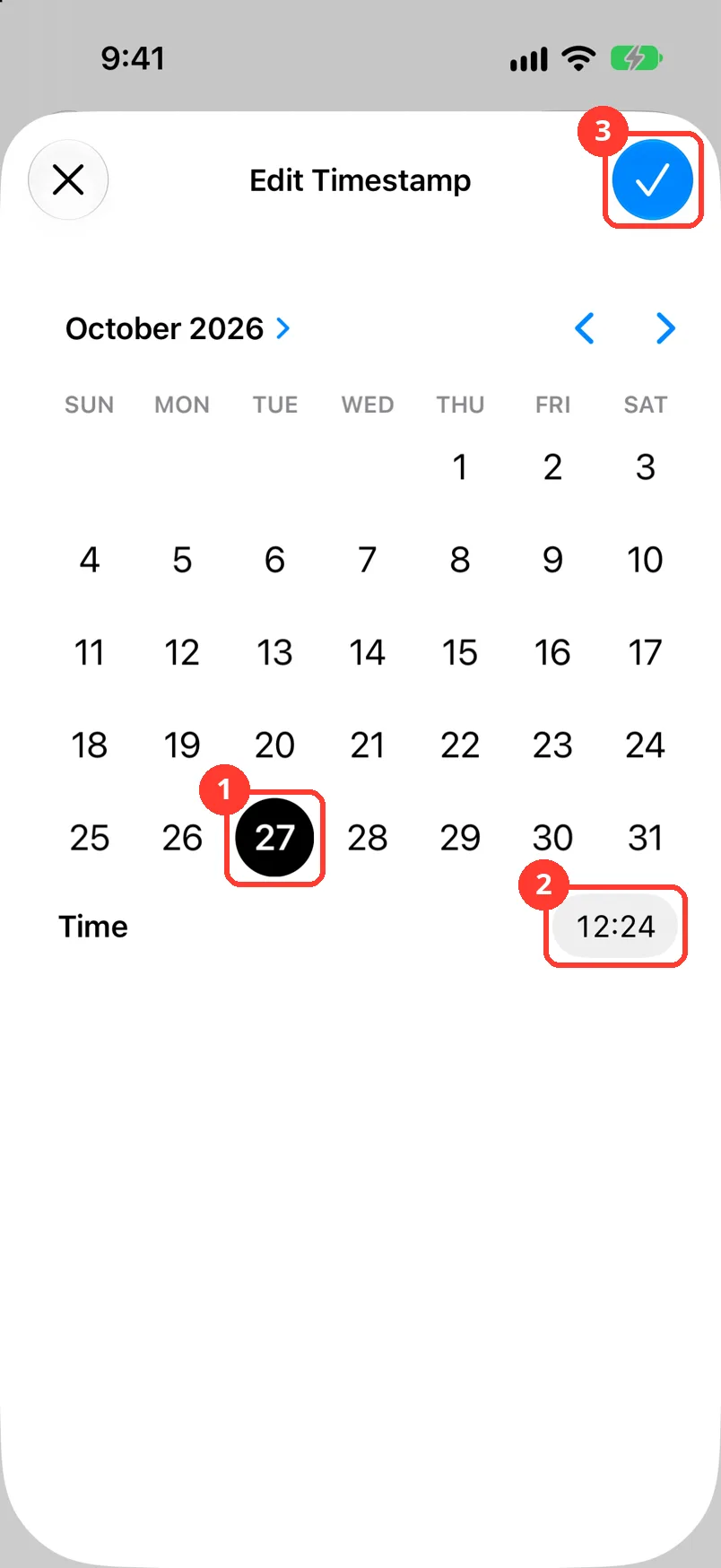
Tap Edit Timestamp
It is under Edit Message. Edit Timestamp opens.
No Edit Timestamp? The chat came from Messages, WhatsApp, or LINE. Its times are exact.
-
Pick the day and the time
Tap the day in the calendar (1). Tap the time next to Time (2).
-
Tap the check mark
It is the blue button in the top right (3). The message shows the new time.
Done
The message shows the right words and the right time. Your PDF, Spreadsheet, and Text files use them too.
Problems
There is no Edit Message or Edit Timestamp in the menu.
The chat came from Messages, WhatsApp, or LINE. Those chats are exact copies, so you can not change them.
All messages on one day have the wrong date.
Many messages have the wrong year.
The message is on the wrong side.
Long press it. In a group, tap Change Sender. With two people, tap Mark as Outgoing or Mark as Incoming. See Fix who sent a message.
Error Editing Message or Error Editing Timestamp
Check your internet. Tap OK. Then tap the check mark again.
None of these match.
Email [email protected]. Say which step you were on. Say what you saw. We usually reply within a day.
Tips
-
… then Edit Messages shows a short video of this. You make each edit with a long press.
Questions
-
No. The edit is only in TextPort. The app the chat came from keeps its own copy.
-
There is no undo button. Edit the message again and type the old words.
-
Do not change what people wrote. Fix only what TextPort read wrong from your screenshots.
Next guides
-
 How to delete a message in a chat
The extra message will be gone from the chat and from your exports.
-
 How to fix wrong text, times, or missing messages
Every message TextPort read wrong from a screenshot or recording will say the right thing.
-
 How to change the year for many messages at once
Every message in your chat will show the right year.
-
 How to change the date of a whole day
All the messages from one day will move to the right date.
-
 How to fix who sent a message
Each message will show the person who really sent it.

Start exporting your messages
Available for iPhone, Mac, and Windows. No computer required.
