

How to export many chats at once
Quick answer
In Saved Chats:
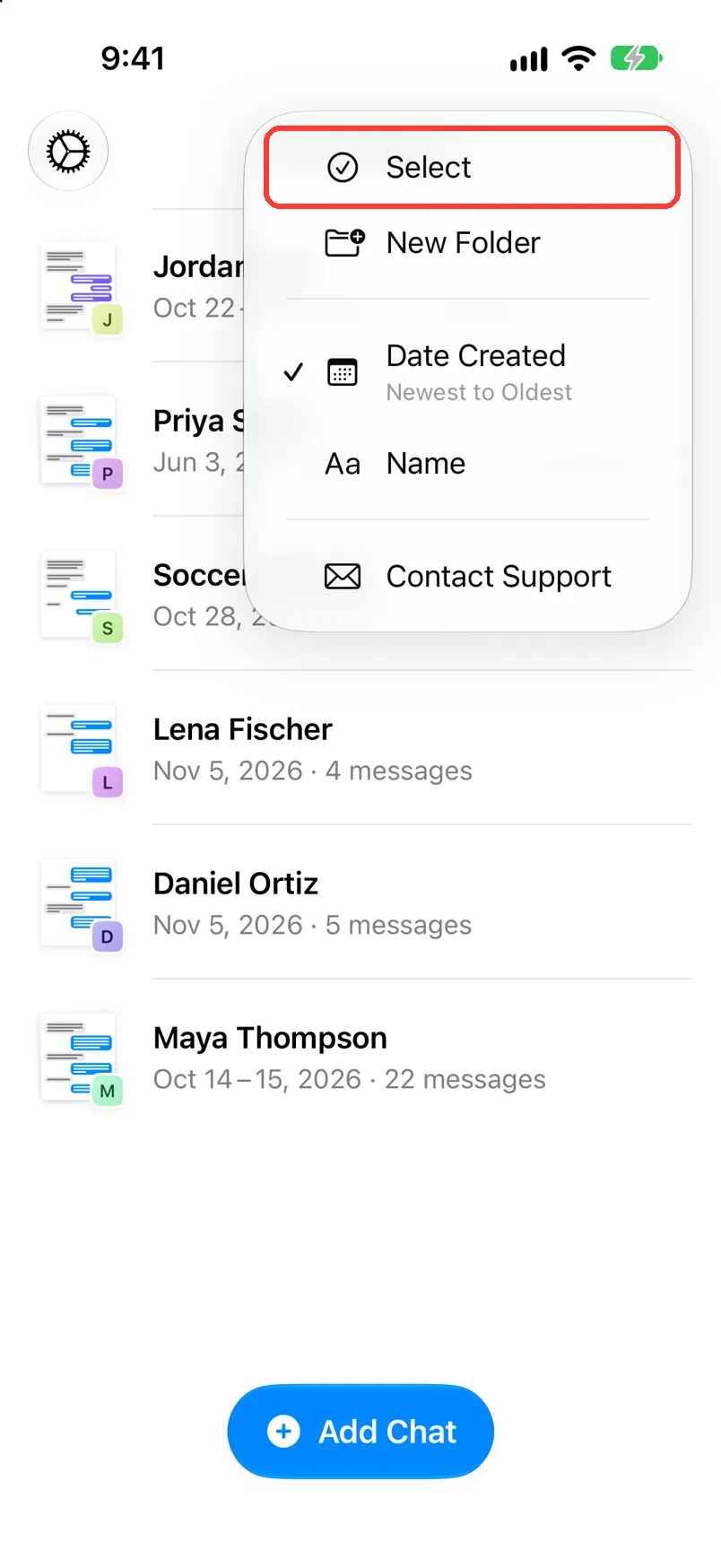
- Tap … in the top right, then Select.
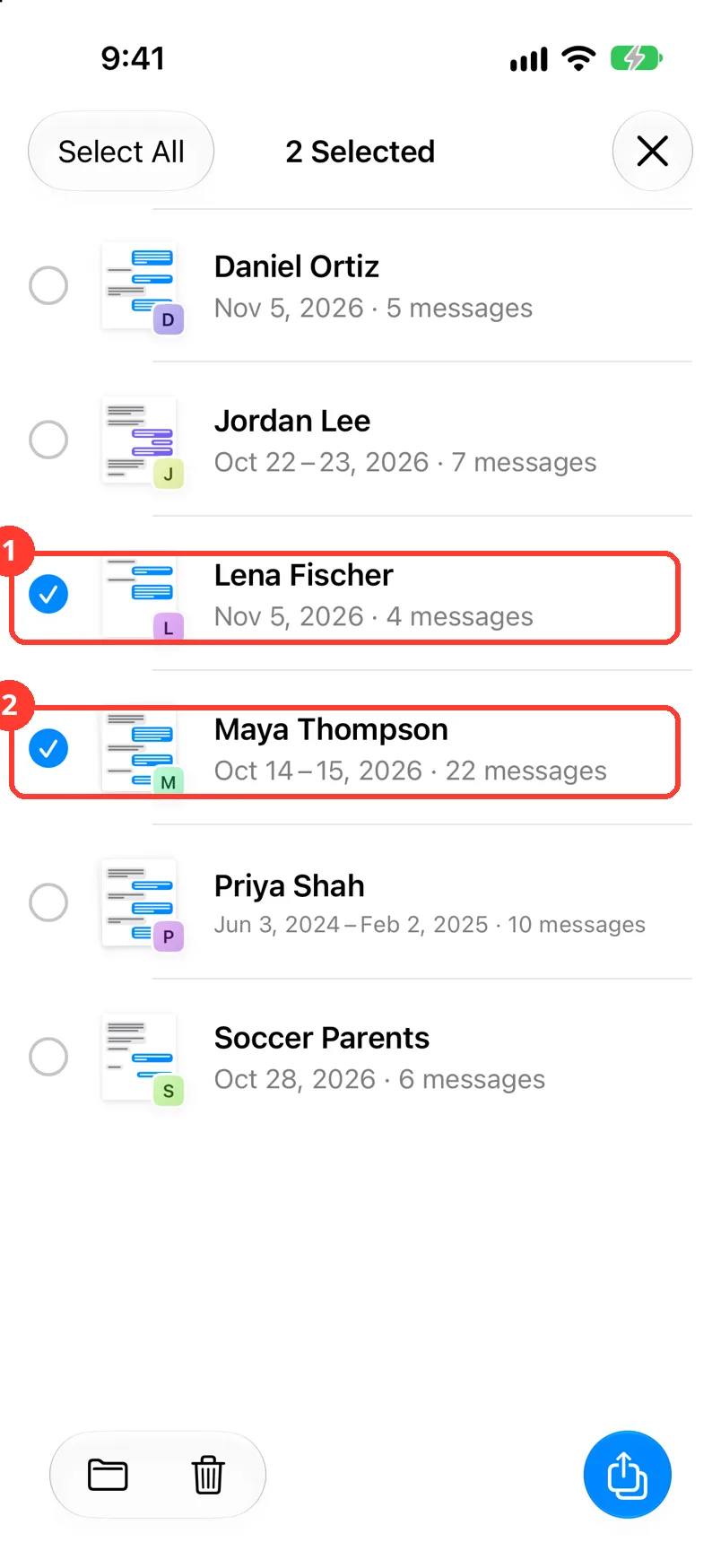
- Tap the chats you want.
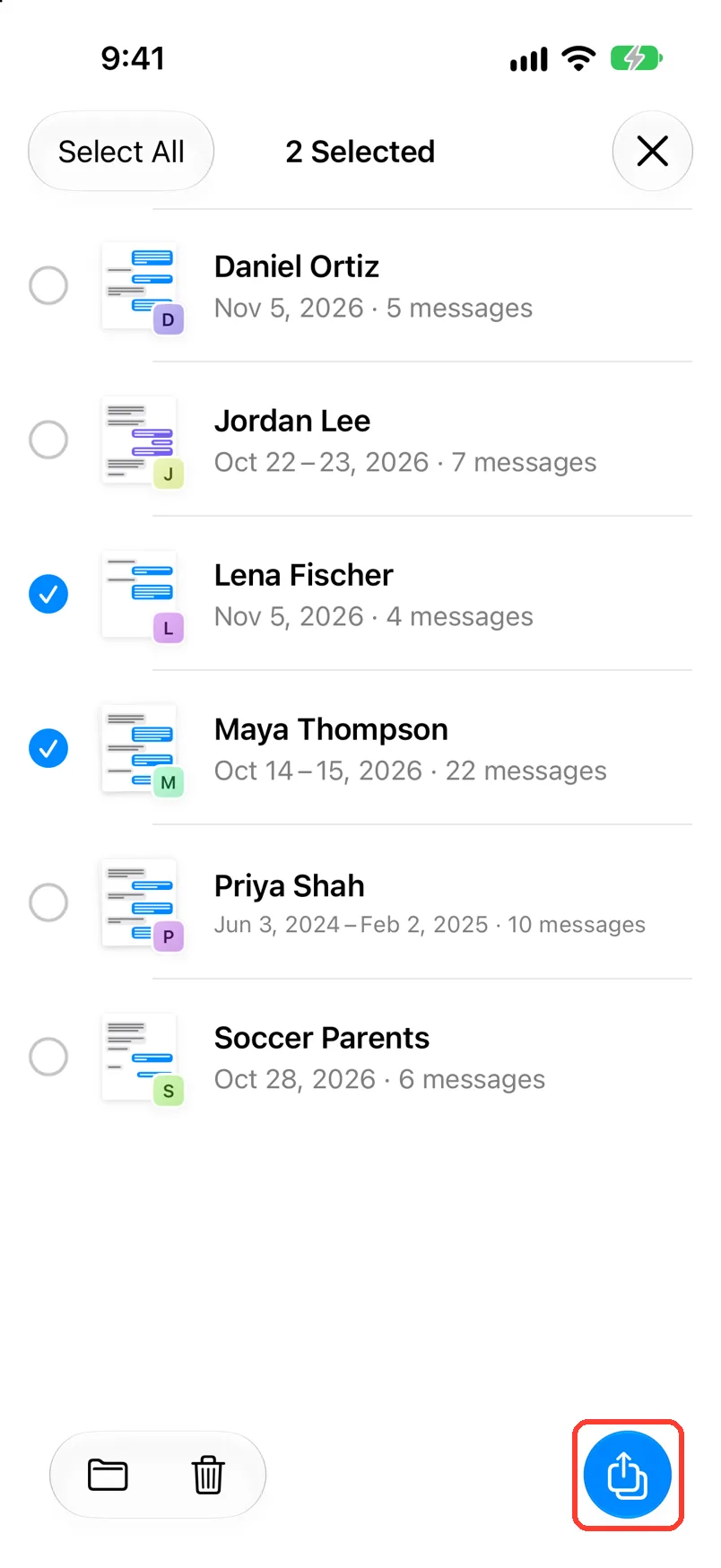
- Tap the blue export button at the bottom right.
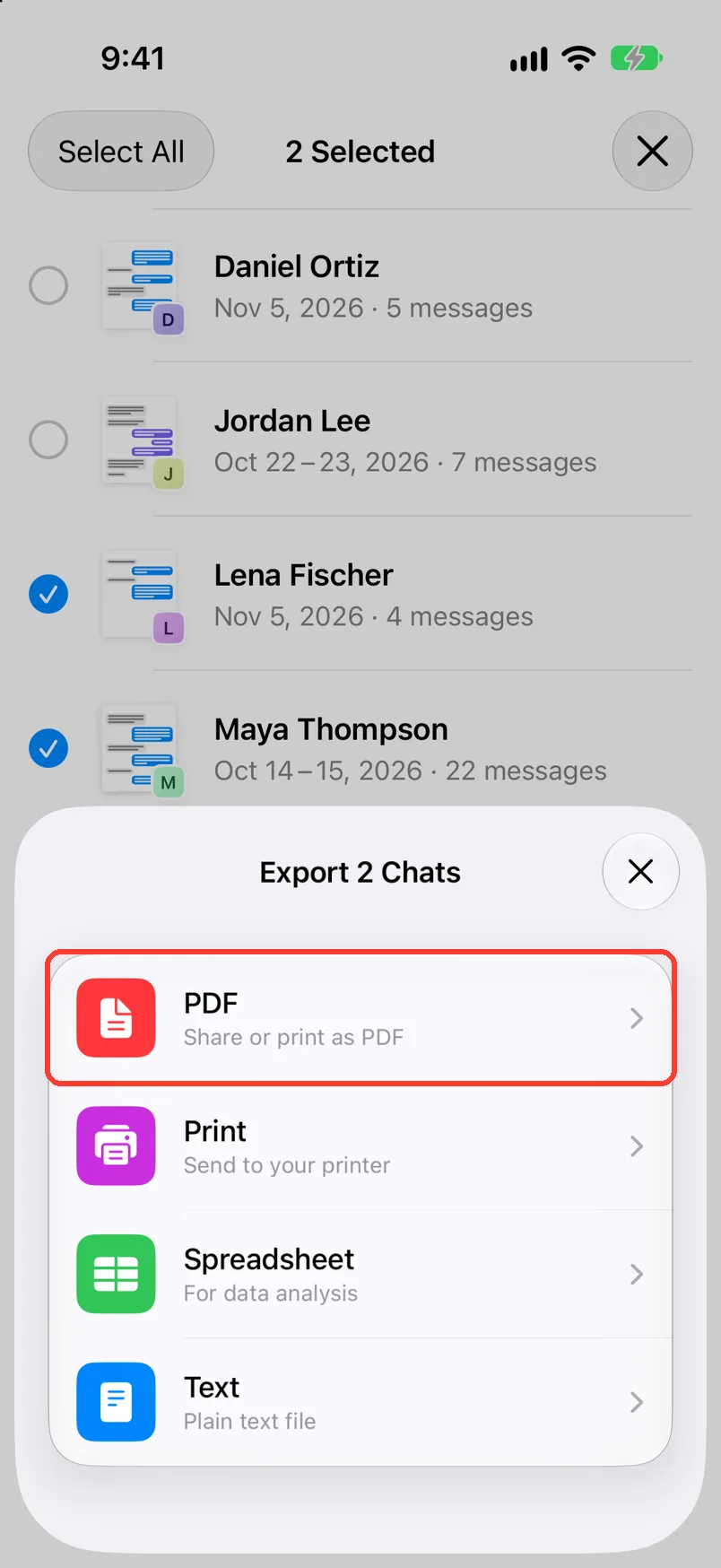
- Tap PDF, Print, Spreadsheet, or Text.
- Pick an app, or tap Save to Files.
- On Mac: How to export many or all chats on Mac
- On Windows: How to export all conversations at once on Windows
What you need
- ✓TextPort on your iPhone
- ✓Two or more chats saved in TextPort
Steps
-
Tap …, then Select
… is in the top right of Saved Chats. Circles show next to the chats.
You can also long press a chat and tap Select.
-
Tap the chats you want
A check mark shows on each one. The top shows how many you picked.
Tap Select All in the top left to pick them all.
-
Tap the export button
It is the blue button at the bottom right. Export 2 Chats opens.
-
Tap a file type
TextPort builds one file for each chat. The iPhone share sheet opens.
TextPort may ask you to unlock this. Print joins the chats into one print job.
-
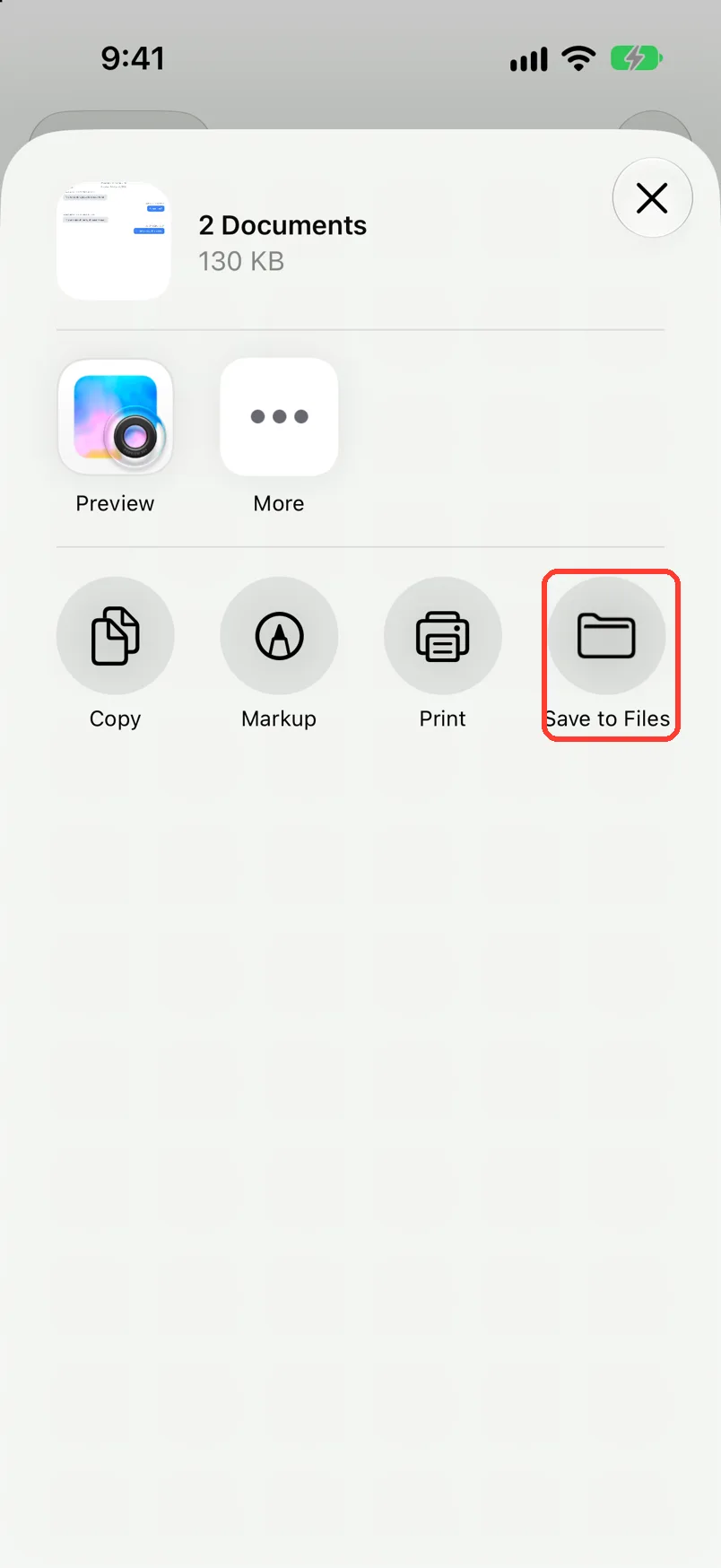
Tap Save to Files or an app
The share sheet shows how many files you have.
Done
You have one file for each chat you picked.
Problems
Some chats couldn't be exported
TextPort names those chats. Tap the blue button to share or print the rest. Then open each named chat and export it by itself. See Export a chat to PDF.
You cannot pick a chat.
Only finished chats can be picked. Wait for the import to finish.
Export Failed
Tap Try Again.
You want to leave select mode.
Tap the X in the top right.
None of these match.
Email [email protected]. Say which step you were on. Say what you saw. We usually reply within a day.
Questions
-
No. Each chat is its own file. Only Print joins them into one print job.
-
No. To pick dates, export one chat. See Export only a date range.
Next guides
-
 How to export a chat to PDF
You will get a PDF of one chat, with names, dates, and times, ready to share or print.
-
 How to save an export to Files or iCloud Drive
Your exported file will be saved in the Files app or in iCloud Drive.
-
 How to back up a chat before you delete it or switch phones
You will have a PDF copy of the chat saved in iCloud Drive or another safe place.

Start exporting your messages
Available for iPhone, Mac, and Windows. No computer required.
