

How to get help or send feedback on Mac
Quick answer
In TextPort for Mac, open the Help menu:
- TextPort Support opens the support page.
- Mac Guides opens these guides.
- Send Feedback… starts an email to us.
Or email [email protected].
- On iPhone: How to contact support or report a problem
- On Windows: How to contact support and send logs on Windows
What you need
- ✓TextPort for Mac
Steps
-
Click Help
It is in the menu bar at the top of the screen. The menu opens.
-
Click TextPort Support
Your browser opens the support page.
Pick Mac Guides for these guides, or Send Feedback… to email us.
-
Find your version
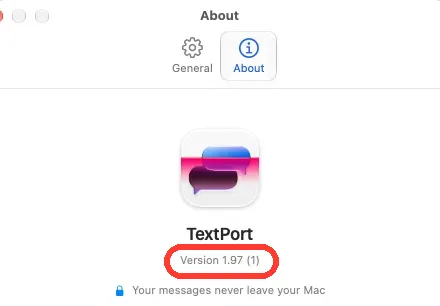
Choose TextPort › Settings…, then About. Tell us the version when you write.
Done
You reached TextPort support, or your message is ready to send.
Problems
Send Feedback… does nothing.
Your Mac has no Mail account set up. Email [email protected] from any app.
TextPort shows Almost ready or Your chats didn’t load.
Click Email us on that screen. It adds the details we need. See the fix guide.
None of these match.
Email [email protected]. Say which step you were on. Say what you saw. We usually reply within a day.
Questions
-
It is on the About tab. It opens the TextPort website in your browser.



Start exporting your messages
Available for iPhone, Mac, and Windows. No computer required.
