

How to share an export by email, Gmail, or AirDrop
Quick answer
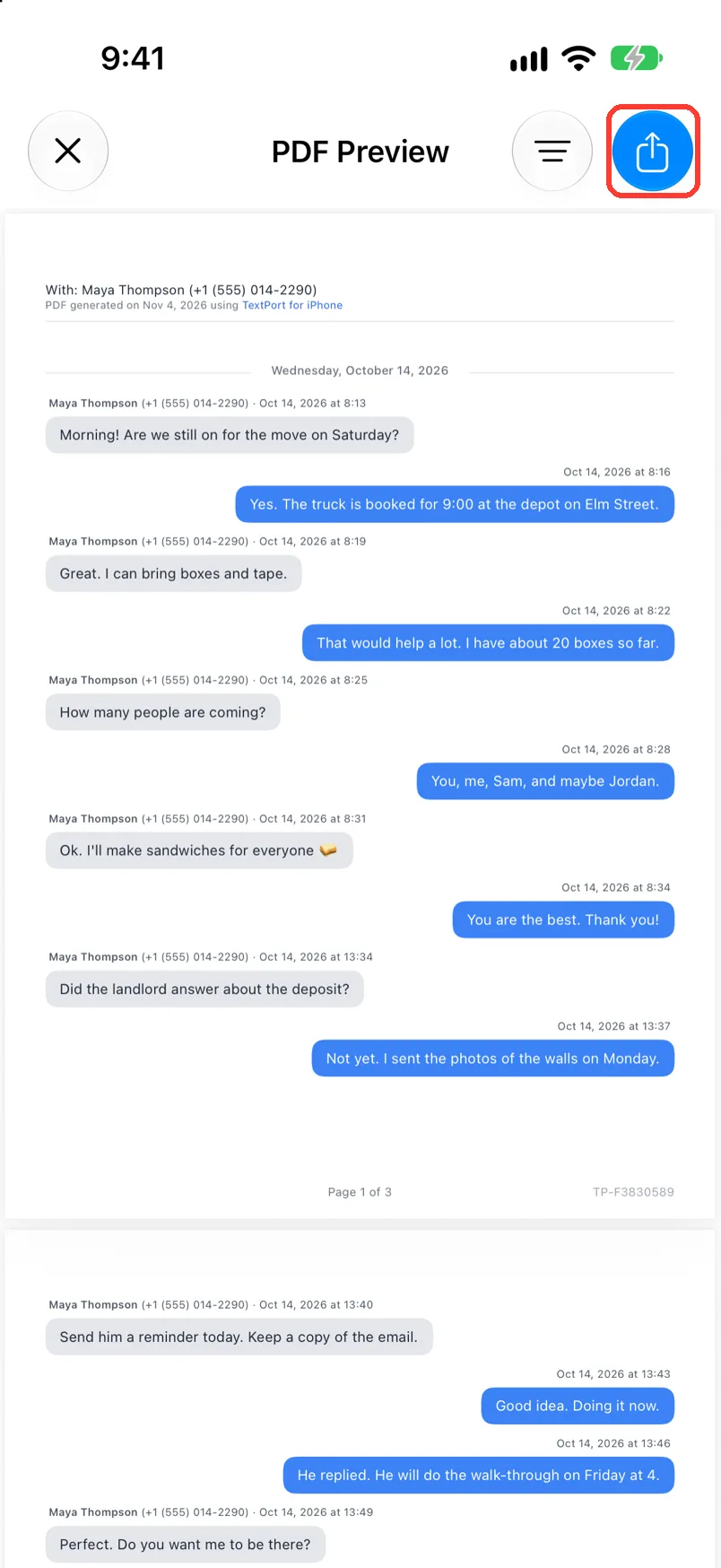
In PDF Preview, Spreadsheet Preview, or Text Preview, tap the share button in the top right. Then:
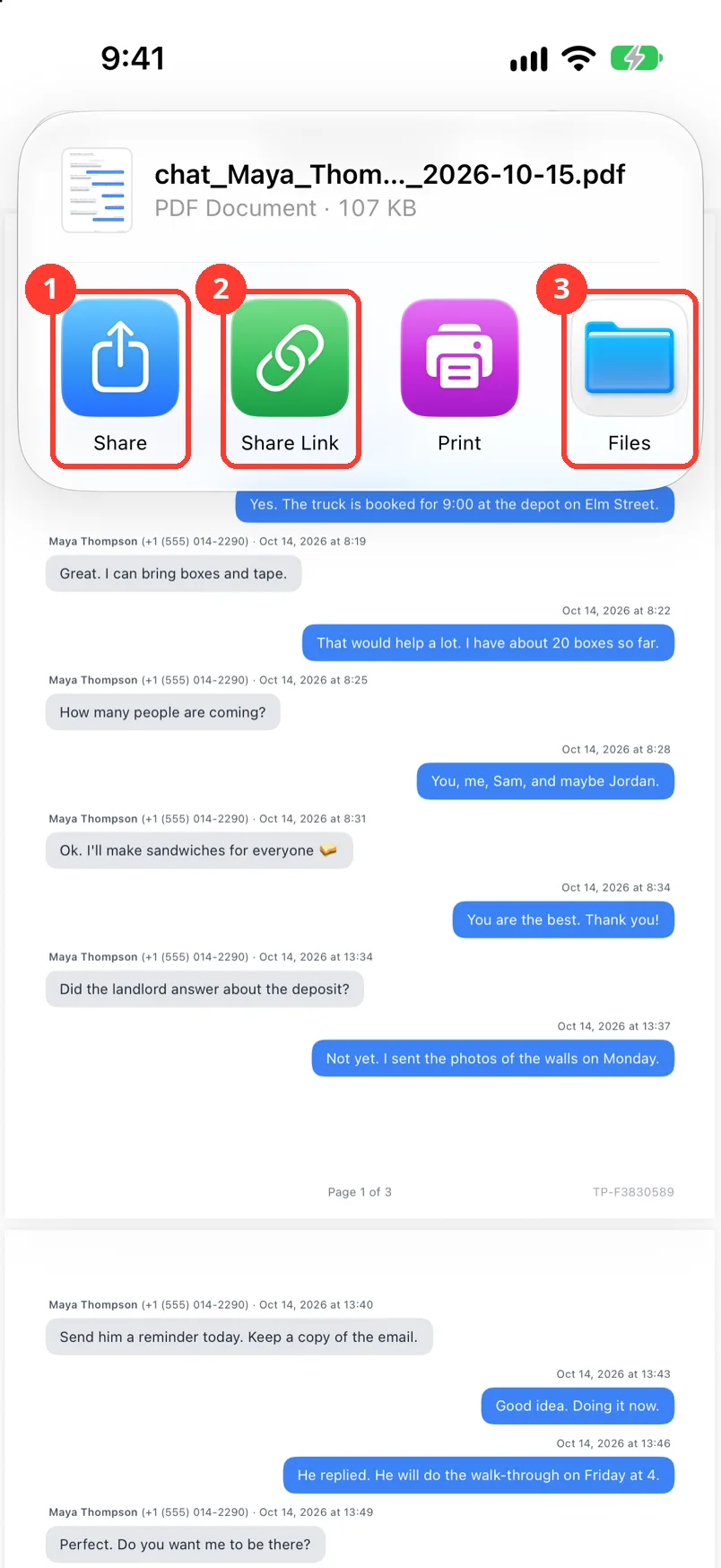
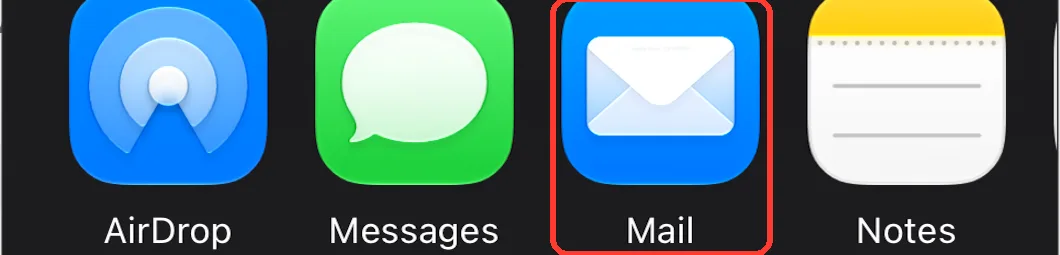
- To attach the file to an email, tap Share, then Mail.
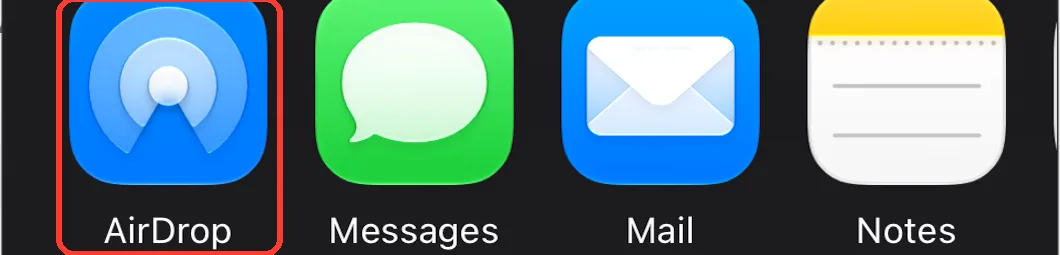
- To use AirDrop, tap Share, then AirDrop.
- To email a link, tap Mail or Gmail on the card. The link works for 7 days.
What you need
- ✓TextPort on your iPhone
- ✓A chat open in an export preview
- ✓For Mail or Gmail on the card: that app set up on your iPhone
Steps
-
Tap the share button
It is the blue button in the top right of the preview. A card opens.
Email the file
-
Tap Share
It is the first tile. The iPhone share sheet opens.
-
Tap Mail or Gmail
They are in the row of apps. A new email opens with the file.
If you do not see them, swipe the row. Or tap More at the end of it.
-
Send the email
Type the address. Tap the send button.
AirDrop
-
Tap Share
It is the first tile. The iPhone share sheet opens.
-
Tap AirDrop
It is in the row of apps. People near you show.
Turn on Bluetooth and Wi-Fi on both devices.
-
Tap the person or device
They tap Accept. The file goes to their device.
Email a link
-
Tap Mail or Gmail on the card
TextPort uploads the file. A ring fills on the tile. A new email opens with a link.
You see these tiles only if that app is set up. Swipe the card to the left to see them all.
-
Send the email
Type the address. Tap the send button. The link works for 7 days.
Done
The file or the link is on its way.
Problems
The file is too big to email.
Use a link instead. See Share a big export with a link.
There is no Mail or Gmail tile on the card.
The app is not set up on this iPhone. Tap Share and pick your email app there.
Couldn't Create Link
Check your internet. Then tap Try Again.
The person is not in the AirDrop list.
On their device, open the Settings app. Tap General, then AirDrop. Pick Everyone for 10 Minutes or Contacts Only.
None of these match.
Email [email protected]. Say which step you were on. Say what you saw. We usually reply within a day.
Questions
-
No. They send a link to it. To send the file, tap Share first.
-
Yes. Pick your Mac in the AirDrop list. The file goes to its Downloads folder.
Next guides
-
 How to share a big export with a link
You will get a web link to your file that anyone with it can open for 7 days.
-
 How to save an export to Files or iCloud Drive
Your exported file will be saved in the Files app or in iCloud Drive.
-
 How to export a chat to PDF
You will get a PDF of one chat, with names, dates, and times, ready to share or print.
-
 How to send text messages to a lawyer
Your lawyer will get a PDF of the whole chat, with names, phone numbers, dates, and times.

Start exporting your messages
Available for iPhone, Mac, and Windows. No computer required.
