

How to send text messages to a lawyer
Your lawyer will get a clear PDF of the chat, with names, phone numbers, dates, and times.
What you need
- ✓TextPort on your iPhone or Mac
- ✓The chat, still on your phone
- ✓Your lawyer's email address
Your lawyer needs to see who said what, and when. This recipe gets them a clean PDF of the chat.
Steps
-
1
Import the whole chat
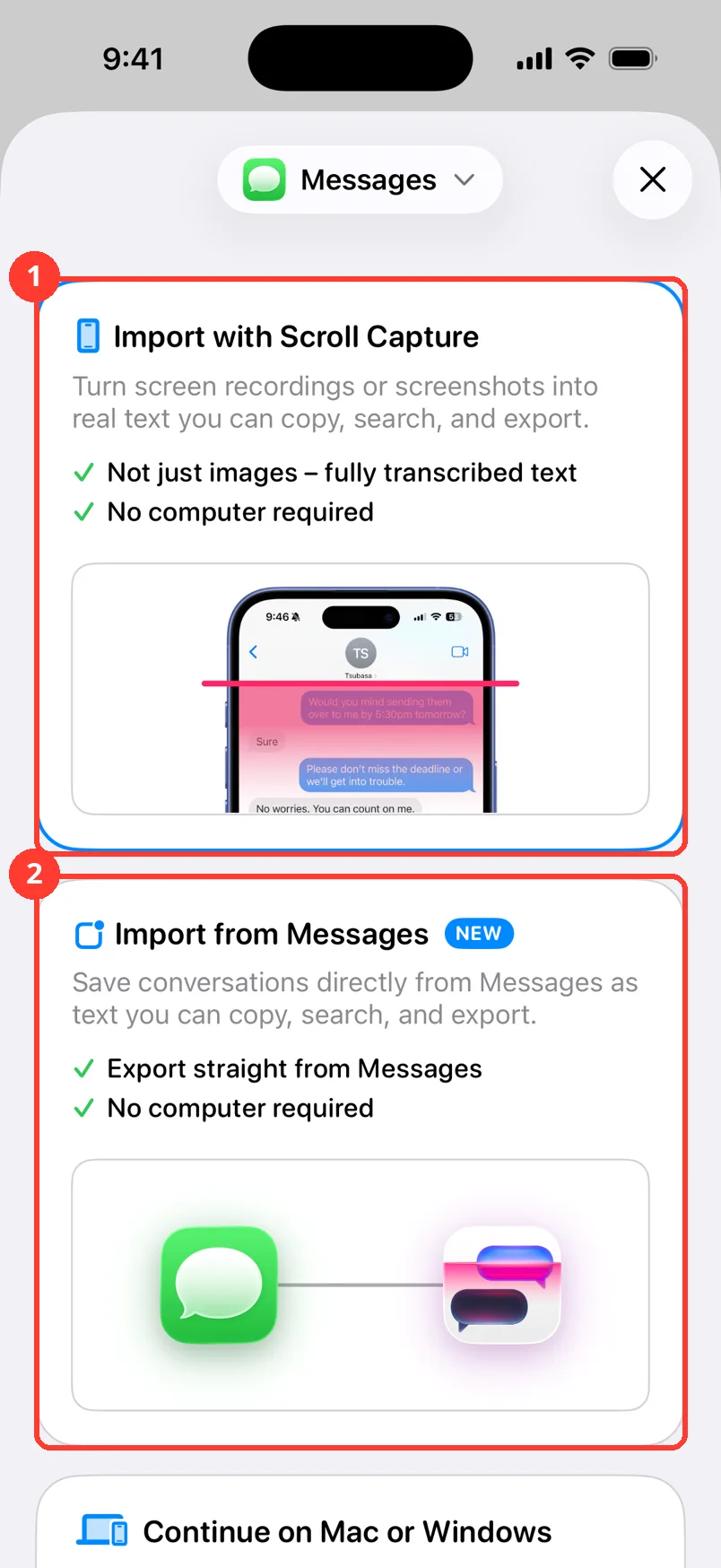
Tap Add Chat. Pick the app the chat is in. Import all of it, not just the bad parts. Your lawyer needs the full story.
-
2
Check the names
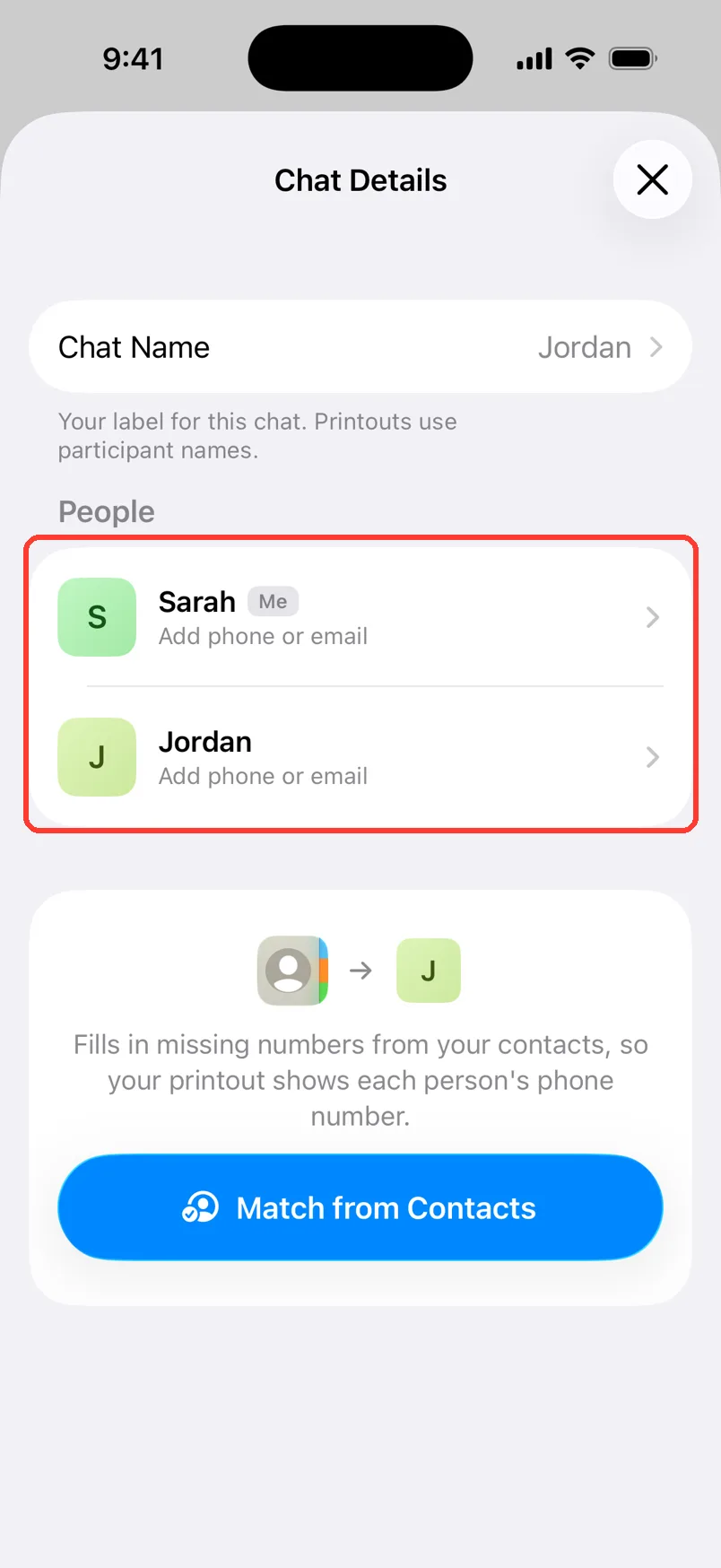
Open the chat. Tap the name at the top, then Chat Details. Make sure each person has the right name.
-
3
Keep the times on
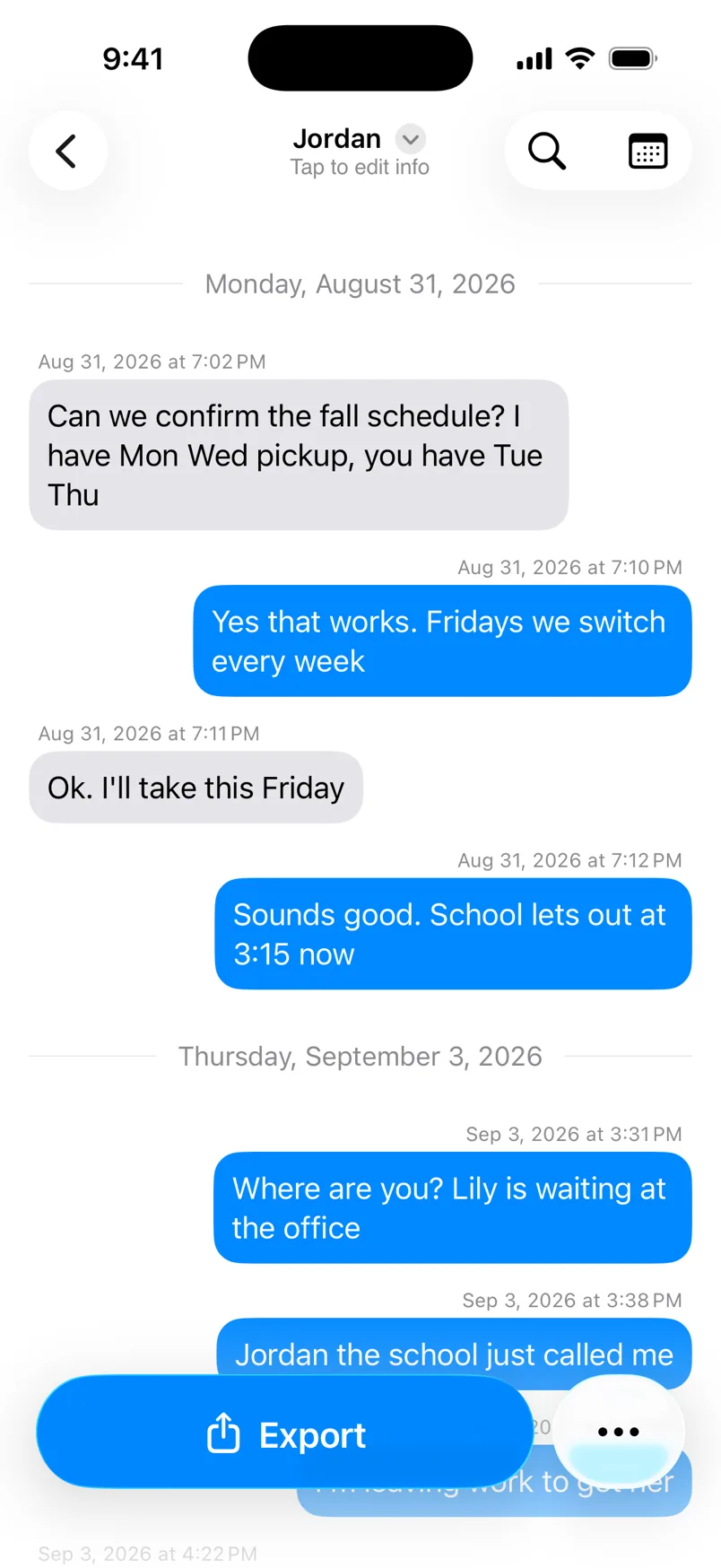
Scroll the chat. Each message should show a date and time. If they are hidden, tap …, then Show Timestamps.
-
4
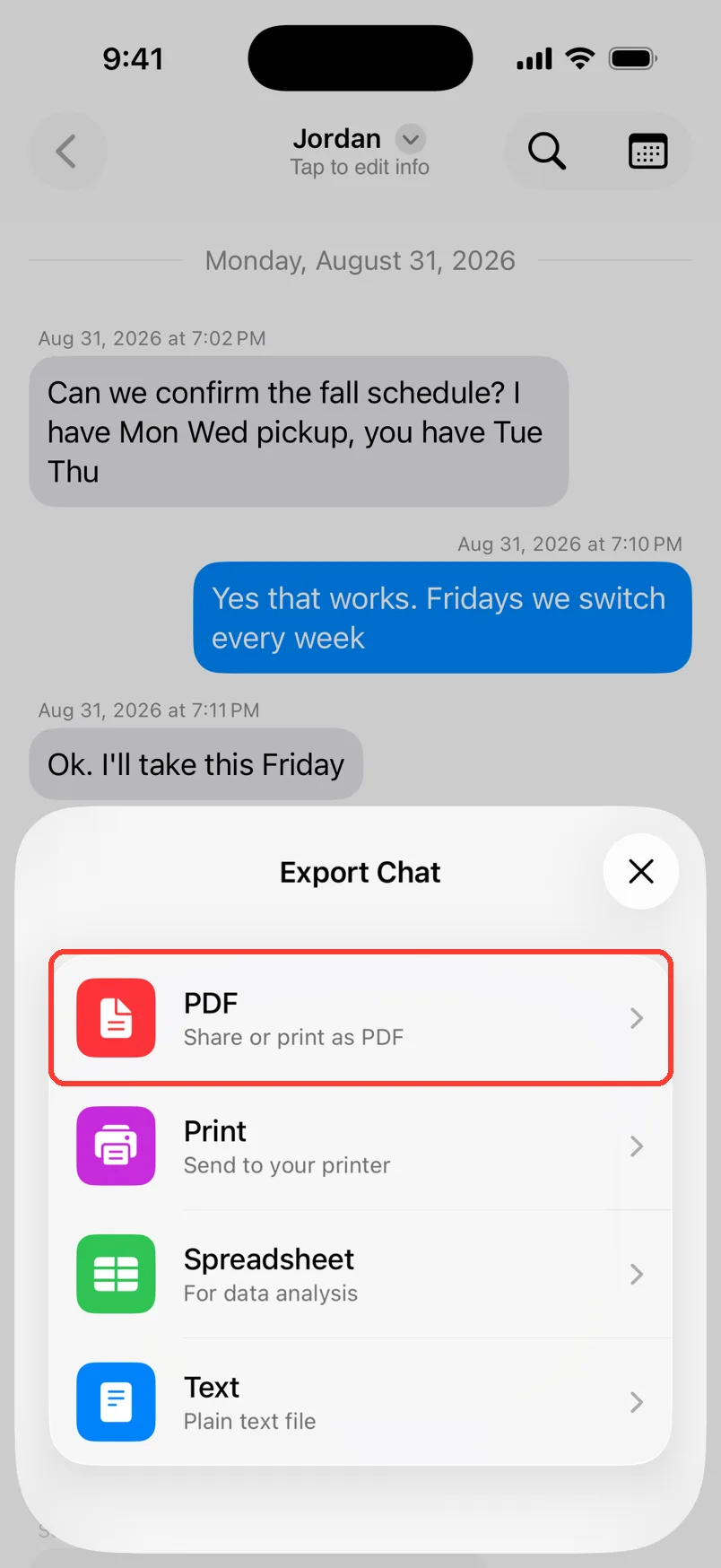
Tap Export, then PDF
Tap Export at the bottom. Tap PDF.
-
5
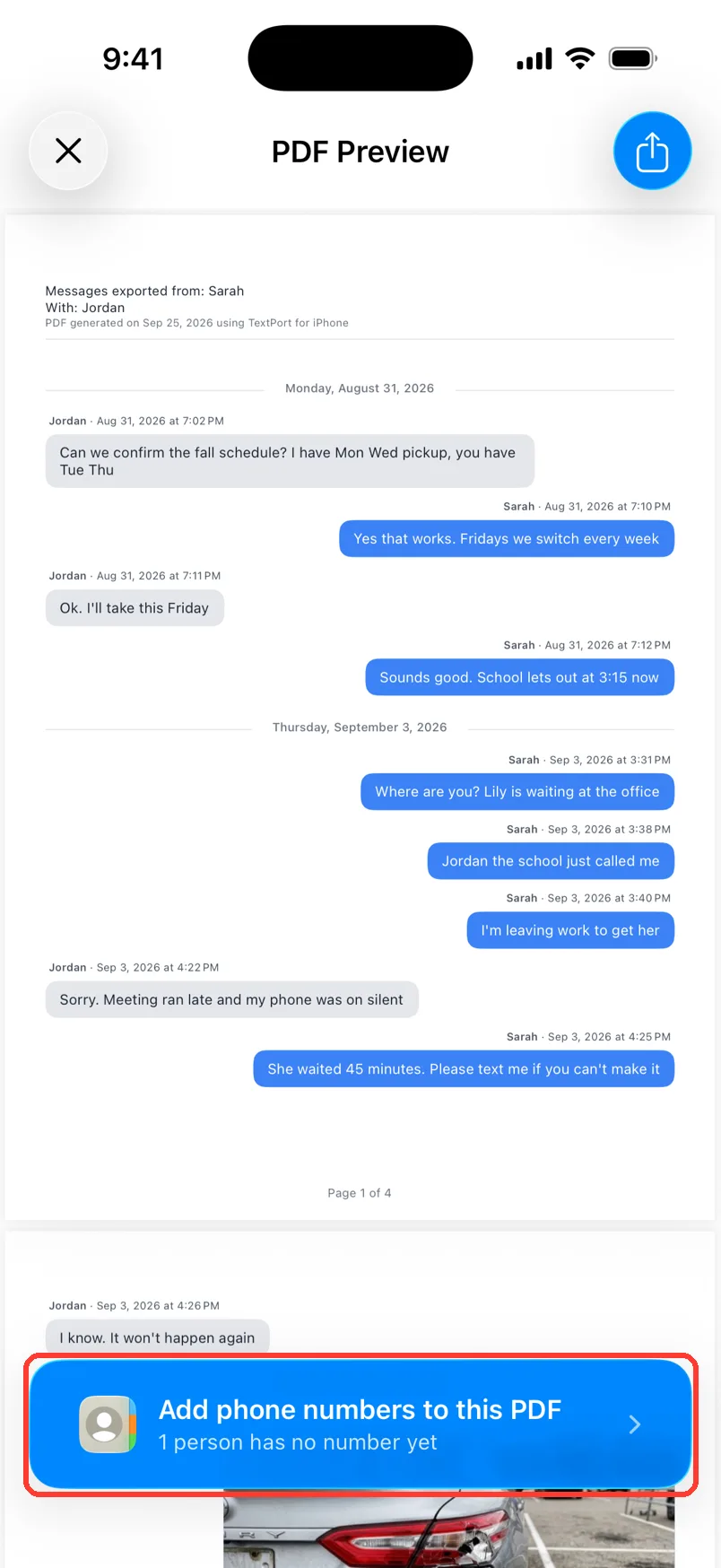
Add phone numbers
In the preview, tap Add phone numbers to this PDF. Add each person's number.
-
6
Tap the Share button
Tap the blue Share button in the top right.
-
7
Send it
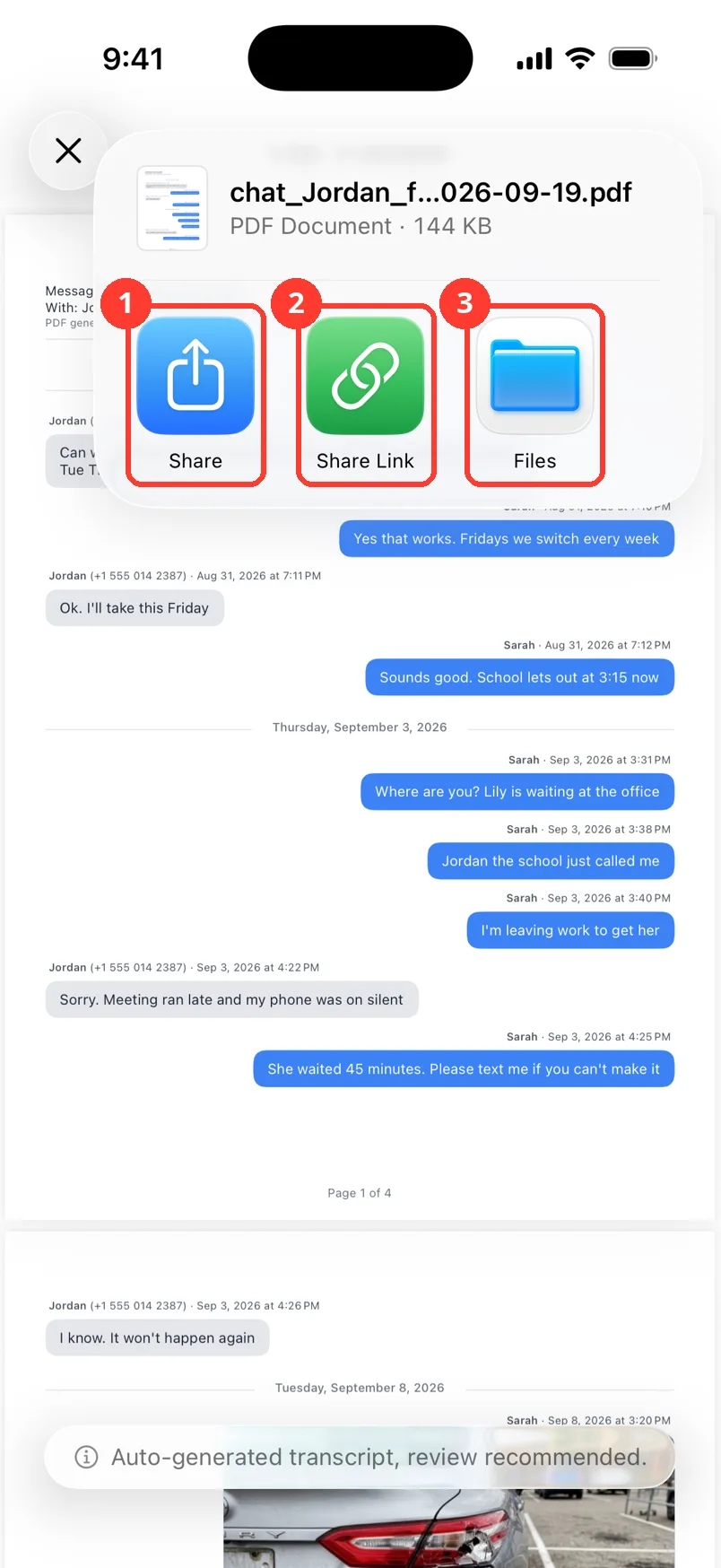
Tap Share (1) and pick your email app. For a big file, tap Share Link (2). Tap Files (3) to keep your own copy. If you see Mail or Gmail, you can tap those too.
-
8
Keep a copy
Tap the Share button again. Tap Files (3). Save the PDF somewhere safe.
Done
Your lawyer has a PDF of the full chat. You have your own copy too.
Tips
-
Do not change what people wrote. Only fix names, dates, and times.
-
A link from Share Link works for 7 days. Ask your lawyer to download the file.
-
Your lawyer may want a spreadsheet too. Tap Export, then Spreadsheet.
-
On Mac, pick the chat and press Command-E. Choose PDF.
-
Keep the chat on your phone. The PDF is a copy.
Questions
-
A PDF is easier to read. It shows every message in order, with names and times. Send screenshots only if your lawyer asks.
-
Ask your lawyer first. Most want the whole chat. For WhatsApp and Messages chats, the filter icon in the preview can pick a date range.
-
Ask your lawyer how they want to get files. Some have a secure upload page. Save the PDF to Files, then upload it there.
Next guides
-
 How to prepare text messages for court
You will have a clean PDF of the chat that shows who said what, and when, with phone numbers.
How to prepare text messages for court
You will have a clean PDF of the chat that shows who said what, and when, with phone numbers.
-
 How to add phone numbers to a PDF
Your PDF will show each person's phone number next to their name.
How to add phone numbers to a PDF
Your PDF will show each person's phone number next to their name.
-
 How to share a big export with a link
You will get a web link to your file that anyone can open for 7 days.
How to share a big export with a link
You will get a web link to your file that anyone can open for 7 days.
-
 How to export a chat to PDF
You will get a PDF of one chat, with names, dates, and times, ready to share or print.
How to export a chat to PDF
You will get a PDF of one chat, with names, dates, and times, ready to share or print.
-
 How to export one chat to PDF, CSV, or TXT on Mac
You will get a file of one chat on your Mac, as a PDF, a spreadsheet, or plain text.
How to export one chat to PDF, CSV, or TXT on Mac
You will get a file of one chat on your Mac, as a PDF, a spreadsheet, or plain text.

Start exporting your messages
Available for iPhone, Mac, and Windows. No computer required.