

How to add phone numbers to a PDF
Your PDF will show each person's phone number next to their name.
What you need
- ✓TextPort on your iPhone
- ✓A chat saved in TextPort
- ✓The phone numbers, or the people saved in your contacts
Courts and lawyers often want to see each person's phone number. TextPort can put it next to every name in the PDF.
Steps
-
1
Open the PDF preview
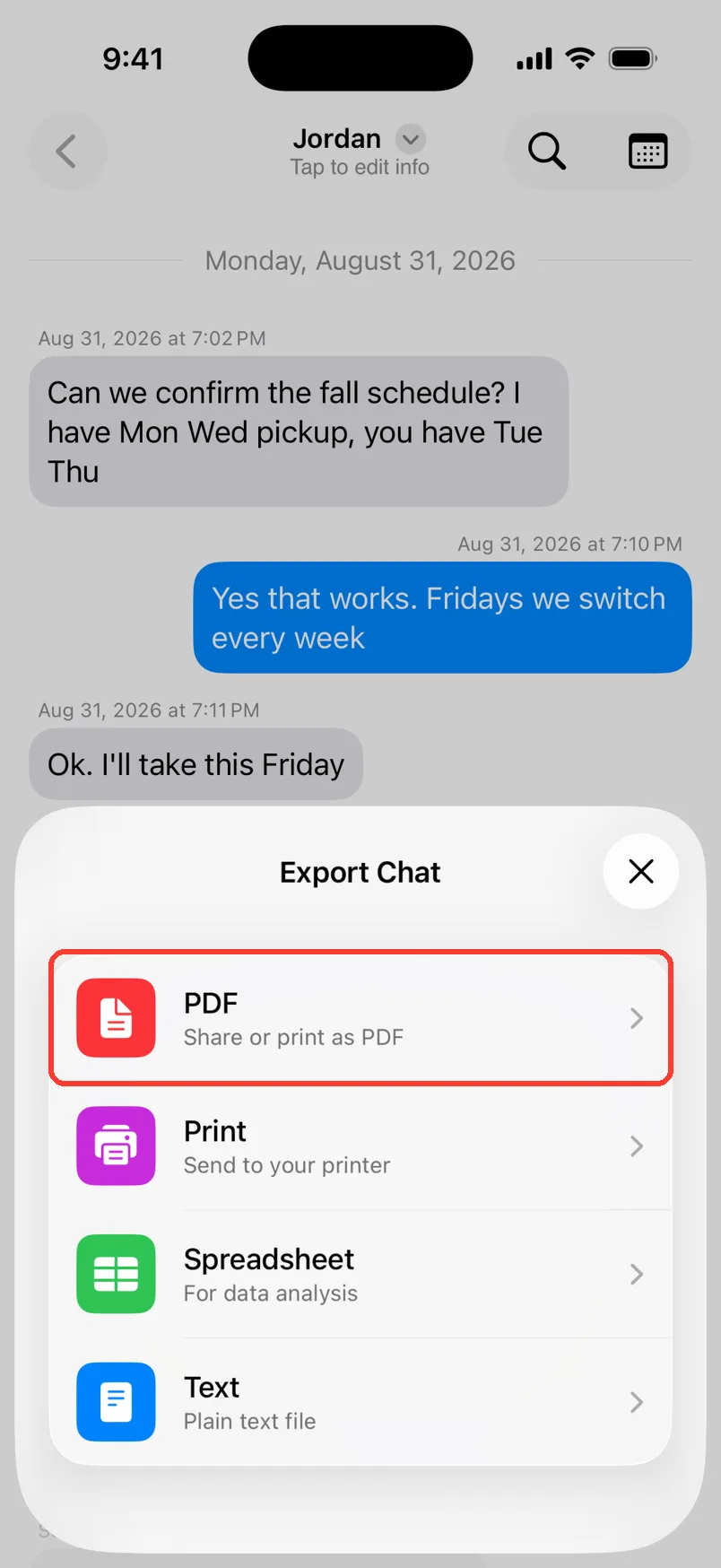
Open the chat. Tap Export. Tap PDF. The PDF Preview opens.
-
2
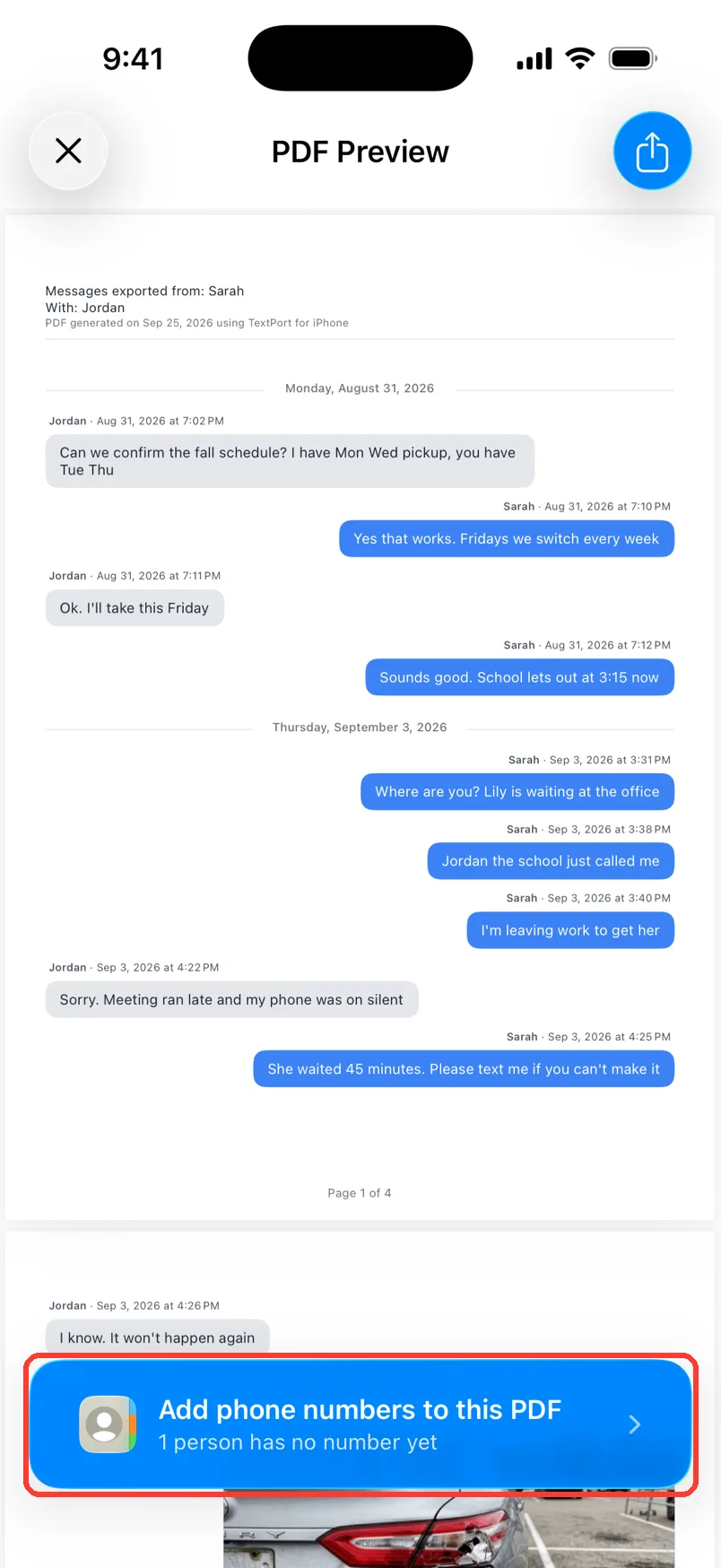
Tap the blue bar
At the bottom, tap Add phone numbers to this PDF. It says how many people have no number yet.
-
3
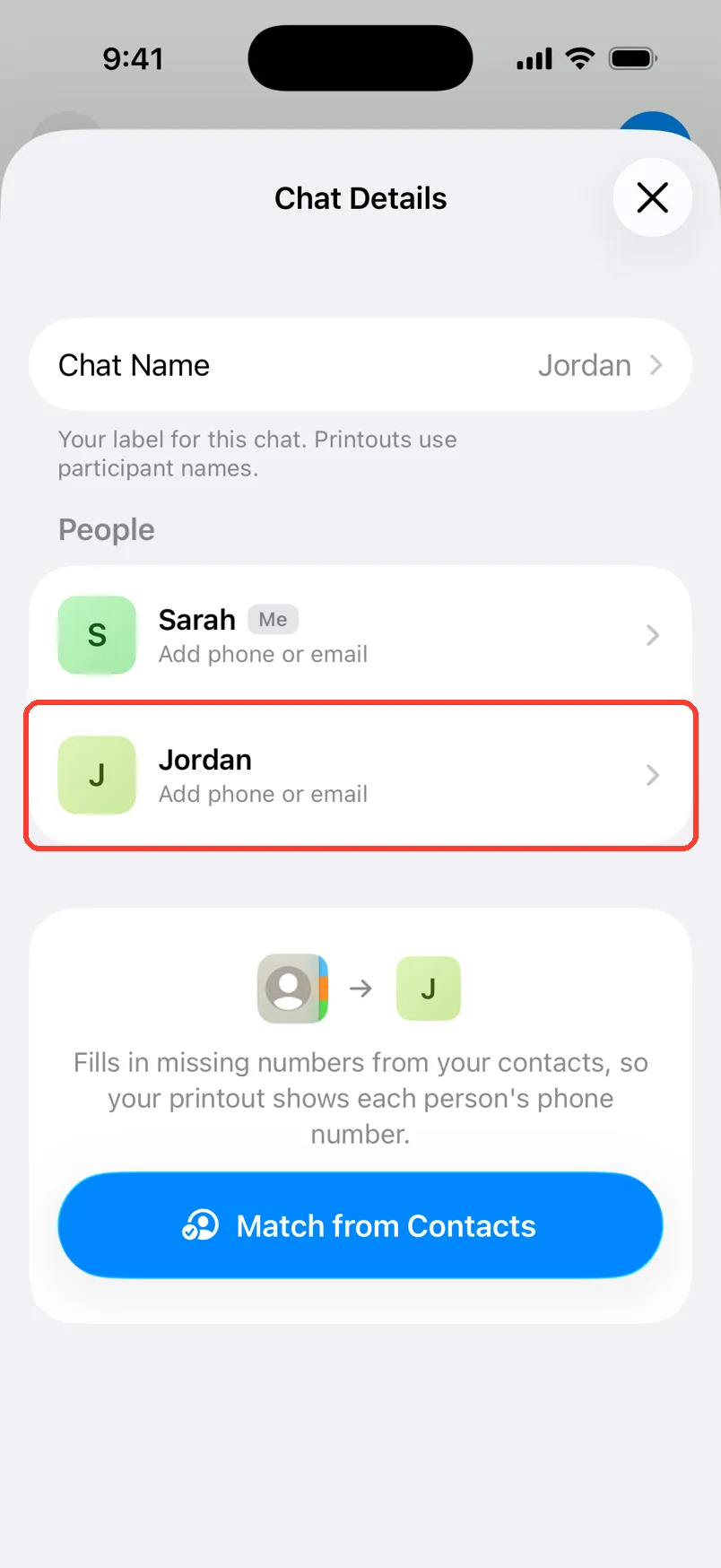
Tap a person
Chat Details opens. Tap a person who says Add phone or email.
-
4
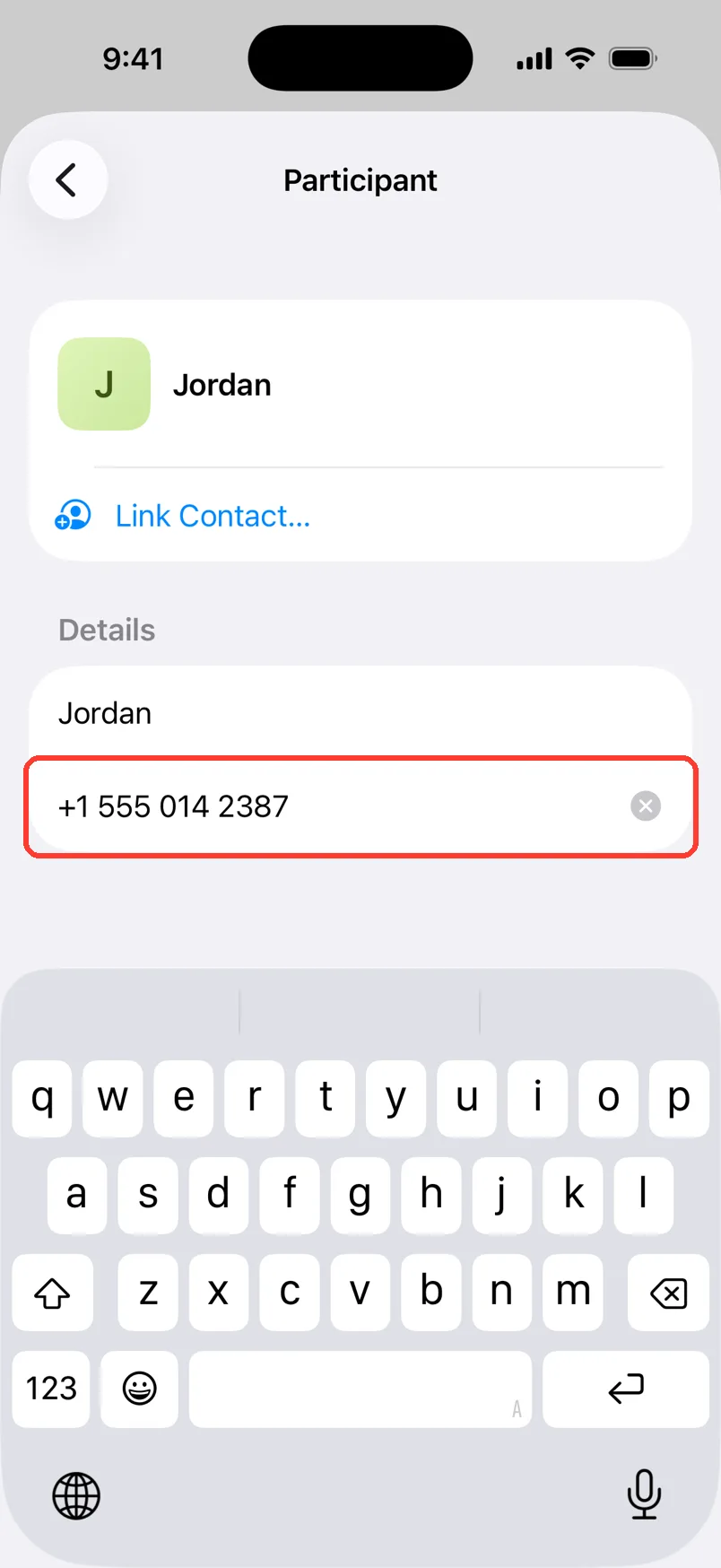
Type the number
Tap Phone or email. Type the phone number.
-
5
Go back
Tap < to go back. Do the same for each person.
-
6
Close Chat Details
Tap the X. TextPort makes the PDF again.
-
7
Check the PDF
The number now shows next to the name. It is at the top and on every message.
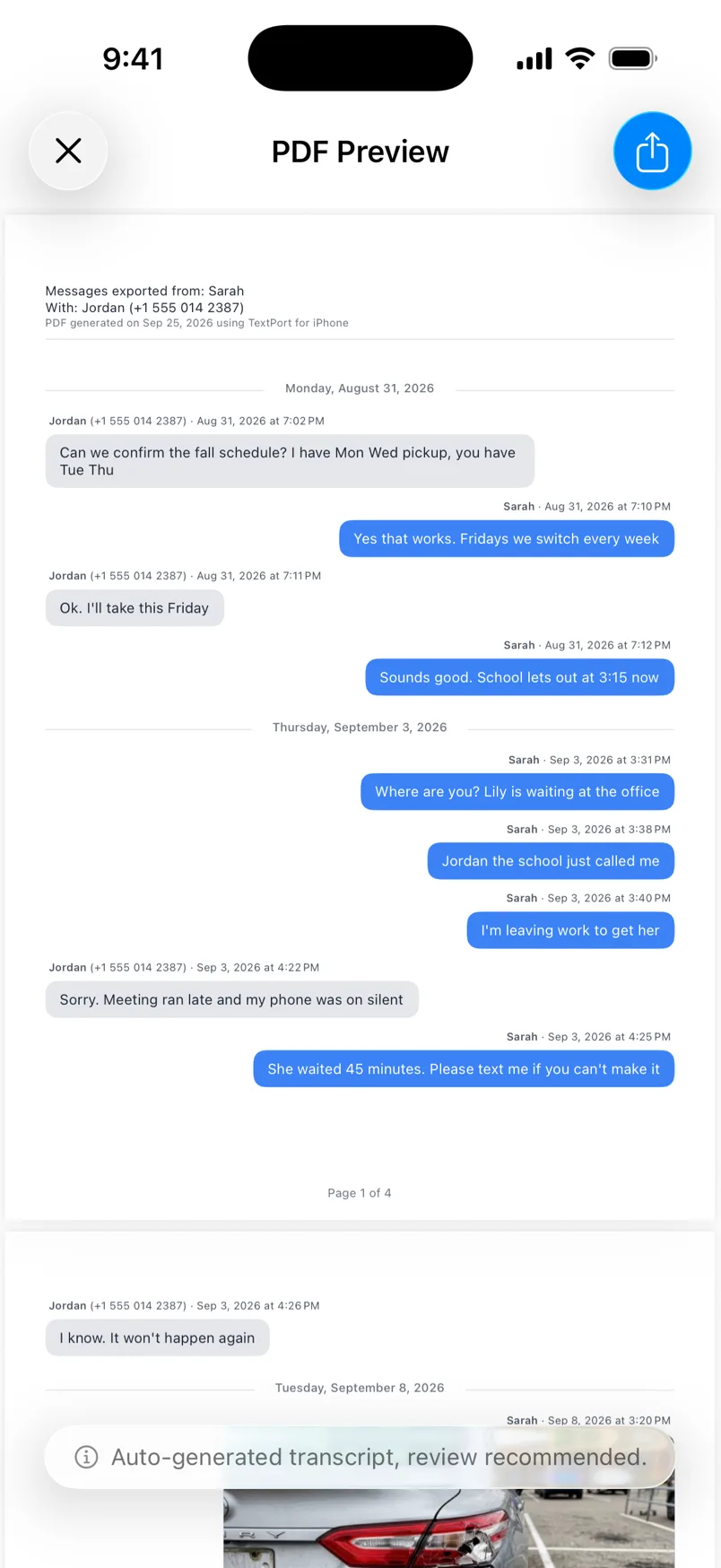
Done
Your PDF shows a phone number next to each name. Share it or save it like any PDF.
Tips
-
Faster way: tap Match from Contacts in Chat Details. TextPort fills in numbers from your contacts.
-
An email works too. Type it in the same box.
-
Do not want the bar? Swipe it down. It stays hidden for this chat.
-
You can also add numbers any time. Tap the chat name, then Chat Details.
Questions
-
Everyone already has a number or email. Or you swiped the bar away. Open Chat Details from the chat name to change numbers.
-
No. The numbers only live in TextPort.
-
Yes. They show next to the names there as well.
-
A name alone can be anyone. A phone number ties each message to a real phone. Courts and lawyers often ask for it.
Next guides
-
 How to export a chat to PDF
You will get a PDF of one chat, with names, dates, and times, ready to share or print.
How to export a chat to PDF
You will get a PDF of one chat, with names, dates, and times, ready to share or print.
-
 How to prepare text messages for court
You will have a clean PDF of the chat that shows who said what, and when, with phone numbers.
How to prepare text messages for court
You will have a clean PDF of the chat that shows who said what, and when, with phone numbers.
-
 How to edit the chat name and people's names
You will have the right chat name and the right name for each person in the chat.
How to edit the chat name and people's names
You will have the right chat name and the right name for each person in the chat.
-
 How to send text messages to a lawyer
Your lawyer will get a clear PDF of the chat, with names, phone numbers, dates, and times.
How to send text messages to a lawyer
Your lawyer will get a clear PDF of the chat, with names, phone numbers, dates, and times.

Start exporting your messages
Available for iPhone, Mac, and Windows. No computer required.