

How to prepare text messages for court
Quick answer
- Import the whole chat with Import from Messages, Import from WhatsApp, or Import with Scroll Capture.
- Check every name, date, and time.
- Tap Export, then PDF.
- Tap Add on the Add phone numbers to this PDF card. Add each number.
- Save the PDF to Files.
Keep the original chat on your phone.
- On Mac: How to export one chat to PDF, CSV, or TXT on Mac
- On Windows: How to export a conversation to PDF, CSV, or TXT on Windows
What you need
- ✓TextPort on your iPhone
- ✓The chat, still on your phone
Steps
-
Tap Add Chat
It is at the bottom of Saved Chats. The import choices open.
-
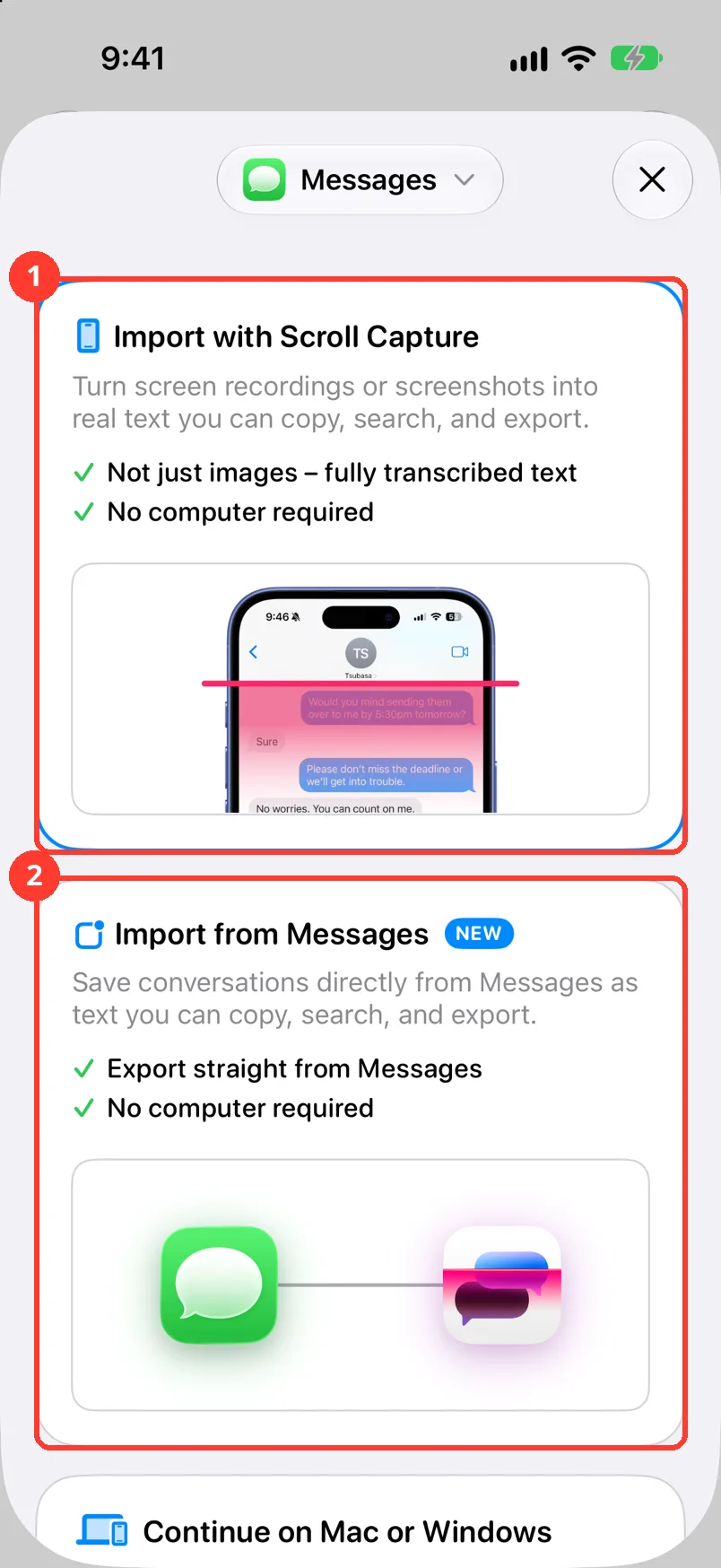
Tap the way to import
For iMessage and SMS, tap Import from Messages (2). For WhatsApp, tap Import from WhatsApp. For other apps, tap Import with Scroll Capture (1).
Import all of the chat, not just a part. Courts want context.
-
Tap the name at the top of the chat
Check that each person has a real name. Check that Me is next to your name.
-
Check dates and times
Scroll the chat. Each message has a date and a time.
-
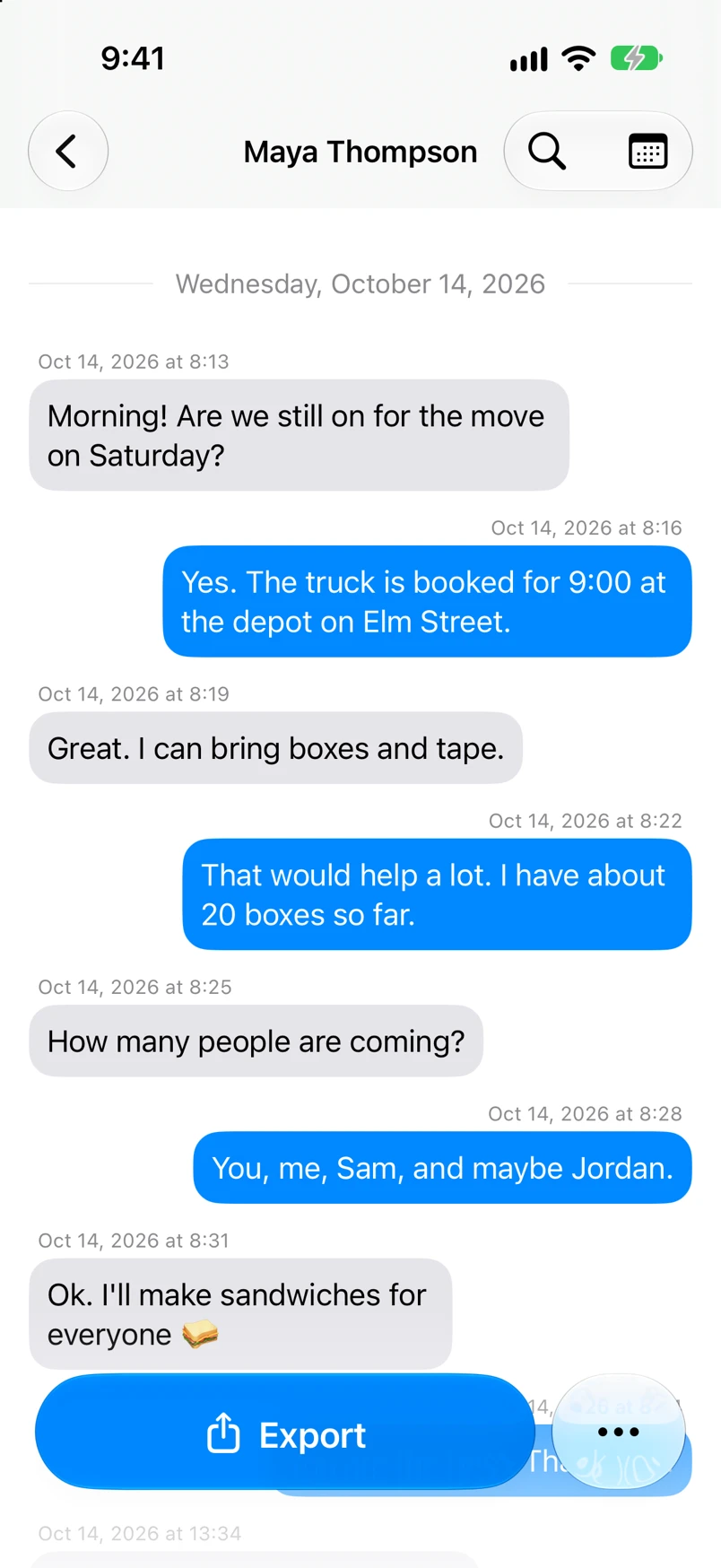
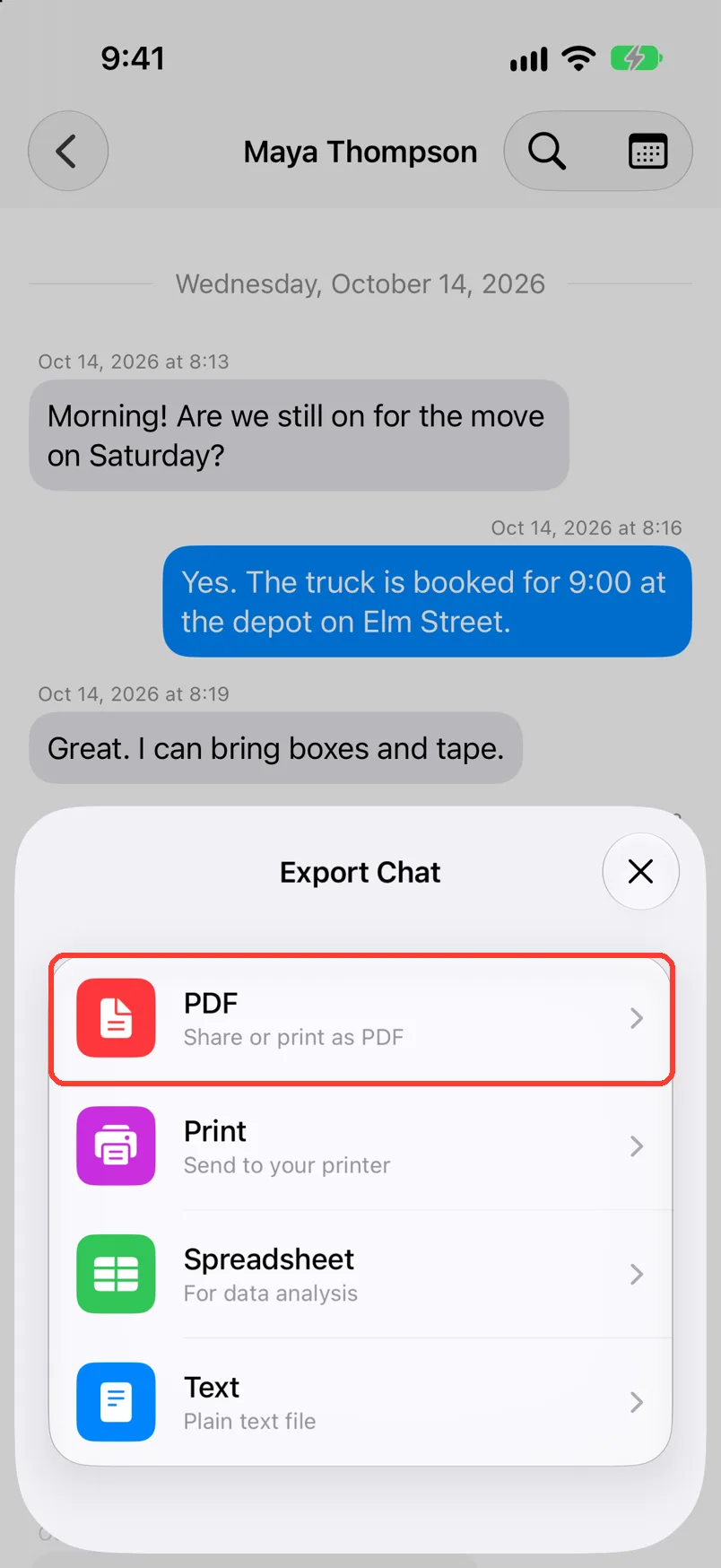
Tap Export, then PDF
Export is at the bottom of the chat. PDF Preview opens.
-
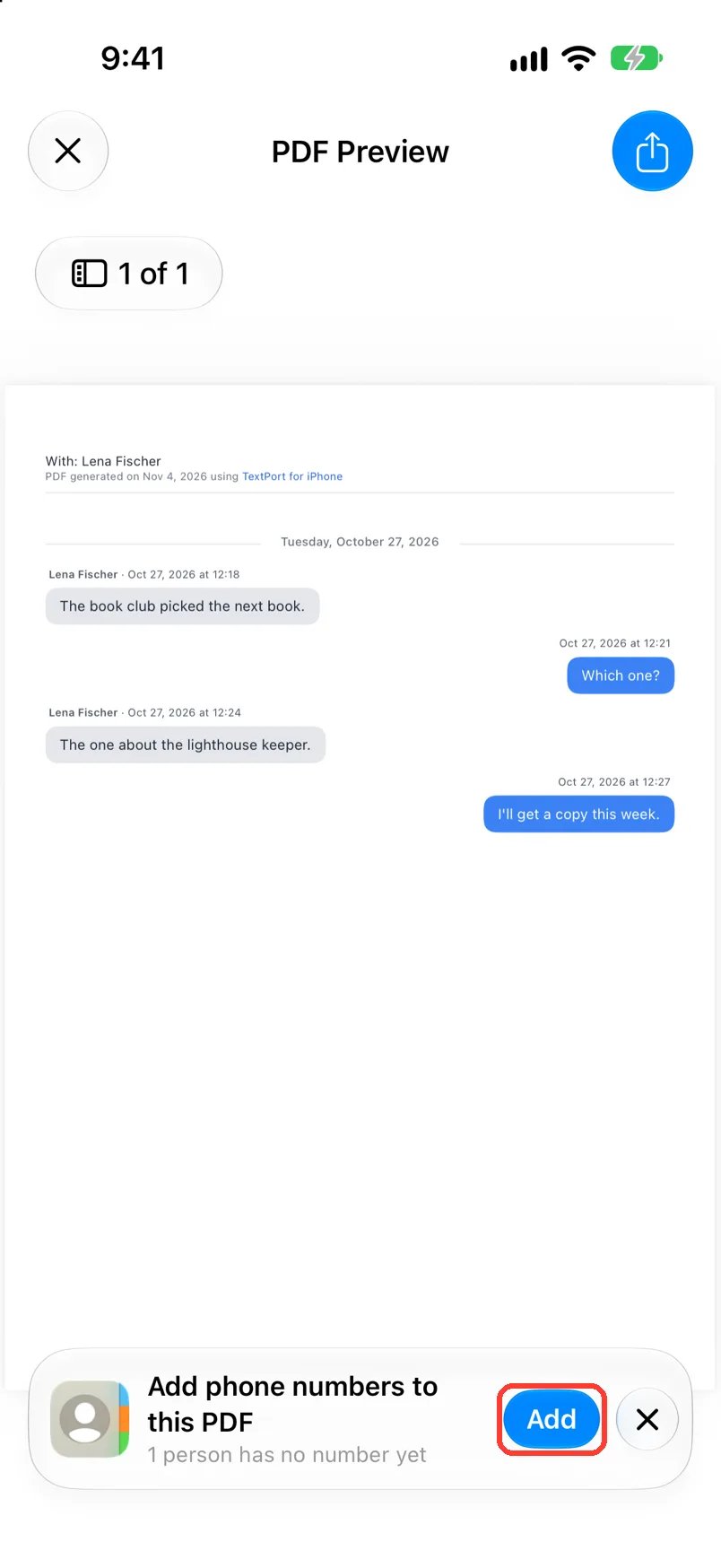
Tap Add
It is on the Add phone numbers to this PDF card. Chat Details opens. Type each person's number.
-
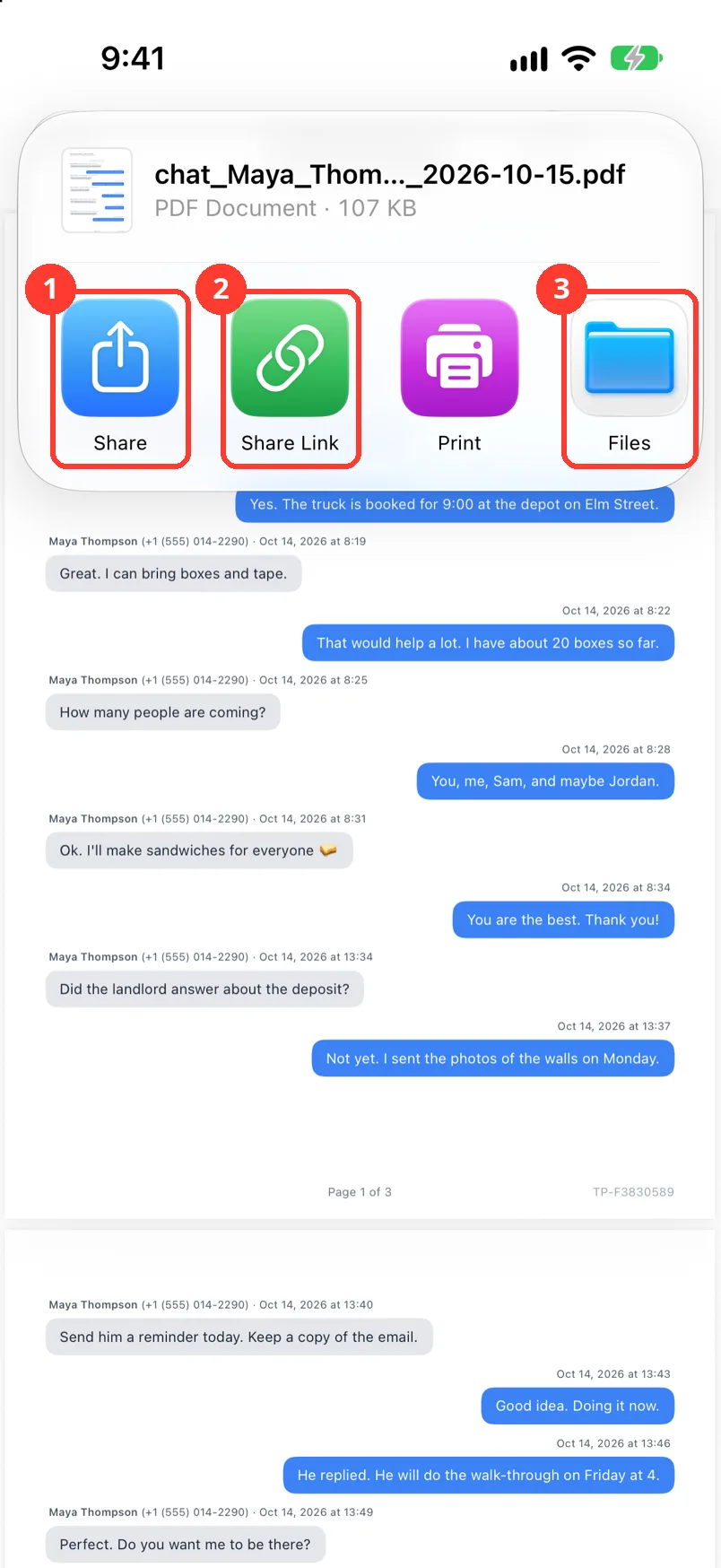
Tap Files
Tap the share button in the top right first. Then tap Files (3). Save it to iCloud Drive or another safe place.
To send a copy to your lawyer, tap Share (1).
-
Keep the original chat
Do not delete the chat from your phone. The court may ask to see it.
Done
You have a PDF with names, phone numbers, dates, and times. The original chat is still on your phone.
Problems
A name is wrong.
Tap the name at the top of the chat. Change it. See Edit chat and contact names.
A time is wrong in a screenshot chat.
Long press the message. Tap Edit Timestamp. Chats from Messages and WhatsApp are exact copies. Their times are already right.
Your lawyer wants only some dates.
In PDF Preview, tap the filter icon. Set the dates. It shows only for chats from Messages, WhatsApp, or LINE that cover more than one day. Keep the full chat too.
Photos are missing from the PDF.
Chats from screenshots show only the photos TextPort could cut out. Long press a message. Tap Add attachment. See Add a missing attachment by hand.
It is a group chat.
Do the same steps. Each message shows the sender's name. Add a phone number for each person.
None of these match.
Email [email protected]. Say which step you were on. Say what you saw. We usually reply within a day.
Tips
-
Do not change what people wrote. Fix only names, dates, and times.
-
Print two copies. One is for the court. One is for you.
Questions
-
Rules differ by court. TextPort PDFs can be used in court. Keep the original chat. Ask your lawyer when you are not sure.
-
Some courts want one that says the PDF is true. Ask your lawyer or the court clerk.
Next guides
-
 How to export a chat to PDF
You will get a PDF of one chat, with names, dates, and times, ready to share or print.
How to export a chat to PDF
You will get a PDF of one chat, with names, dates, and times, ready to share or print.
-
 How to add phone numbers to a PDF
Your PDF will show each person's phone number next to their name.
How to add phone numbers to a PDF
Your PDF will show each person's phone number next to their name.
-
 How to send text messages to a lawyer
Your lawyer will get a PDF of the whole chat, with names, phone numbers, dates, and times.
How to send text messages to a lawyer
Your lawyer will get a PDF of the whole chat, with names, phone numbers, dates, and times.

Start exporting your messages
Available for iPhone, Mac, and Windows. No computer required.