

How to jump to a date in a chat
Quick answer
In the chat:
- Find the row of days at the top. If it is not there, tap the calendar button.
- Tap a day in the row.
- To see a whole month, tap the small bar under the days.
- Tap a day in the month.
The chat moves to that day.
- On Mac: How to jump to a date or a quoted message on Mac
- On Windows: How to find and read a conversation on Windows
What you need
- ✓TextPort on your iPhone
- ✓A chat with dates
Steps
-
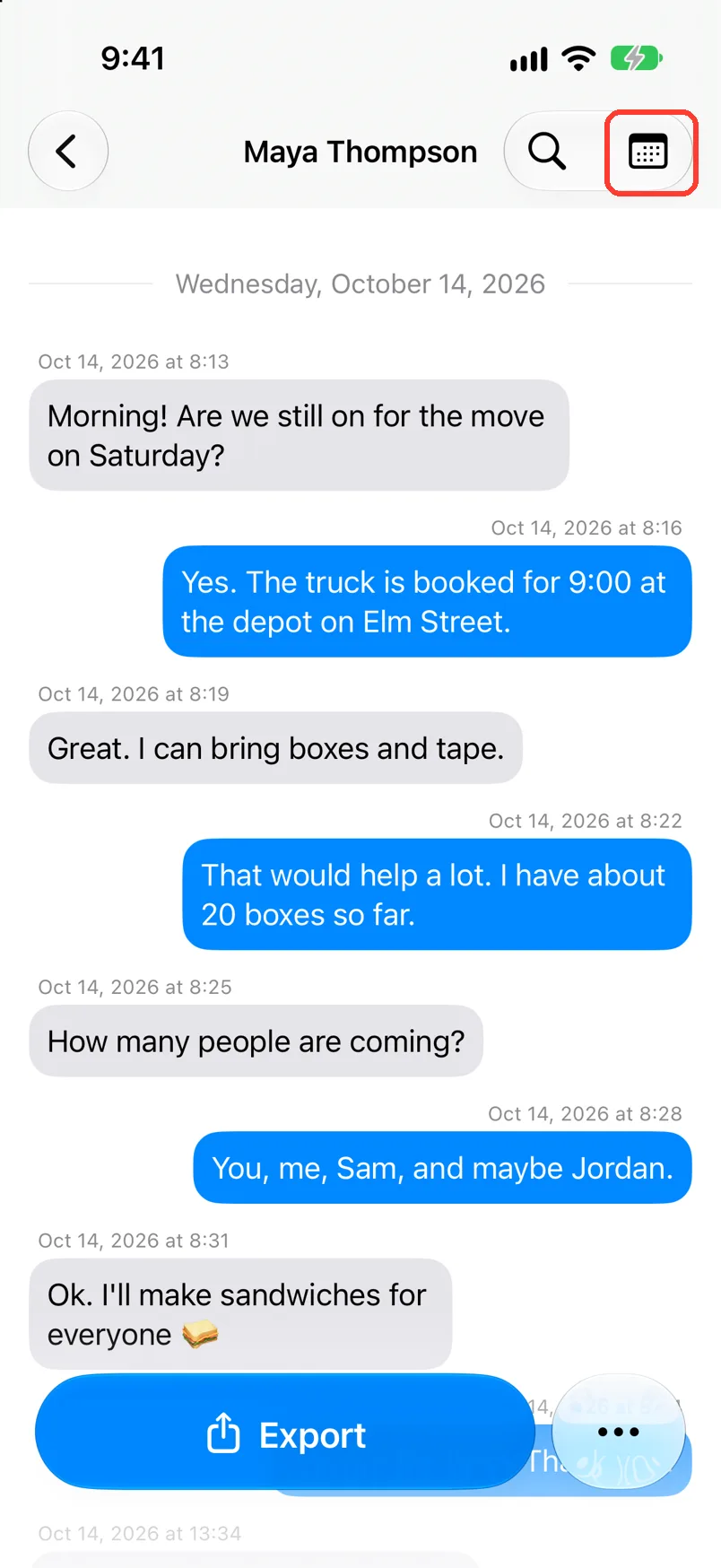
Tap the calendar button
Open the chat. It is at the top right. A row of days opens.
A chat with 7 days or more opens with the row already there. Go to the next step.
-
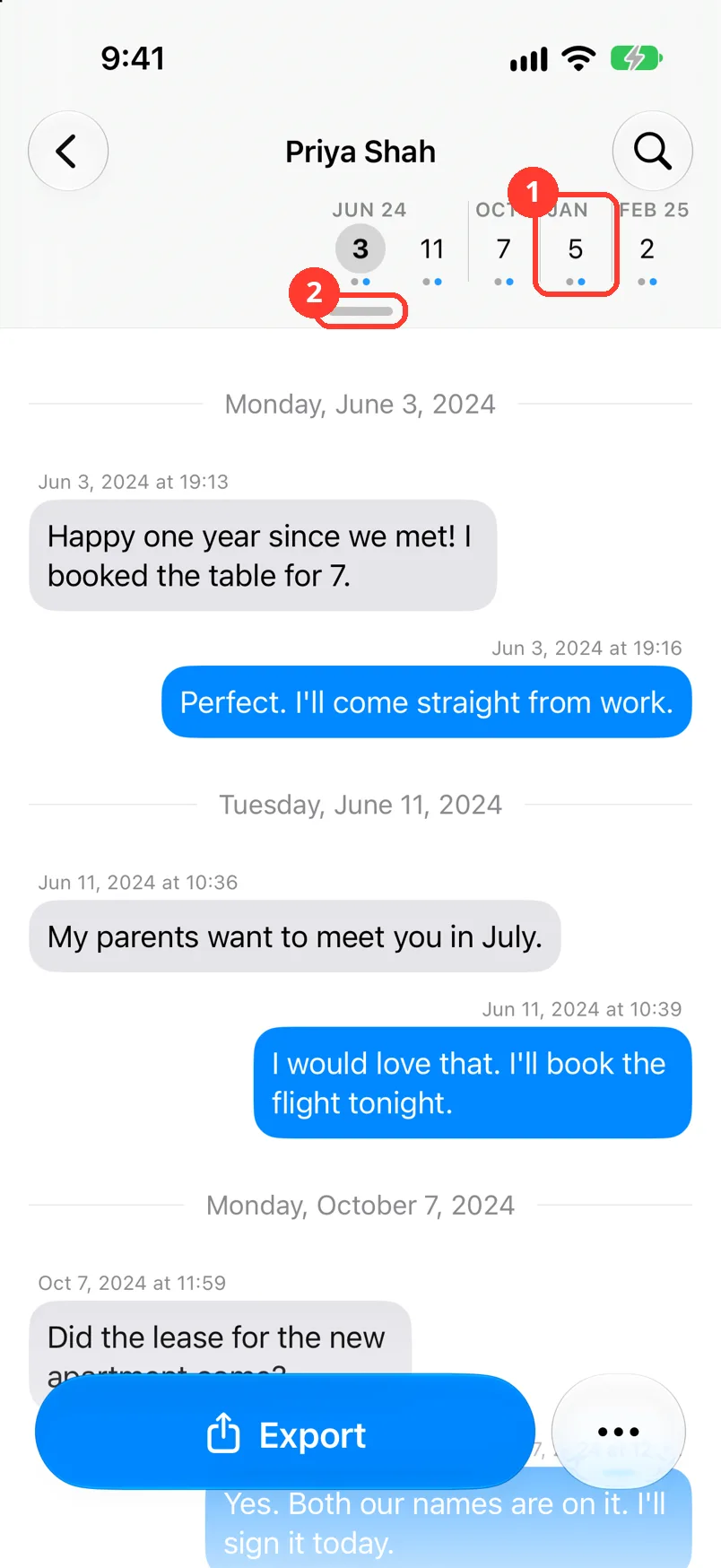
Tap a day
Only days with messages show (1). The chat moves to that day.
Scroll the chat and the row of days moves with it.
-
Tap the small bar
It is under the days (2). The month opens.
-
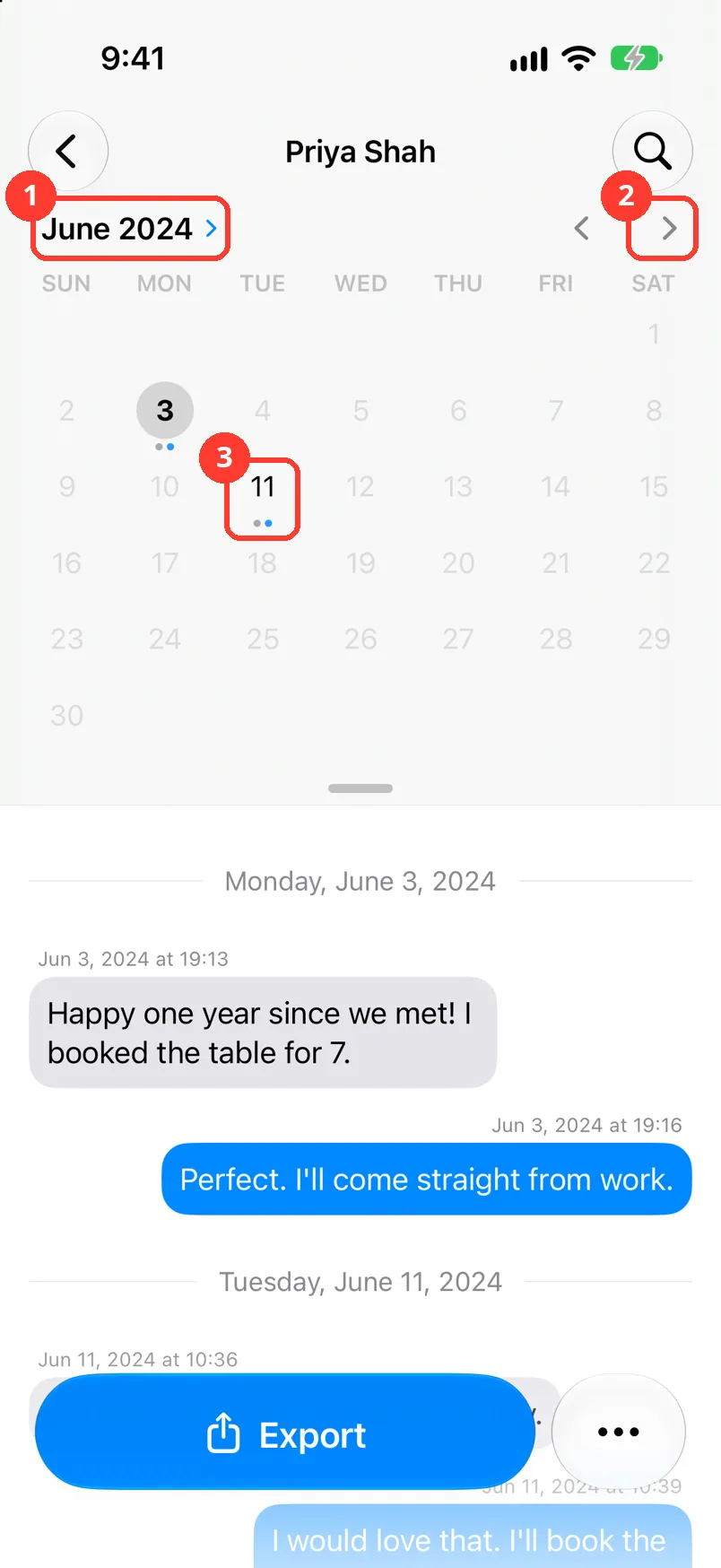
Pick the month
Tap the arrows (2) for the next month with messages. Tap the month name (1) to pick a month and year with messages.
-
Tap a day in the month
Dark days have messages (3). Pale days have none. The chat moves to that day.
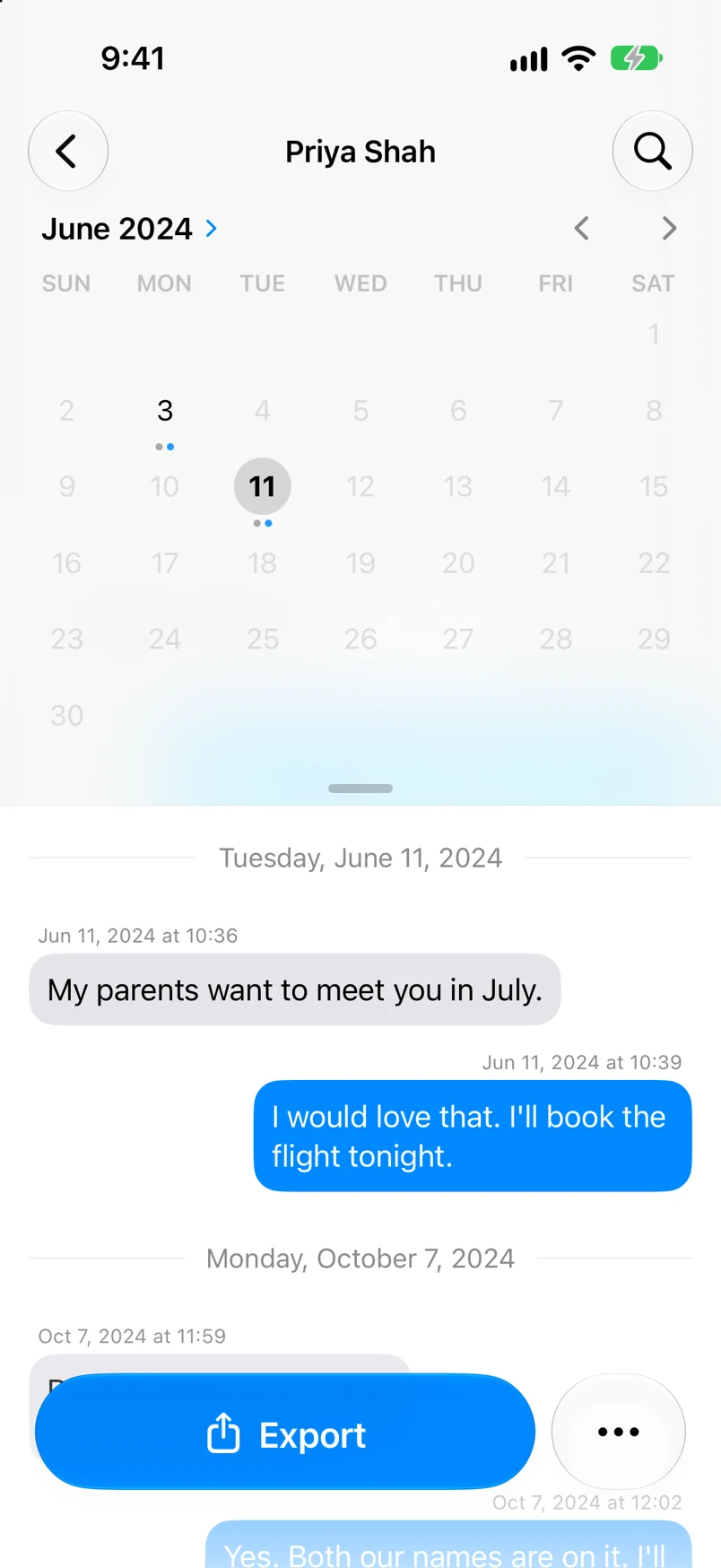
Done
The chat shows the day you picked. All the messages stay in the chat.
Problems
There is no calendar button.
Look under the chat name. The button hides when the row of days is there. If there is no row, no message has a date, or your iPhone runs an iOS older than 17.5. If a chat came from screenshots, add dates. See Edit a message's text or time.
The day you want is pale.
That day has no messages. You cannot tap it.
The calendar takes up too much room.
Tap the small bar to go back to the row of days. Swipe the small bar up to close it. The calendar button then shows.
None of these match.
Email [email protected]. Say which step you were on. Say what you saw. We usually reply within a day.
Questions
-
No. It only moves you to another part of the chat. To export some dates, see Export only a date range.
Next guides
-
 How to read a chat in TextPort
You will know who sent each message and when, and how to hide or show the times.
-
 How to search inside a chat
You will find every message in a chat with the word you need.
-
 How to export only a date range
Your export will hold only the messages between the dates you pick.

Start exporting your messages
Available for iPhone, Mac, and Windows. No computer required.
