

How to turn a chat into a spreadsheet
Quick answer
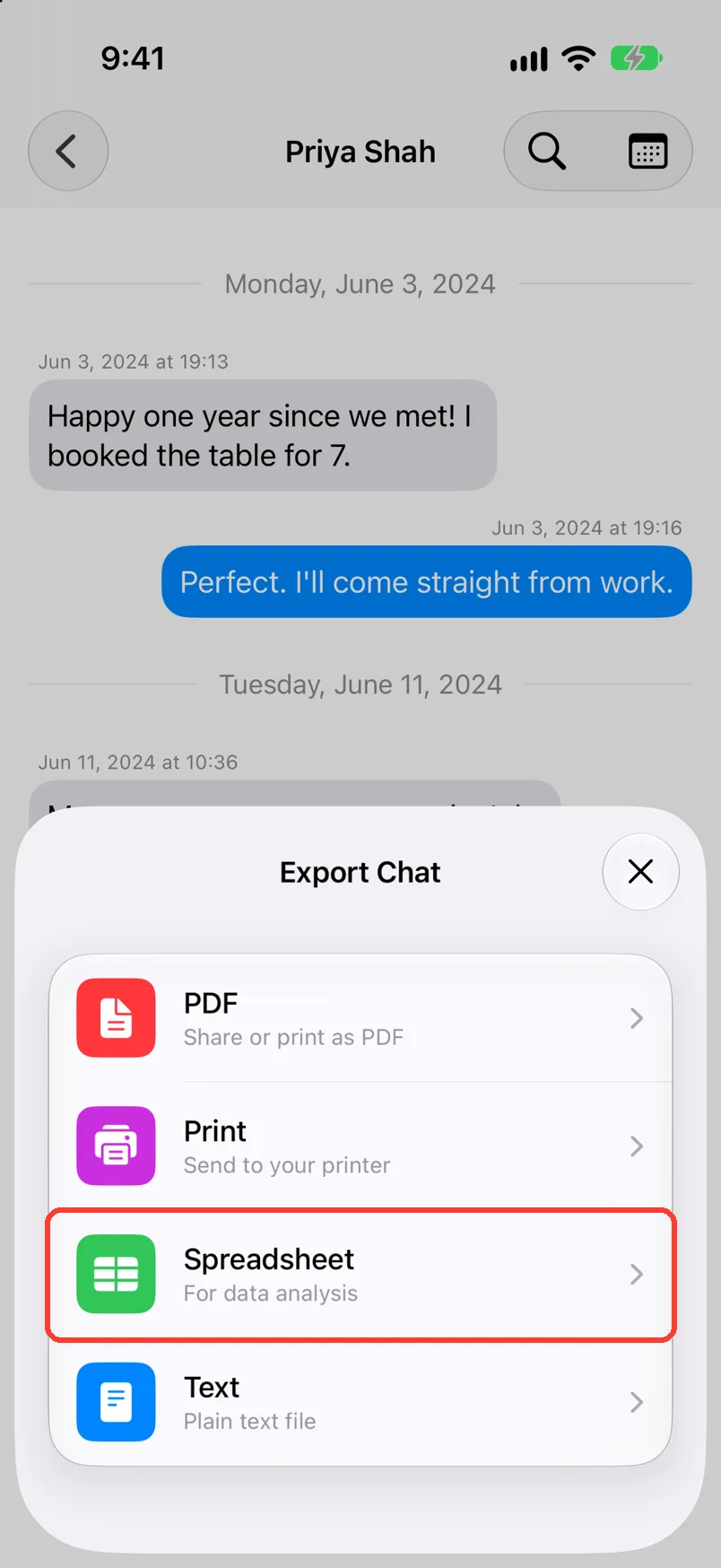
- In TextPort, open the chat. Export it as Spreadsheet.
- Save the CSV file, or send it to yourself.
- Open the file in Excel, Numbers, or Google Sheets.
Each message is then one row, with its date, sender, and text.
- On Mac: How to export one chat to PDF, CSV, or TXT on Mac
- On Windows: How to export a conversation to PDF, CSV, or TXT on Windows
What you need
- ✓TextPort on your iPhone, Mac, or Windows PC, with the chat in it
- ✓Excel, Numbers, or a Google account
Steps
iPhone
Mac
Windows
-
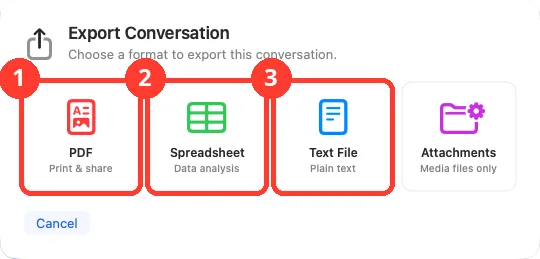
Export the conversation as Spreadsheet (CSV)
Follow Export a conversation on Windows. Check Spreadsheet (CSV). Pick a folder.
-
Open the file
On a computer, double-click it. On iPhone, tap it in Files, tap the share button, then tap Excel or Numbers.
For Google Sheets, click File, then Import, then Upload. Pick the file.
-
Read the rows
Each row is one message. The columns differ a little between iPhone, Mac, and Windows.
Done
The chat is in a spreadsheet. You can sort it, filter it, and count it there.
Problems
Emoji or accents look wrong in Excel.
Open a blank sheet. Click Data, then From Text/CSV. Pick the file. Set File Origin to 65001: Unicode (UTF-8).
A date shows as ####.
The column is too narrow. Make it wider.
A cell starts with an apostrophe.
On iPhone, TextPort adds it to text that starts with =, +, -, or @. The spreadsheet app then keeps it as text. You can leave it.
You need more than one chat.
On iPhone, tap … in Saved Chats, then Select. Tap the chats, then tap the export button. On a computer, see many chats on Mac or all conversations on Windows.
You need only some dates.
See Export only a date range, or only some dates on Windows.
The chat is not in TextPort yet.
None of these match.
Email [email protected]. Say which step you were on. Say what you saw. We usually reply within a day.
Questions
-
A plain text file laid out in rows and columns. Excel, Numbers, and Google Sheets all open it.
-
No. On iPhone and Mac, a column names each file. On Windows, the Attachment column says only if there is one.
-
No. The file is a copy. TextPort and your messages stay as they are.
Next guides
-
 How to export a chat to a CSV spreadsheet
You will have a CSV file of the chat, with one row for each message.
-
 How to export one chat to PDF, CSV, or TXT on Mac
You will get a file of one chat on your Mac, as a PDF, a spreadsheet, or plain text.
-
 How to export a conversation to PDF, CSV, or TXT on Windows
You will get a file of one conversation on your PC, as a PDF, a spreadsheet, or plain text.
-
 How to export only a date range
Your export will hold only the messages between the dates you pick.

Start exporting your messages
Available for iPhone, Mac, and Windows. No computer required.
