

How to rename a chat with TextPort
Quick answer
In Saved Chats:
- Long press the chat.
- Tap Rename.
- Type the new name.
- Tap Save.
Inside a chat, tap the chat name at the top, then Chat Name.
What you need
- ✓TextPort on your iPhone
- ✓A chat saved in TextPort
Steps
From Saved Chats
-
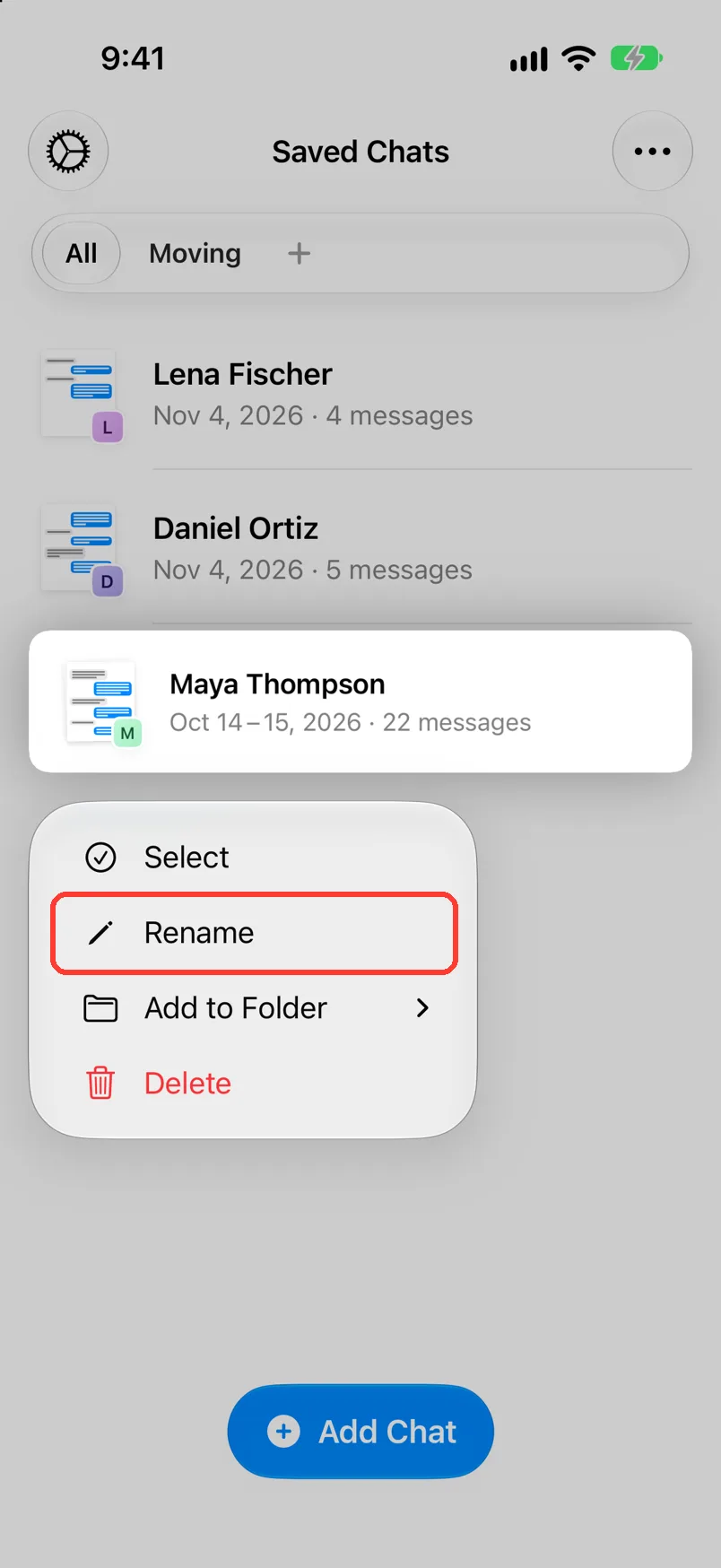
Long press the chat
In Saved Chats, press and hold the chat. A menu opens.
-
Tap Rename
It is near the top of the menu. Rename Chat opens.
-
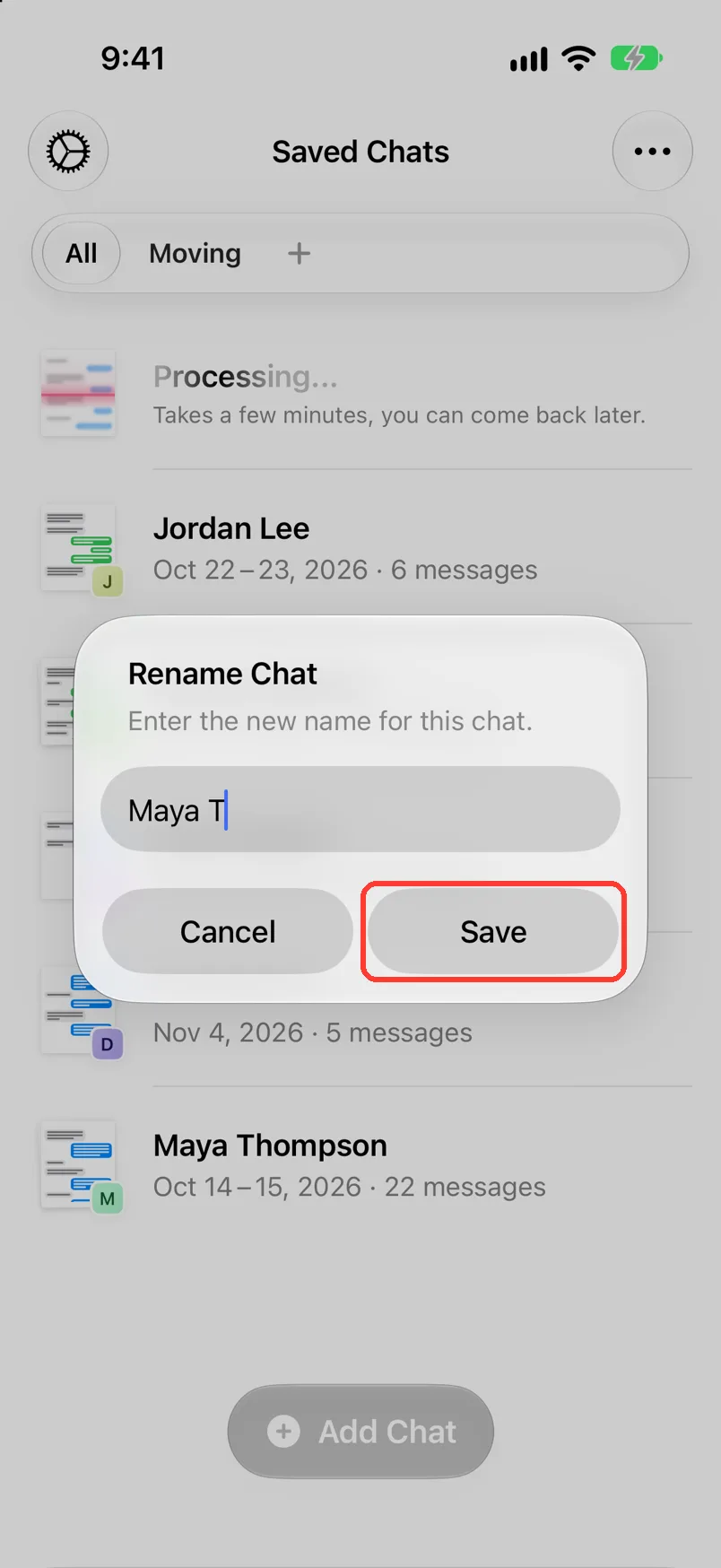
Type the new name
Delete the old name first. The keyboard is already open.
-
Tap Save
The chat shows the new name in Saved Chats.
Inside a chat
-
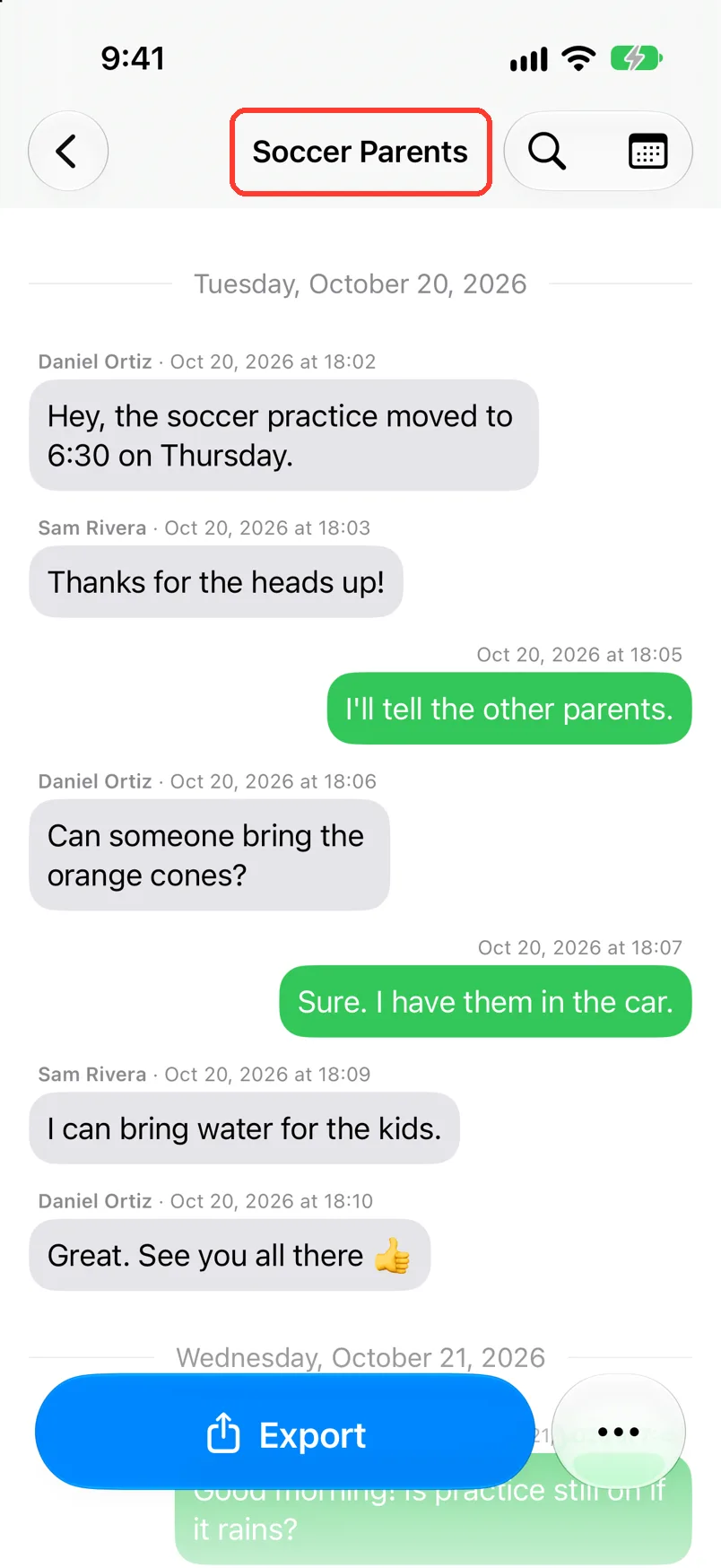
Tap the chat name at the top
Open the chat first. Chat Details opens.
-
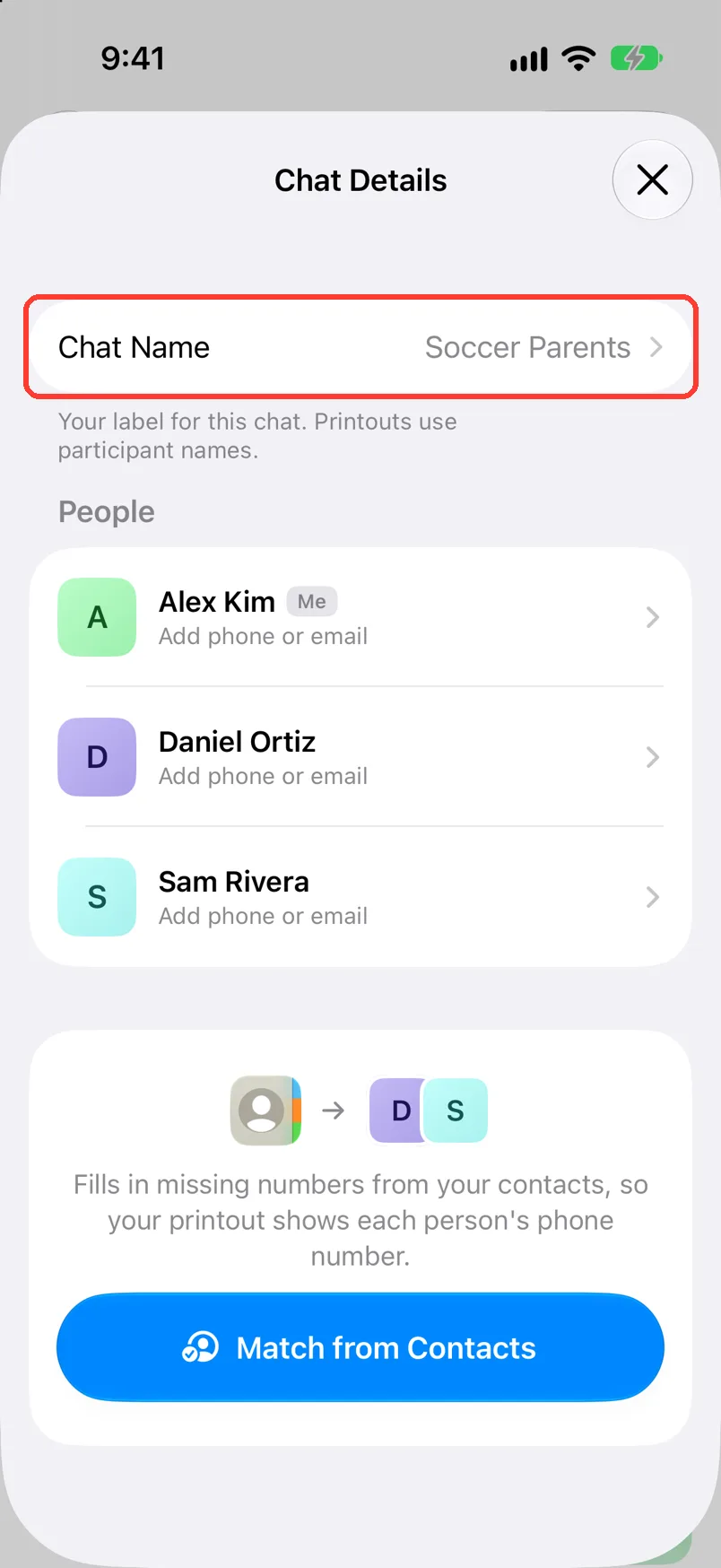
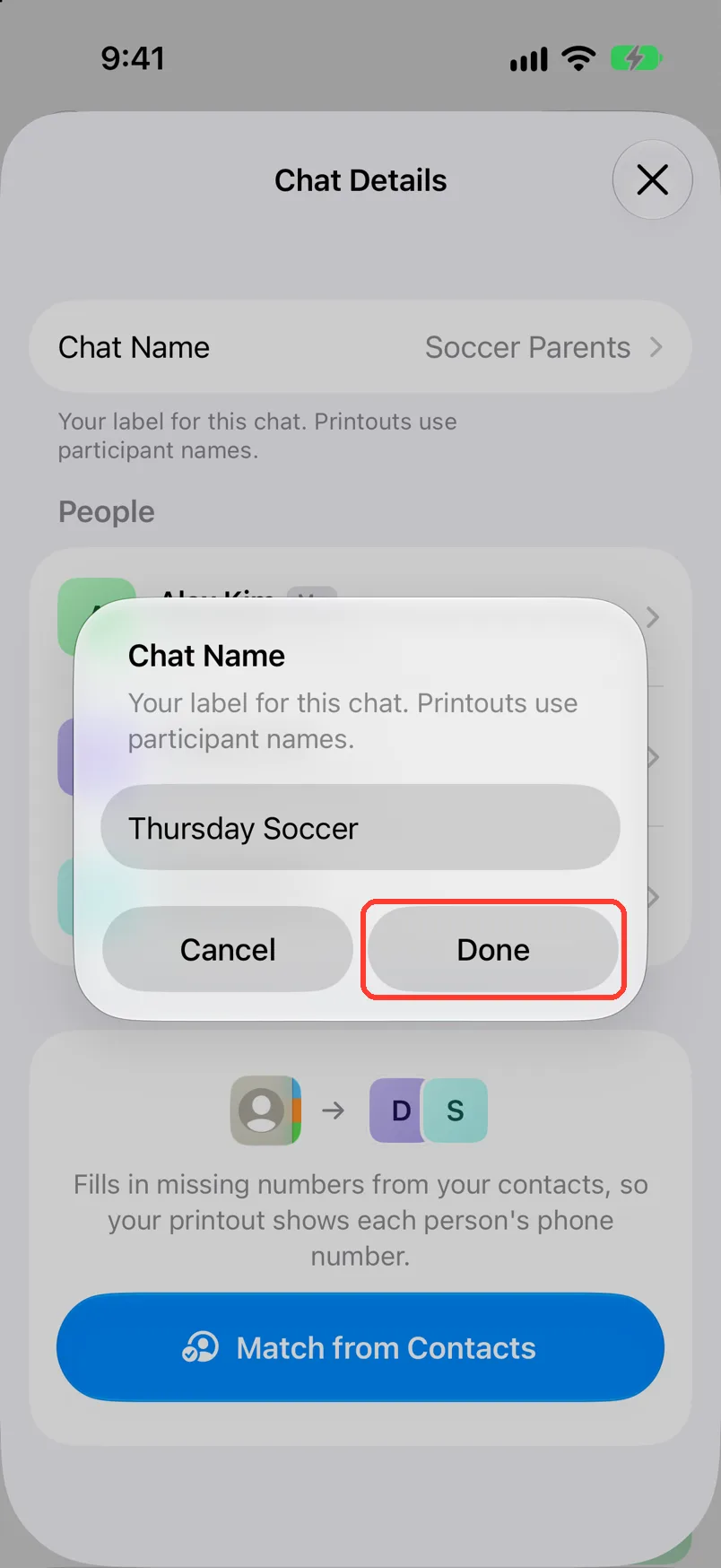
Tap Chat Name
It is the first row. A box named Chat Name opens.
-
Type the name, then tap Done
Type the name you want, like Thursday Soccer. Chat Details shows it.
-
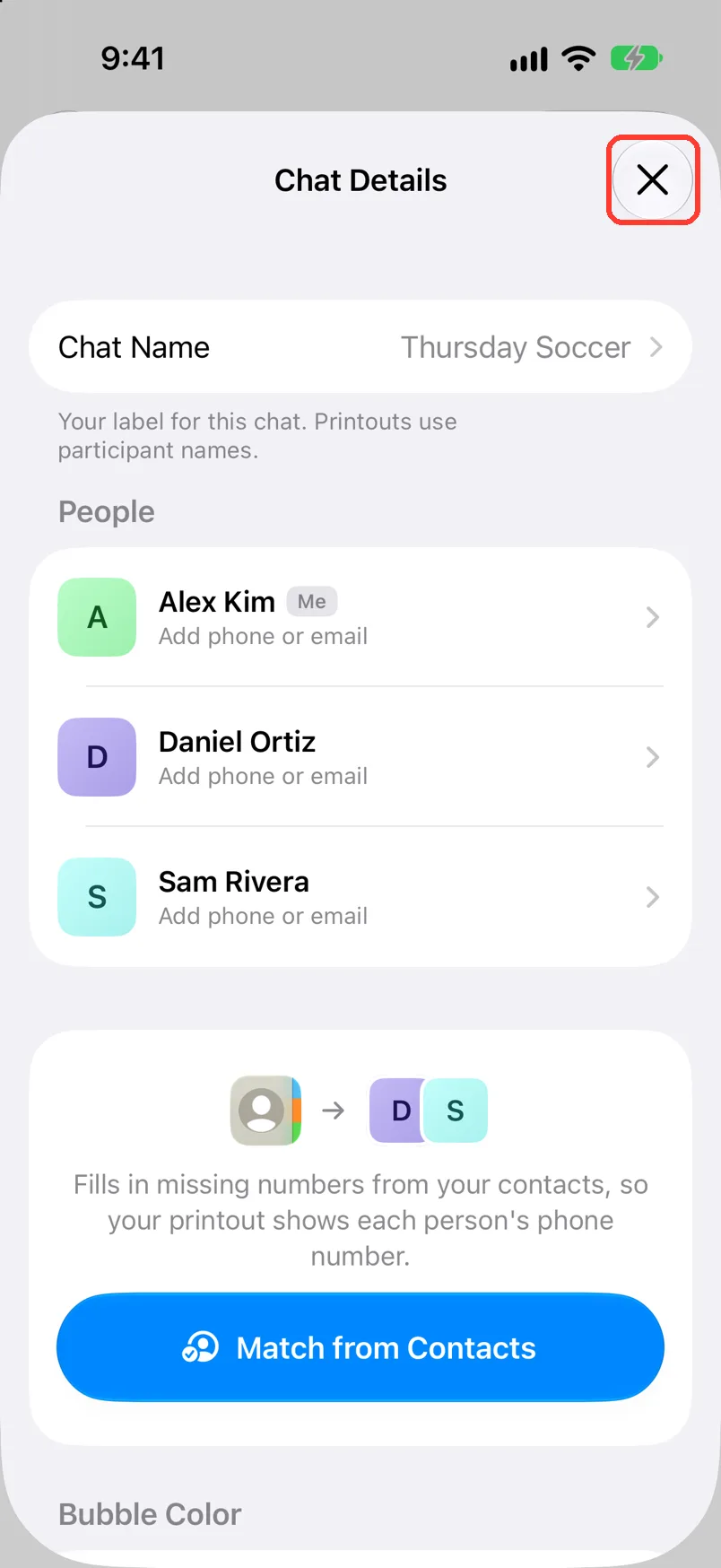
Tap the X
It is in the top right of Chat Details. The chat has its new name.
Done
The chat has its new name in Saved Chats and at the top of the chat.
Problems
Save is gray.
The name box is empty. Type a name first.
The PDF still shows the old names.
The chat name is your label. The PDF uses the people's names. See Edit people's names in a chat.
You want to delete the chat.
See Delete a chat.
None of these match.
Email [email protected]. Say which step you were on. Say what you saw. We usually reply within a day.
Questions
-
No. The chat name is your label for the chat. Printouts use the people's names.
-
Yes. You can rename every chat saved in TextPort.
-
No. The name only changes inside TextPort.
Next guides
-
 How to edit people's names in a chat with TextPort
Each person in the chat will show the right name, in the chat and in your PDF.
-
 How to delete a chat with TextPort
The chat will be gone from TextPort.
-
 How to put chats in folders with TextPort
Your chats will be sorted into folders you can open with one tap.
-
 What the Saved Chats screen in TextPort shows
You will know what each part of the Saved Chats screen means and what you can tap.

Start exporting your messages
Available for iPhone, Mac, and Windows. No computer required.