

How to delete a chat with TextPort
Quick answer
In Saved Chats:
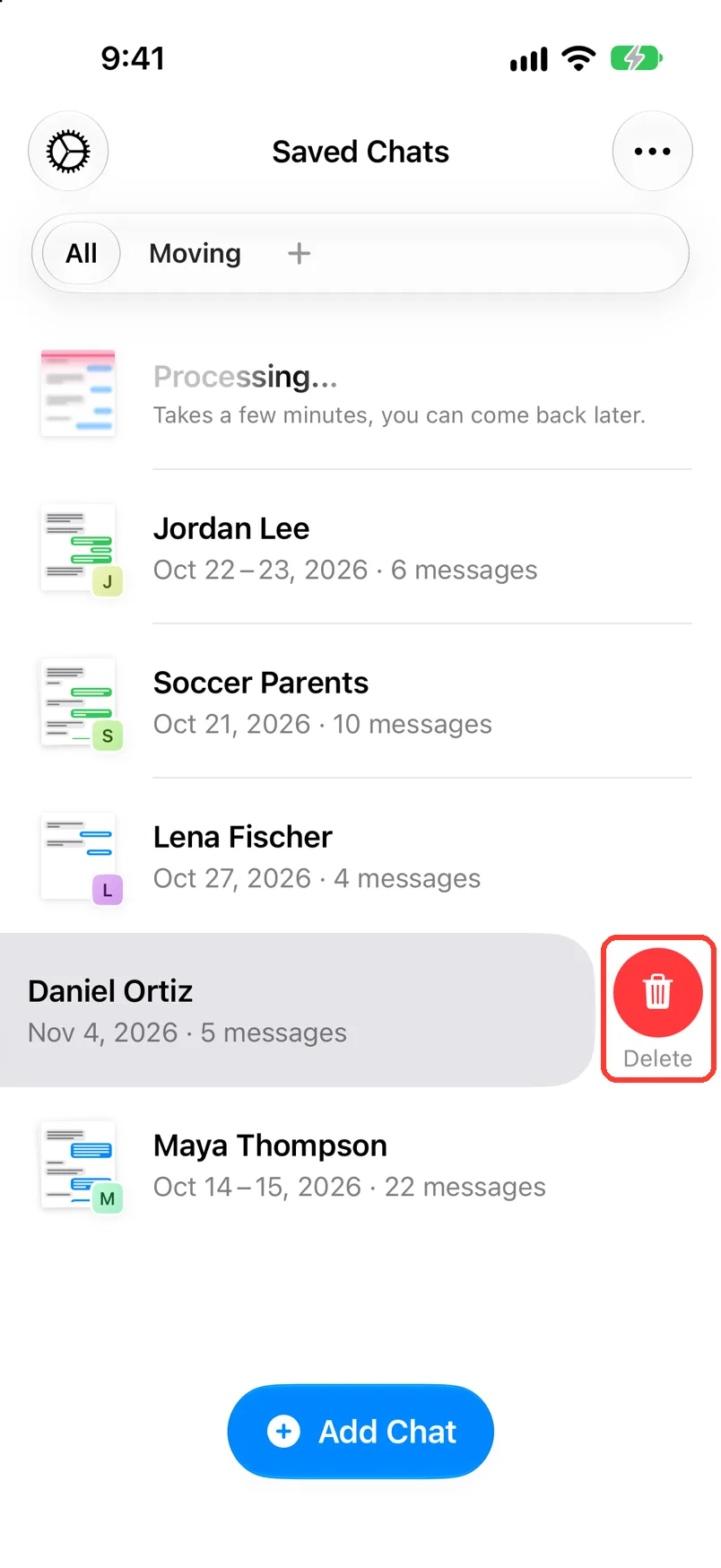
- Swipe left on the chat.
- Tap Delete.
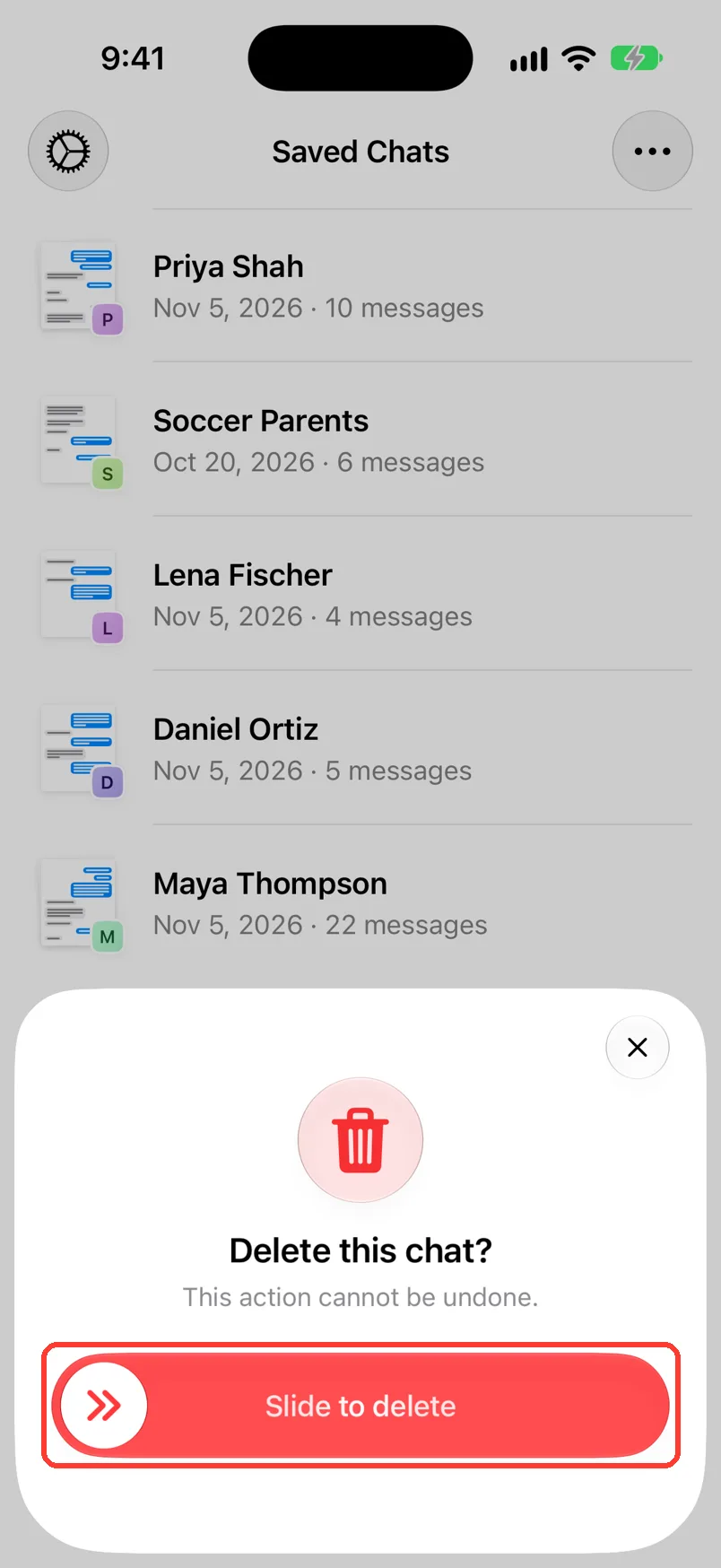
- Slide Slide to delete to the right.
A deleted chat cannot be brought back.
What you need
- ✓TextPort on your iPhone
- ✓A chat saved in TextPort
Steps
-
Swipe left on the chat
In Saved Chats, slide the chat to the left. A red Delete button shows.
-
Tap Delete
A sheet opens. It asks Delete this chat?
-
Slide Slide to delete to the right
Drag the button at the bottom all the way across. The chat is gone from Saved Chats.
To keep the chat, tap the X at the top of the sheet.
Done
The chat is gone from TextPort. It is still in the app it came from.
Problems
You deleted a chat by mistake.
A deleted chat cannot be brought back. The chat is still in the app it came from. Import it again. See Pick a way to import a chat.
You want to delete many chats.
Long press a chat and tap Select. Tap the other chats, then the trash button at the bottom. Slide Slide to delete to the right.
You want to delete one message, not the chat.
See Delete a message.
You want to delete every chat and your account.
See Delete your account.
None of these match.
Email [email protected]. Say which step you were on. Say what you saw. We usually reply within a day.
Tips
-
Inside a chat, tap … at the bottom right. Tap Delete Chat. Then slide Slide to delete to the right.
Questions
-
No. It does not touch Messages, WhatsApp, or any other app. The chat is still there.
-
They stop working. A person who opens one sees This link is no longer available.
-
No. TextPort says This action cannot be undone. Save a PDF first if you might need the chat.
Next guides
-
 How to back up a chat before you delete it or switch phones with TextPort
You will have a PDF copy of the chat saved in iCloud Drive or another safe place.
-
 How to rename a chat with TextPort
Your chat will have a clear name in Saved Chats.
-
 How to delete a message in a TextPort chat
The extra message will be gone from the chat and from your exports.
-
 How to see and delete your TextPort data
You will see which files TextPort keeps on your iPhone, and you can delete them.

Start exporting your messages
Available for iPhone, Mac, and Windows. No computer required.