

Will someone who shares my Apple ID see my TextPort chats?
Quick answer
It depends on the Apple Account each iPhone uses for iCloud. Apple ID is the old name for it.
- Different Apple Accounts: no. Each iPhone has its own TextPort account. Family Sharing works this way too.
- The same Apple Account on two iPhones: they can share one TextPort account. Then both show the same chats.
To check, tap the gear in Saved Chats, then About TextPort, on each iPhone. Look at the user ID at the bottom. The same code means the same chats.
What you need
- ✓TextPort on both iPhones
Steps
-
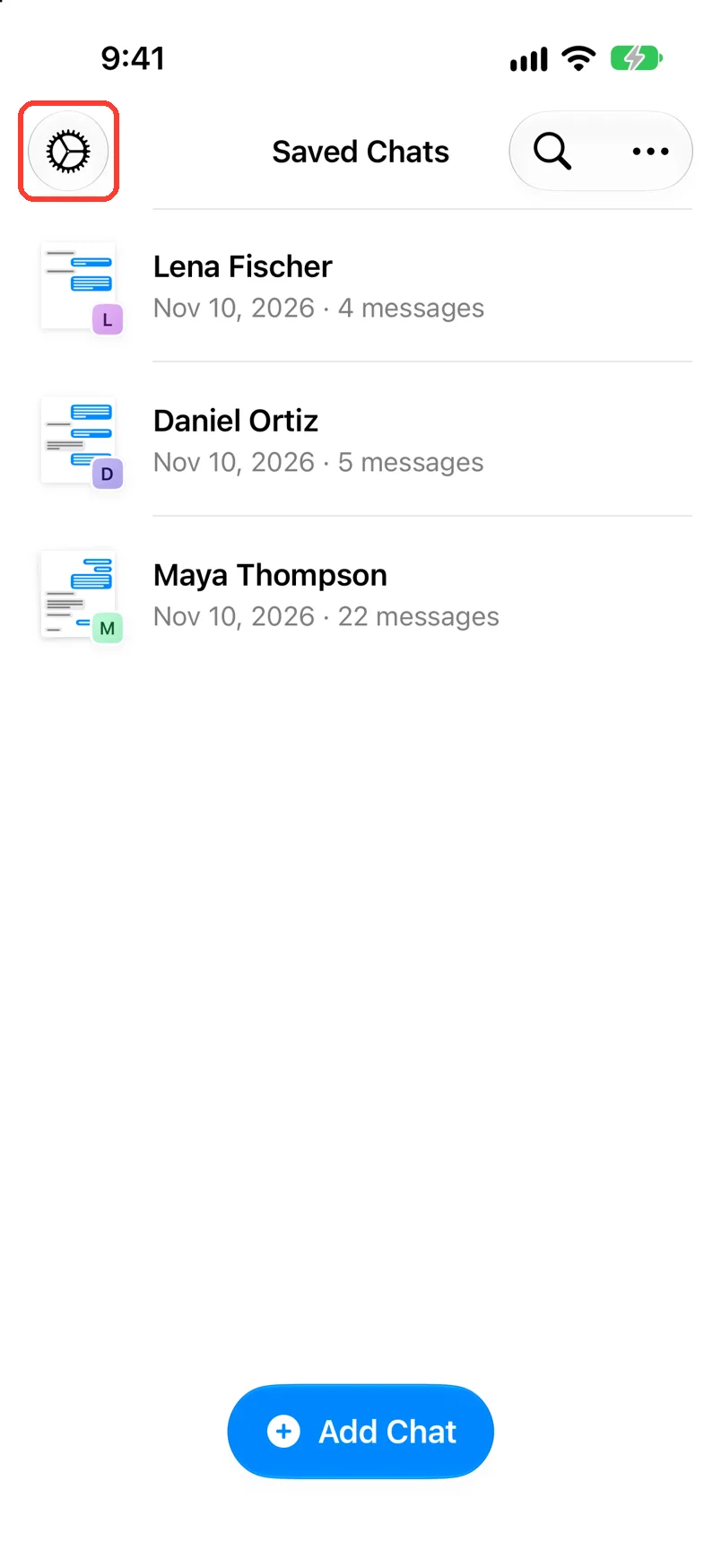
Tap the gear
It is in the top left of Saved Chats. Settings opens.
-
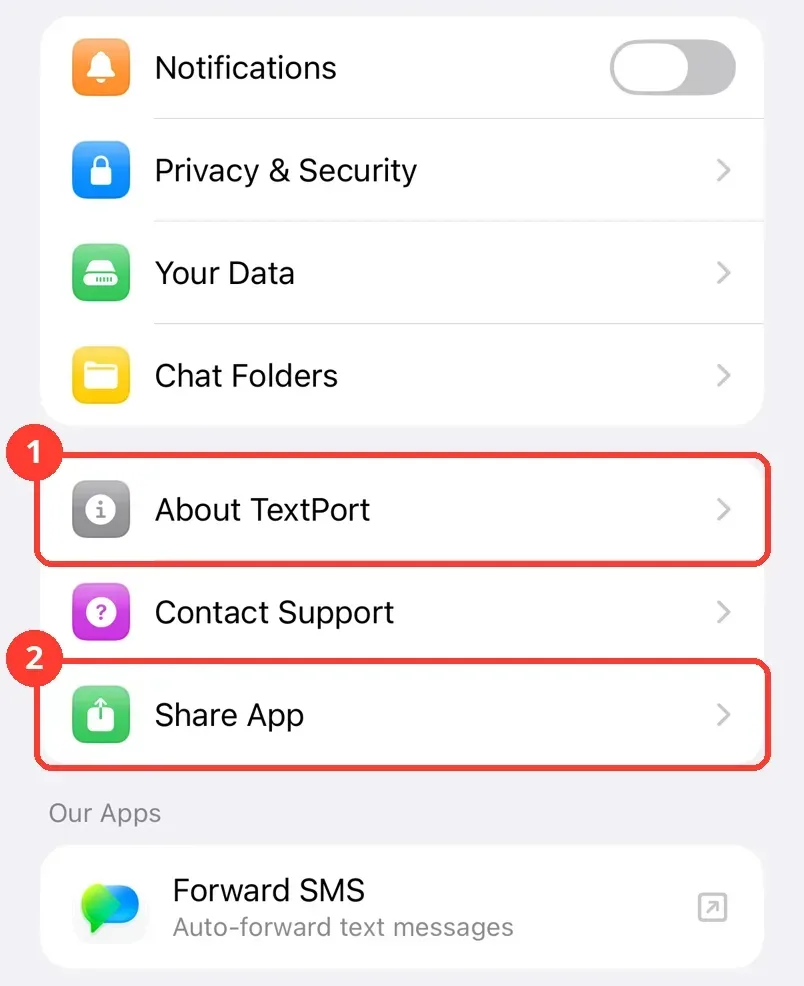
Tap About TextPort
It is marked (1), two rows above Share App. About TextPort opens.
-
Find your user ID
It is the long code at the bottom of About TextPort.
Tap the code to copy it. TextPort says User ID Copied.
-
Open TextPort on the other iPhone
Do steps 1 to 3 there. Find its user ID.
-
Compare the two codes
The same code means one TextPort account and the same chats. Two codes mean two accounts.
Done
You know if the two iPhones share a TextPort account. With two codes, the other iPhone does not show your TextPort chats.
Problems
Both iPhones show the same user ID.
They share one TextPort account. Both show the same chats. To keep them apart, contact support.
There is no code at the bottom of About TextPort.
TextPort could not read your account on this iPhone. Contact support.
You saved an export to iCloud Drive.
Every device on that Apple Account can open it in the Files app. To keep a file on this iPhone only, pick On My iPhone. See Save an export to Files or iCloud Drive.
You want TextPort locked on your iPhone.
Turn on Lock with Face ID. See Lock TextPort with Face ID. The lock is only for this iPhone.
You want to delete the chats in a shared account.
Delete All Your Data deletes the account and its chats on both iPhones. Export what you need first. See Delete your account.
None of these match.
Email [email protected]. Say which step you were on. Say what you saw. We usually reply within a day.
Questions
-
TextPort signs you in by itself. It keeps the key to your account in your iPhone's keychain. iCloud can copy the keychain to your other devices. An iPhone that gets the key opens the same TextPort account.
-
No. In Family Sharing, each person has their own Apple Account. So each iPhone has its own TextPort account.
-
Open the iPhone Settings app. Tap your name at the top. The email under your name is your Apple Account.
-
No. With one TextPort account, the chats show on both iPhones. The photos and files in a chat stay on the iPhone that imported it.
-
No. You turn the lock on for each iPhone. It opens with that iPhone's Face ID, Touch ID, or passcode.
Next guides
-
 How to lock TextPort with Face ID
TextPort will ask for Face ID before anyone can see your chats.
-
 What About TextPort, Share App, and Watch Guide do
You will know what these rows in TextPort's Settings do.
-
 How to save an export to Files or iCloud Drive with TextPort
Your exported file will be saved in the Files app or in iCloud Drive.
-
 How to delete your TextPort account
Your TextPort account and all your saved chats will be gone for good.
-
 How to contact TextPort support or report a problem
Your question or problem will reach TextPort support, with your email so they can answer.

Start exporting your messages
Available for iPhone, Mac, and Windows. No computer required.