How to Analyze Text Messages With ChatGPT or Claude
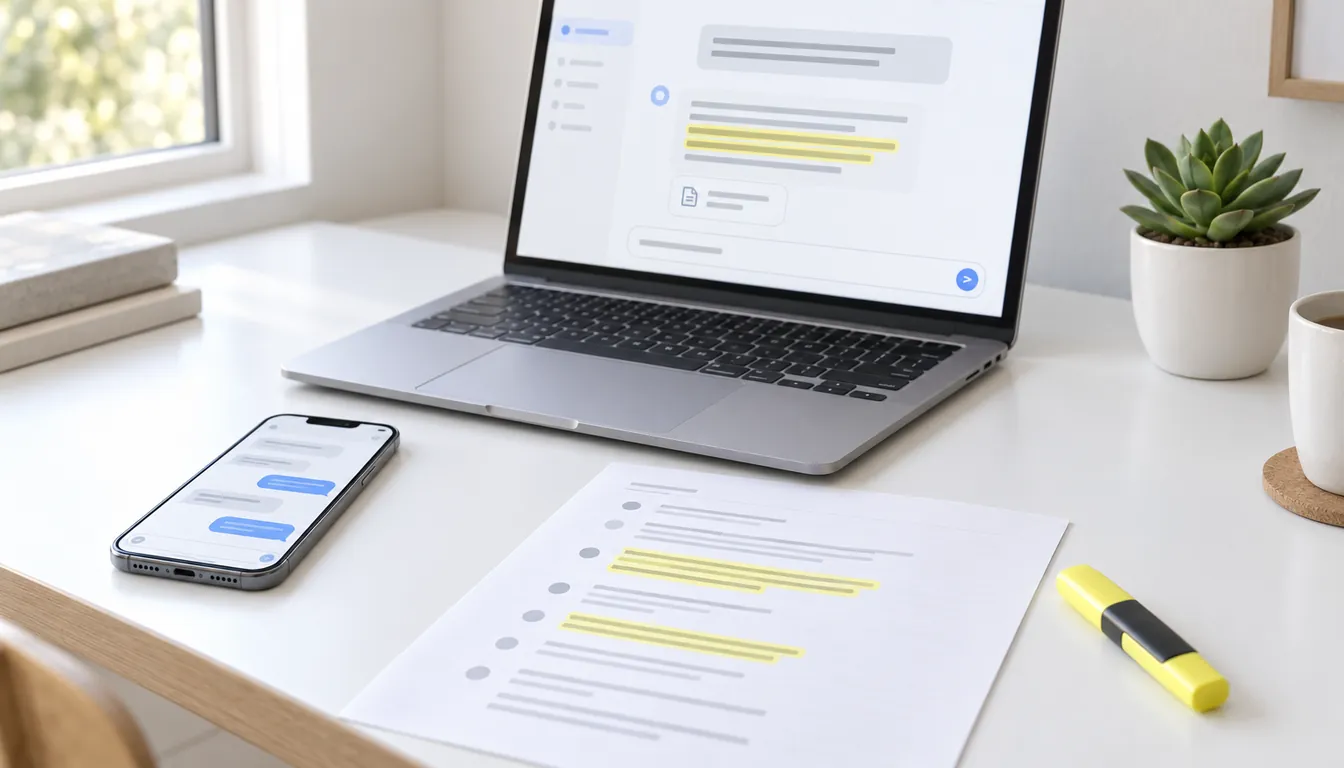
To analyze a text conversation with ChatGPT or Claude, give it the whole conversation as a file, not a handful of screenshots. The iPhone's Messages app can't export a chat, so export it first, ideally as a plain text file with the date, time and sender on every line. Then attach the file in ChatGPT or Claude, ask one specific question, and ask for exact quotes with their dates so you can check every claim against your phone.
Settle two things before you upload. First, your privacy settings: on personal accounts, both ChatGPT and Claude can use your chats to train their models unless you turn that off. Second, if the texts are part of a court case, talk to your lawyer before you type anything about the case into a chatbot. In February 2026, a federal judge in New York ruled that a defendant's conversations with Claude about his case were not protected by attorney-client privilege, and the government got to read them.
This is general information, not legal advice. Limits and settings are as of November 2026. If you want to save a ChatGPT or Claude conversation itself as a file, see how to export ChatGPT conversations or Claude chats instead.
The short version
- Get the conversation into TextPort on your iPhone. iMessage and SMS come in through the TextPort Shortcut, WhatsApp from its own Export Chat file, and any other app from a screen recording.
- Check the names. Your messages should carry your name and the other person's theirs. The AI only knows who said what from these labels (how to fix them).
- Export it as text. Open the chat, tap Export, then Text. To keep only some dates, tap the filter icon in the preview and pick From and To (details).
- Save it to Files. Tap the share button, then Files. For a short chat, you can tap the copy button instead and paste the text.
- Attach it in ChatGPT or Claude. Tap + in the message box and choose the file.
- Ask, then check. Ask a specific question, ask for exact quotes with the date and time, and check each quote against the conversation on your phone.
Which file to give the AI
ChatGPT and Claude both accept text files, spreadsheets (CSV) and PDFs. They don't do the same job:
| File | What the AI gets | Best for |
|---|---|---|
| Text (TXT) | One line per message: date and time, sender, text. The most messages in the least space | Almost everything: patterns, timelines, finding messages |
| Spreadsheet (CSV) | One row per message, with the timestamp, name, contact and message in separate columns | Counting: who wrote more, at what hours, in which months |
| The conversation laid out as pages, like a printout | Reading it yourself, printing, or sending it to a lawyer. More layout, less room for messages | |
| Screenshots | Pictures the AI has to read first | A few messages. It can misread names and times, and ChatGPT's free plan allows only 3 file uploads a day |
A text file from TextPort looks like this:
[2026-03-03 18:02] Jordan (+1 555-010-0142): Can you take her Saturday?
[2026-03-03 18:15] Sam: I work until 2. I can get her at 3
[2026-03-03 18:16] Jordan (+1 555-010-0142): Fine. Don't be late again
[2026-03-03 18:16] Jordan (+1 555-010-0142): [Attached: IMG_4471.jpeg]
Photos and files appear only as their names, so the AI can't see them. Until your name is saved for the chat, TextPort labels your own lines "outgoing"; add it in Chat Details before you export (how). The sample above shows a file with the name added.
For simple counts you may not need an AI at all. TextPort's Statistics shows each person's message count, the busiest day and reply times for a chat.
How much of a conversation fits
An AI can only hold so much text in mind at once. That limit, the context window, is measured in tokens. OpenAI's rule of thumb is that "1 token is approximately 4 characters", and Anthropic says its newest models produce about 30 percent more tokens for the same text than older ones did.
A line of an exported text file, with its date, time, name and a short message, runs about 60 to 100 characters. By our rough estimate, that's 15 to 40 tokens per message, or about 15,000 to 40,000 tokens for every 1,000 messages. Here's what that means for the windows ChatGPT and Claude list:
| Plan | Context window | Roughly how many messages |
|---|---|---|
| ChatGPT Free | 27K tokens (Instant) | under 2,000 |
| ChatGPT Go or Plus | 54K (Instant), 256K (reasoning) | 1,500 to 3,500; 6,000 to 17,000 |
| ChatGPT Pro | 128K (Instant), 400K (reasoning) | 3,000 to 8,500; 10,000 to 26,000 |
| Claude paid plans, newest models | 1M | 25,000 to 65,000 |
| Claude Free | not published |
Windows from ChatGPT's pricing page and Claude's help center. OpenAI notes that the part available for your input "is smaller than the total window," because the AI's instructions, memories and answer use space too.
You can upload a file bigger than the window: ChatGPT accepts text files of up to 2 million tokens. But the AI can't hold all of it at once, and Claude says that as a conversation nears its limit, it "summarizes earlier messages to make room for new content." Either way, answers about "the whole conversation" get less reliable. Three ways around it:
- Export a date range. The month before the breakup, or the weeks around a missed pickup, usually answer the question better than five years.
- Split it. Export one file per year and ask each the same question.
- Start a new chat for each big question, so earlier answers don't crowd out the messages.
Getting the conversation out of each app
iMessage and SMS on iPhone
Messages has no export button. Apple's own tip for keeping the look of a conversation is to "send a screenshot as an attached image instead of forwarding messages." Screenshots work for a few messages, not for months of them.
TextPort reads the conversation through the TextPort Shortcut (iOS 26.4 or later): you pick a chat and the dates, and it comes in word for word, with each message's own date and time. It takes minutes, longer for a long date range.
WhatsApp exports chats itself. Open the chat, tap the contact's or group's name, tap Export chat and choose Without media. WhatsApp's help page says: "Your chat history will be exported as a ZIP file." It adds: "View once messages will not be exported."
ChatGPT says it "may" open a ZIP when its data analysis tools are available. Claude doesn't list ZIP among its file types. The safe route is to save the ZIP to Files, tap it to unzip it, and upload the text file inside. You can also open the export in TextPort to pick dates, fix names or make a PDF.
Instagram, Messenger, Snapchat, Signal and other apps
TextPort reads these from a screen recording of you scrolling through the chat, or from screenshots. Because it reads the screen, check the result against your phone and fix any names or times before you export.
Years of iMessage on a computer
TextPort for Mac reads the Messages on your Mac, and TextPort for Windows reads an iPhone backup. Both are free, with no account and no uploads, and both export a conversation as a text file, a spreadsheet or a PDF.
Prompts that work
A few habits make the answers far more useful:
- Say who's who. "I'm Sam. Jordan is my ex. We share custody of our daughter."
- Ask one question at a time. "What's wrong with us?" gets a horoscope. "What do we argue about most?" gets an answer you can check.
- Ask for exact quotes with the date and time for every claim, and tell it not to paraphrase.
- Ask what it can't tell. "What would you need to know that isn't in these messages?"
For a relationship:
- "What do we argue about most? For each topic, quote two messages with their date and time."
- "Who usually starts our conversations, and has that changed over time? Count by month." (This works best with the spreadsheet.)
- "Find every time one of us cancelled plans. Make a table with the date, who cancelled and the exact message."
- "How might Jordan read my messages from March? Point to the exact lines."
For a case, after you've talked to your lawyer:
- "List every message about pickup or drop-off times in a table: date, time, sender and the exact text. Don't summarize."
- "Find every message that mentions the security deposit, in date order, quoted exactly."
- "Which messages mention money Jordan agreed to pay? Quote them with their dates."
These ask the AI to find and quote messages, not to argue your case. The section on court cases below explains why that matters.
What the AI gets wrong
- Quotes that aren't there. An AI can merge two messages, tidy up wording or make one up. California's courts warn in their guide to using AI: "It may give wrong answers, even if it claims to be accurate." Find every quote in the file or on your phone before you rely on it.
- Who said what. Without clear names, in group chats, or when two people share a first name, it can pin a message on the wrong person.
- Everything outside the file. Calls, conversations in person, other apps, deleted messages, sarcasm and inside jokes are all invisible to it.
- A one-sided slice. Export only the worst month, and you get a reading of the worst month.
- Verdicts about people. "Gaslighting," "narcissist" and "manipulative" are judgments about a person, not facts in the messages. OpenAI has said that when you ask something like "Should I break up with my boyfriend?" ChatGPT "shouldn't give you an answer. It should help you think it through."
Use the AI to find patterns and messages, and keep the conclusions for yourself. If the conversation is about your safety, talk to someone who can help: the National Domestic Violence Hotline is at 1-800-799-7233, or text START to 88788.
Before you upload: privacy settings
On Free and paid personal plans, ChatGPT and Claude can use your conversations to improve their models unless you turn it off. Work and school plans (ChatGPT Business, Enterprise and Edu; Claude Team and Enterprise) aren't used for training by default.
| ChatGPT | Claude | |
|---|---|---|
| Stop training on your chats | Settings > Data controls > turn off Improve the model for everyone | Settings > Privacy > turn off the toggle under Help Improve our AI models |
| A chat that isn't saved | Start a Temporary chat. It stays out of your history and isn't used for training; OpenAI may keep a copy for up to 30 days | Start an incognito chat (the ghost icon). It isn't saved or used for training, and is kept for 30 days |
| When you delete a chat | Scheduled for permanent deletion within 30 days, unless OpenAI must keep it longer for security or legal reasons | Removed from your history right away and from Anthropic's systems within 30 days |
Sources: OpenAI's data controls, temporary chat and deleting chats pages; Anthropic's privacy settings, incognito chats and privacy policy.
Three more things worth knowing:
- Feedback can override the setting. OpenAI says that if you give a thumbs up or down, "the entire conversation associated with that feedback may be used to train OpenAI models." Anthropic's terms make the same exception for feedback.
- Memory. Both apps can remember details from your chats for later ones. A temporary or incognito chat avoids that, or you can turn Memory off in settings.
- Opting in keeps data longer at Anthropic. If you allow training, Anthropic keeps your data for up to five years; if you don't, the standard is 30 days.
The file also holds someone else's words, and often their phone number. Export only the dates you need, and think twice before uploading messages about health, money or children. For a work chat, check your employer's rules first.
If the texts are part of a court case
The texts themselves are rarely the problem. Messages you exchanged with your ex, your landlord or your boss were never secret from them, and the other side usually has its own copy. The problem is everything around them: the questions you ask the AI, the timeline it builds for you, the summary of what you plan to argue, and anything your lawyer told you that you paste in. A court may treat all of that as fair game.
What happened in United States v. Heppner
Bradley Heppner, a former executive charged with securities and wire fraud, used Claude after he learned he was the target of a federal investigation. According to the court's memorandum, filed February 17, 2026, he did it on his own: "Without any suggestion from counsel that he do so," he prepared reports that, in his lawyer's words, "outlined defense strategy." Some of what he typed in came from his lawyers, and he later sent Claude's answers to them. When the FBI searched his home, agents seized about 31 of these documents.
Judge Jed S. Rakoff of the Southern District of New York ruled that none of it was protected. His reasons:
- Claude isn't a lawyer. "Because Claude is not an attorney, see ECF No. 23-6, that alone disposes of Heppner's claim of privilege."
- The chats weren't confidential. The judge pointed to Anthropic's privacy policy at the time, which said it collects users' inputs and outputs and may share data with third parties, and concluded that "the communications memorialized in the AI Documents were not confidential."
- Sending the AI's answers to a lawyer later doesn't help. The court called it "black-letter law that non-privileged communications are not somehow alchemically changed into privileged ones upon being shared with counsel."
- Pasting in your lawyer's advice can give it away. Even if some of what he typed was privileged, the court said, "he waived the privilege by sharing that information with Claude and Anthropic, just as if he had shared it with any other third party."
The court also rejected work-product protection, the rule that shields materials prepared for a case, because Heppner wasn't acting at his lawyers' direction. It left one door open: "Had counsel directed Heppner to use Claude," the result might have been different.
Other courts haven't all agreed
Heppner is one trial judge's ruling in a criminal case, and it doesn't bind other courts. In civil cases, other federal judges have protected the AI work of people representing themselves. In Morgan v. V2X (D. Colo., March 2026), the court held that "AI interactions do not automatically compromise work product protections" and noted that "Heppner was a criminal matter; this is a civil case."
Even where AI work is protected, two things can still go wrong:
- The other side can ask the AI company. In a lawsuit brought by the Fontainebleau Florida Hotel (S.D. Fla., October 2026), the court let the hotel subpoena four AI providers for a defendant's chats about the hotel, after the hotel argued they "may reveal the extent of his alleged malice." Its request covered chats that had "been deleted." Weighing Heppner against a ruling that went the other way, the court said: "Neither decision establishes a categorical rule governing all AI communications."
- A court order can forbid uploading. The same Morgan order told the plaintiff, about documents the other side had marked confidential: "you may not upload, input, or submit Confidential Information into any mainstream AI tool like standard ChatGPT, Claude, Gemini, or similar platforms." If your case has a protective order, read it before you upload anything you got from the other side.
The New York City Bar called Heppner "a cautionary tale about clients using GenAI tools independently, without counsel direction," and said clients should be told "consumer GenAI tools are not a substitute for attorney-client communications."
What to do if you have a case
- Ask your lawyer first. If they want an AI to sort through the messages, let them decide how, and with which tool. Under Heppner, their direction is what might make the difference.
- Never paste in your lawyer's emails, texts or advice. That's the part a court said you can give away.
- Keep your strategy out of the chat. Ask the AI to find and quote messages, not to plan your argument. Assume the other side's lawyer or a prosecutor could one day read what you typed.
- Don't count on deleting. OpenAI's privacy policy says that if it is "legally required to retain your data (for instance, we receive a lawful subpoena)," it may keep it for as long as that obligation lasts.
- Don't hand the court an AI's summary as evidence. The evidence is the messages themselves, which you'll usually authenticate by testifying that the printout matches your phone. If an AI helps you draft anything you file, check every fact and citation. In Mata v. Avianca (2023), a court fined two lawyers and their firm $5,000 for fake citations from ChatGPT, and judges have warned self-represented litigants who did the same. A database kept by researcher Damien Charlotin listed 2,312 court decisions involving AI-invented content as of November 18, 2026.
If you have no lawyer, California's courts put it plainly: "AI is not a lawyer," and "Don't share personal or private information."
Turning a conversation into a file an AI can read
TextPort turns a conversation on your iPhone into a text file, a spreadsheet or a PDF, with no computer. It exports the conversation; the reading and the questions happen in whichever AI you choose.
- iMessage and SMS come in through the TextPort Shortcut (iOS 26.4 or later), word for word with each message's own date and time, for the date range you pick.
- WhatsApp comes in from WhatsApp's own Export Chat file. Instagram, Messenger, Snapchat, Signal and other apps come in from screenshots or a screen recording, which TextPort reads, so check the result against your phone before you export.
- The text file has one line per message with the date, time and sender, ready to attach in ChatGPT or Claude. The PDF is the one to read, print or send to your lawyer.
For years of iMessage history, the free Mac and Windows apps export every conversation at once. On iPhone, your first three chats import for free; exporting needs a subscription.
Frequently asked questions
-
No. Neither app can open the Messages app on your iPhone, and Messages has no button to export a conversation. Apple's ChatGPT extension sends only what you choose to send, such as a prompt, photos or a file. Export the conversation as a file first, then attach it in ChatGPT or Claude.
-
Yes. In WhatsApp, open the chat, tap the contact's or group's name, tap Export chat and choose Without media. WhatsApp exports it as a ZIP file. ChatGPT may be able to open a ZIP, but Claude doesn't list ZIP files as supported, so the safest way is to save the ZIP to Files, tap it to unzip it, and upload the text file inside.
-
It depends on your plan. By our rough estimate, one message in an exported text file takes about 15 to 40 tokens, so 1,000 messages come to about 15,000 to 40,000 tokens. As of November 2026, ChatGPT lists a 54K-token window for Instant on Plus, which holds only a few thousand messages, and Claude's paid plans offer up to 1 million tokens on the newest models, enough for tens of thousands. Exporting only the dates you need gives better answers on any plan.
-
That depends on your settings and on what's in the messages. Both ChatGPT and Claude can use consumer chats to train their models unless you turn that off: in ChatGPT under Settings > Data controls, in Claude under Settings > Privacy. A temporary chat in ChatGPT or an incognito chat in Claude isn't used for training. Remember that the file also holds the other person's words, and if the texts are part of a court case, ask your lawyer first.
-
They can be. In United States v. Heppner (February 2026), a federal judge in New York ruled that a defendant's conversations with Claude about his case were protected by neither attorney-client privilege nor the work-product rule, and the government got to read them. In October 2026, a federal court in Florida let a party subpoena four AI companies for the other side's chats. Other courts have protected self-represented litigants' AI work in civil cases, so the law isn't settled. Talk to your lawyer before you type anything about your case into a chatbot.
-
Not reliably. An AI can point out patterns, like who apologizes or who changes the subject, and quote the messages that show them. It can't know what someone meant, and it only sees what's in the file. OpenAI has said that for a question like whether to break up with someone, ChatGPT shouldn't give you an answer but help you think it through. If you're afraid of the person, the National Domestic Violence Hotline is at 1-800-799-7233.
-
Give your lawyer the whole conversation, as a PDF with the date and time on every message, and ask before you run it through an AI. In the Heppner case, the judge said the result might have been different if the lawyer had directed the AI use, and sending AI output to a lawyer afterward didn't make it privileged.
Start exporting your messages
Available for iPhone, Mac, and Windows. No computer required.