

What TextPort can and can't do
Quick answer
TextPort saves a copy of a chat. Then you export it.
- It imports chats from Messages, WhatsApp, LINE, and KakaoTalk. Any other chat app works with screenshots or a screen recording.
- It exports a chat as a PDF, a spreadsheet, or a text file. You can print it too.
- It does not import email. There is no TextPort app for Android phones.
- It does not send messages. It cannot get back messages deleted before the import.
What you need
- ✓TextPort on your iPhone
Steps
-
-
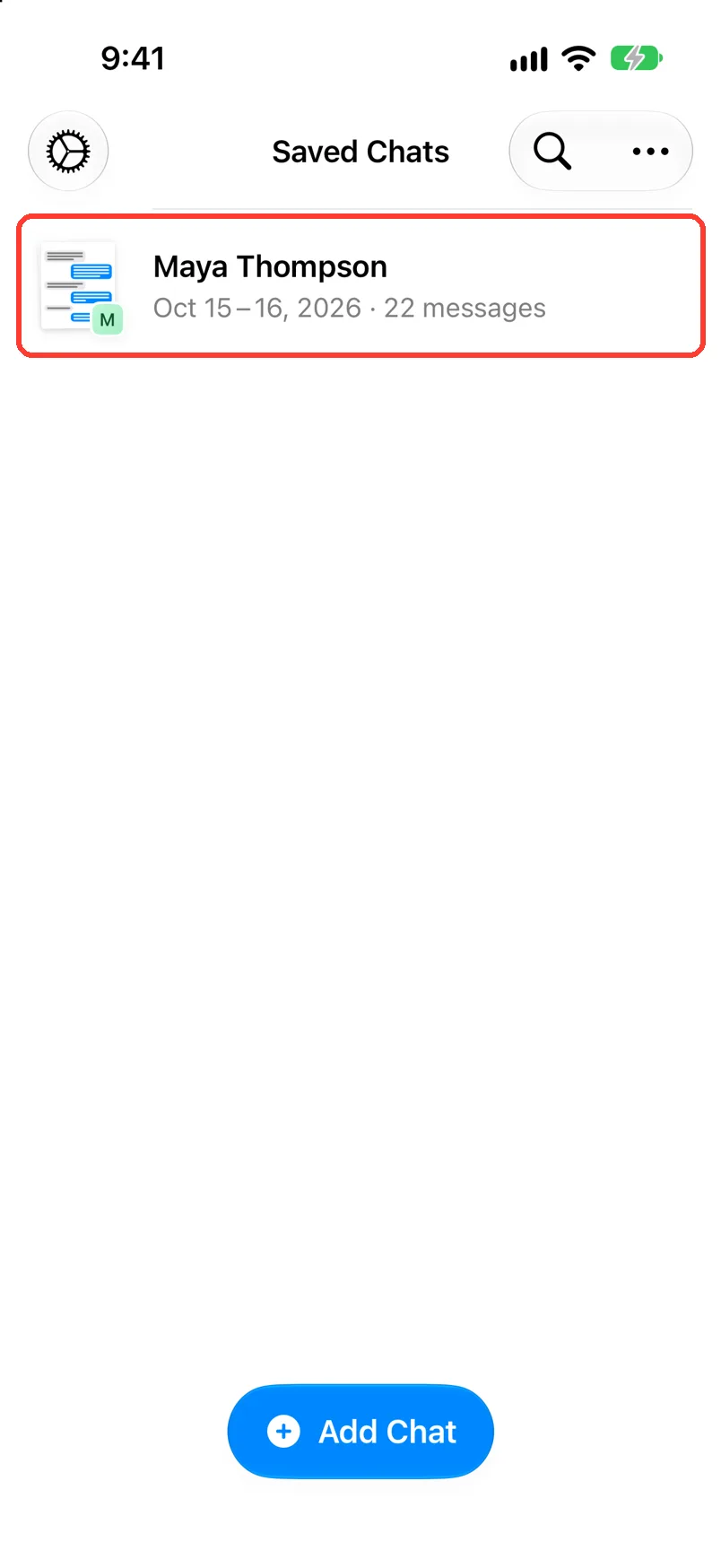
Tap the chat in Saved Chats
It shows there when the import is done. The chat opens.
-
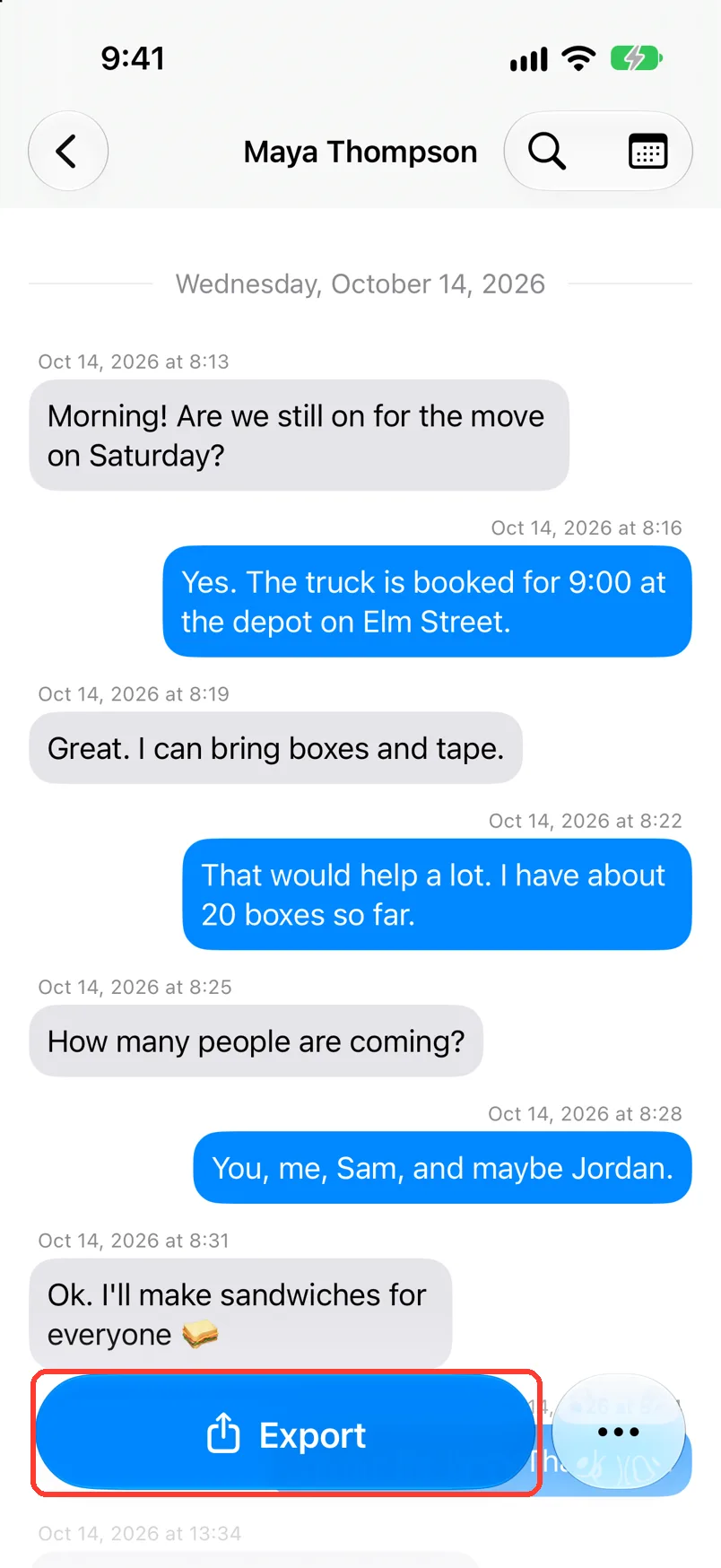
Tap Export
It is the blue button at the bottom. Export Chat opens.
-
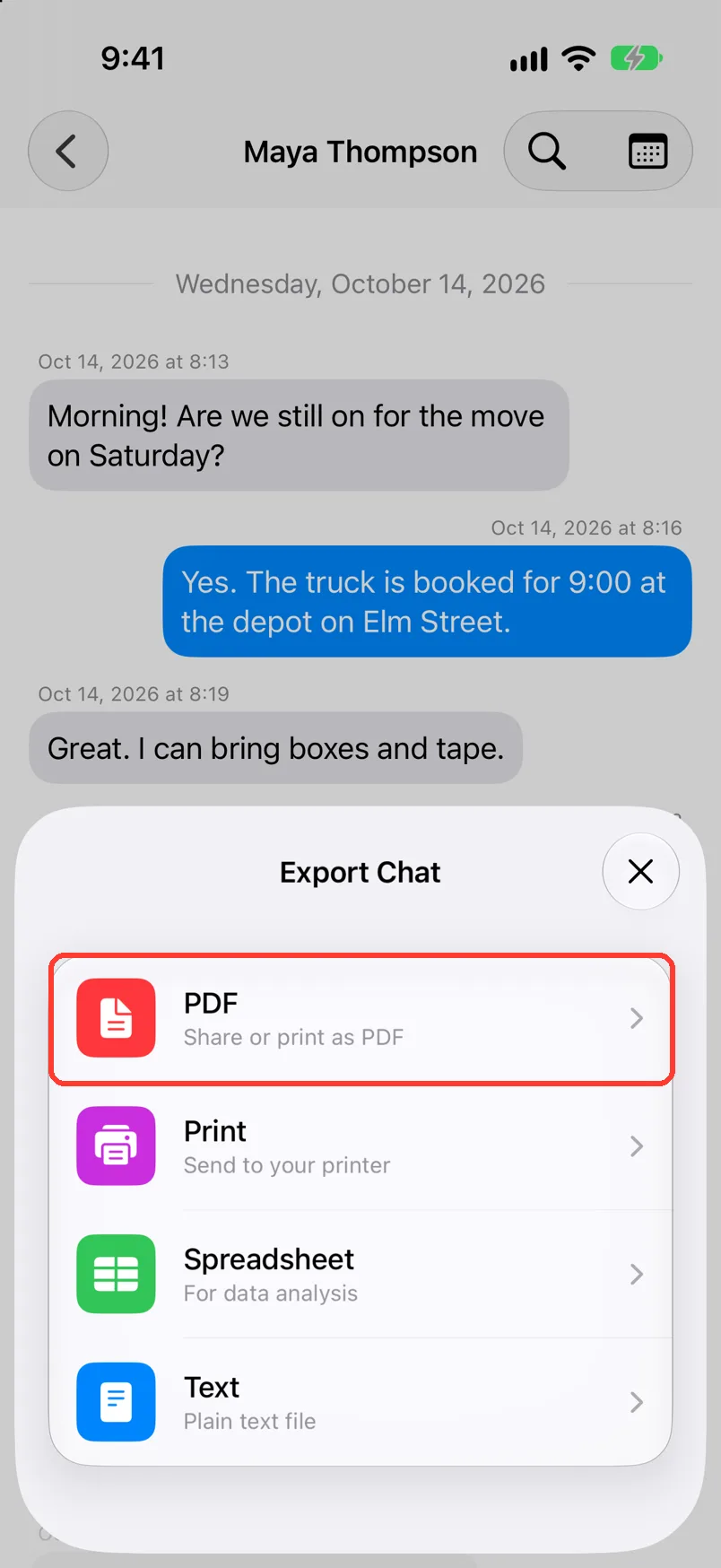
Tap PDF, Spreadsheet, or Text
TextPort makes the file. A preview opens.
TextPort may ask you to unlock this.

Done
You know what TextPort does. You can import a chat and export it.
Problems
You want to export email.
No. TextPort has no import for Apple Mail, Gmail, or Outlook. It imports chats.
You have an Android phone.
No. TextPort is for iPhone, Mac, and Windows. The Mac and Windows apps read iPhone messages.
You want to send or answer a message.
No. TextPort saves a copy of a chat. It does not send, answer, or change messages.
You want a chat put back into Messages.
No. An import goes one way, into TextPort. Your chats in Messages and WhatsApp stay as they are.
A message was deleted before the import.
No. TextPort imports what is in the chat now. If the message is in Recently Deleted in Messages, recover it there first. See Fix recovered messages missing from an import.
The chat is very long, or you need every photo.
Use TextPort on a computer. See Continue on Mac or Windows.
None of these match.
Email [email protected]. Say which step you were on. Say what you saw. We usually reply within a day.
Questions
-
Messages (iMessage and SMS), WhatsApp, LINE, and KakaoTalk. For any other chat app, use Scroll Capture or screenshots.
-
A PDF, a spreadsheet (CSV), and a text file. You can also print a chat or share it with a link.
-
Yes. TextPort for Mac reads the Messages on your Mac. TextPort for Windows reads an iPhone backup on your PC. See Move iPhone messages to a Mac or PC.
-
No. TextPort makes its own copy of a chat. Your chats in Messages and WhatsApp stay as they are.
-
Yes, if you imported it first. TextPort keeps its own copy. See Back up a chat before deleting or switching phones.
-
Yes. TextPort does not import email, but you can email a file it made. See Share an export by email, Gmail, or AirDrop.
Next guides
-
 How to pick a way to import a chat with TextPort
You will know which way to import your chat, and where to tap to start it.
-
 How to export a chat to PDF with TextPort
You will get a PDF of one chat, with names, dates, and times, ready to share or print.
-
 How to move iPhone messages to a Mac or PC with TextPort
You will be able to read and export your iPhone messages on your Mac or PC.
-
 How to fix recovered messages missing from a TextPort import
You will get messages you recovered from Recently Deleted to show in a TextPort import.
-
 How to back up a chat before you delete it or switch phones with TextPort
You will have a PDF copy of the chat saved in iCloud Drive or another safe place.

Start exporting your messages
Available for iPhone, Mac, and Windows. No computer required.